MEASURED DATA
Service +49(0)391 2514666 02/2017 Instruction Manual HMP LFGpro – en
Data Transfer Measuring Instrument → PC
■
Connect measuring instrument and PC via the supplied USB cable.
■
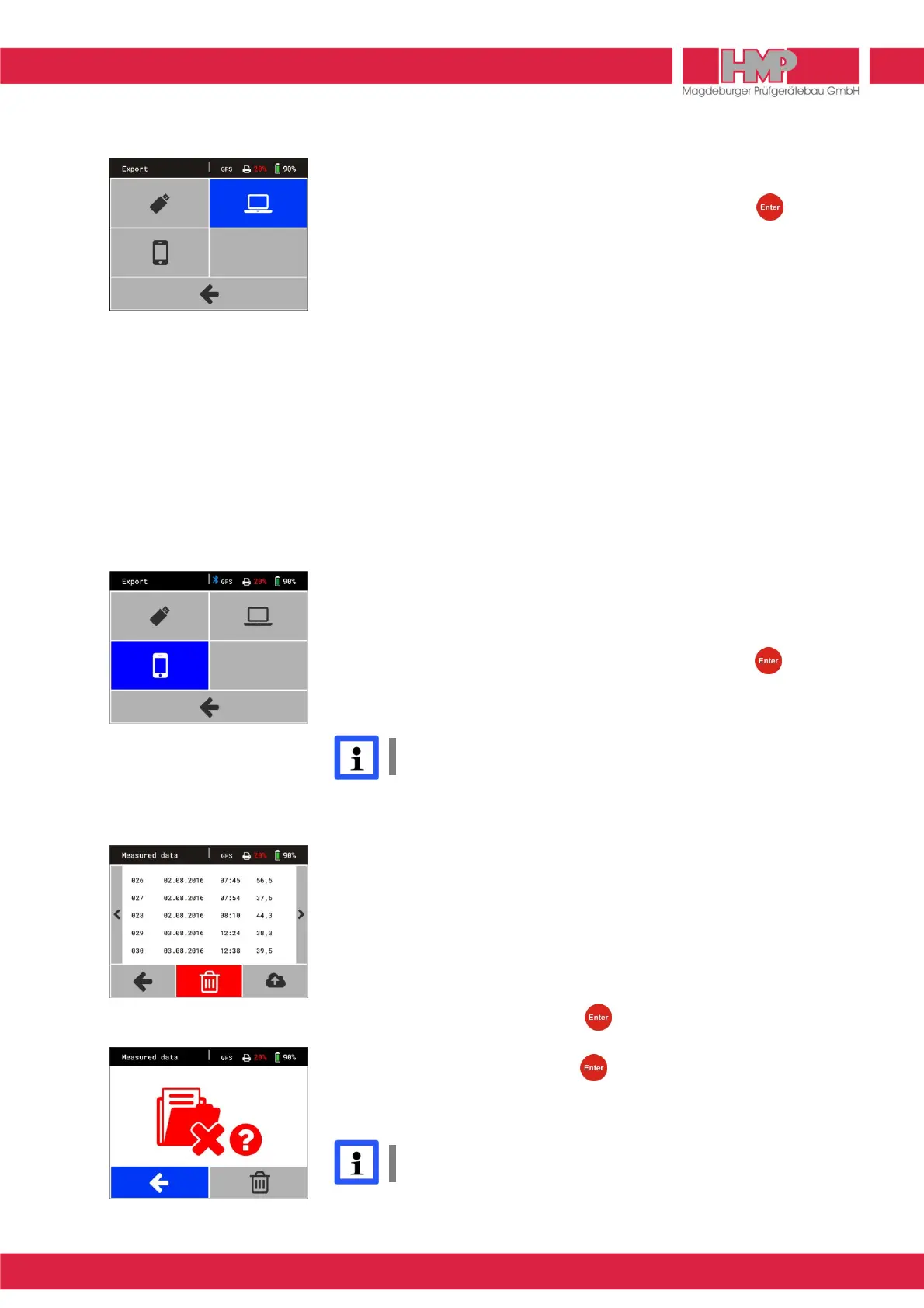
Select within measuring instrument under menu measured data
U
/
export
Q
the transfer mode
R
(Figure 26) and confirm with key.
The measuring instrument works now just like removable media.
■
After completion of data transfer switch off the measuring instrument and
disconnect measuring instrument from PC.
To transfer data from measuring instrument to PC see instruction manual
»Protocol software for the Light Weight Deflectometer«.
Data Transfer Measuring Instrument → HMPtransfer APP / HMPreport
The following conditions must be met, in order to transfer the data from the
measuring instrument via the HMPtransfer APP to the web-based evaluation
software HMPreport.
❙
The HMPtransfer APP has to be installed on the Smartphone.
❙
In the Web Application HMPreport a user account including „import“ rights is
created.
The data transfer from measuring device to smartphone is carried out via
Bluetooth connection and is controlled by the HMPransfer APP from the
smartphone.
■
Select within measuring instrument under menu measured data
U
/
export
Q
the transfer mode
S
(Figure 27) and confirm with key.
Bluetooth interface will be enabled.
■
Carry out all further actions acc. to instructions of HMPtransfer APP.
The HMPtransfer APP imports all measured data, stored in the
settlement measuring instrument.
Regarding data transfer from HMPtransfer APP to web-based evaluation
software HMPreport see help for HMPtransfer APP.
Delete Measuring Results
The test series and –results stored in data base can be deleted via Button
D
.
■
Select and confirm the button
U
in the main menu.
■
Confirm button
D
by pressing the key (Figure 28).
The menu on the left is displayed on the screen (Figure 29).
■
Select button
D
and confirm with key.
All measurements will be deleted.
The main menu is displayed on the screen.
Stored series cannot be deleted individually.
Figure 27



 To Next Page