SETTINGS
Service +49(0)391 2514666 02/2017 Instruction Manual HMP LFGpro – en
Select Language
■
Press key so often until the desired language appears.
■
Select Footer G by means of the or key and confirm with key.
The menu »Settings« appears.
■
Select Footer G by means of the or key and confirm with key.
The set language will be saved and the main menu appears.
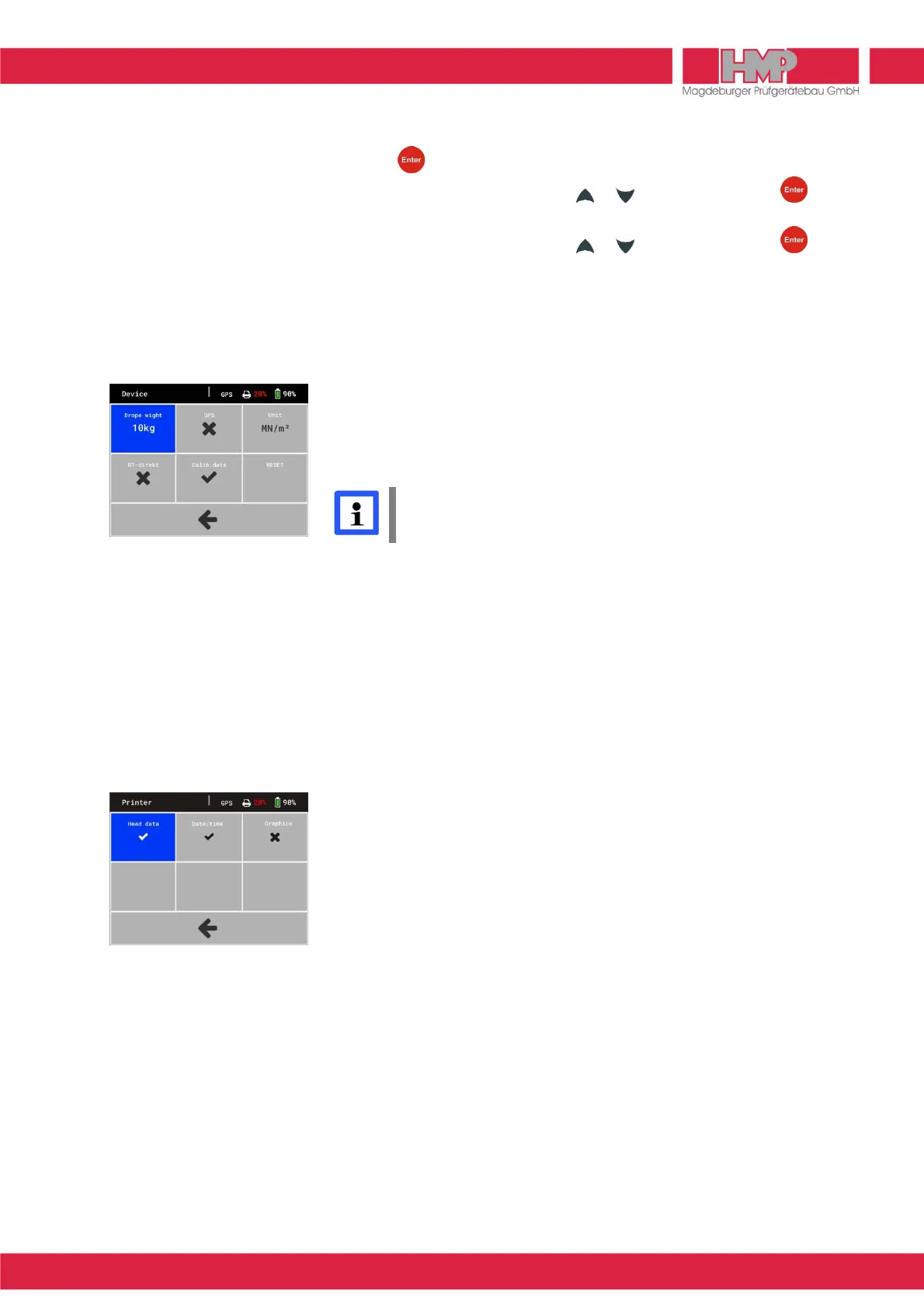
Device
In menu »Device«
X
the following settings can be carried out for device
configuration (Figure 32):
❙
Drop Weight (10 kg / 15kg
1)
) set configuration of loading mechanism
1)
The configuration 15 kg is only allowed to be used for a loading
mechanism with a drop-weight of 15 kg.
There is a separate test code for this.
❙
GPS (
J
/
Z
) activate / deactivate GPS
❙
Unit (MN/m² / MPa) set unit
❙
BT-direkt (
J
/
Z
) special version, not available
❙
Calibration (
J
/
Z
) show / don’t show calibration date on
start screen
❙
RESET Function for HMP-Service
Printer
In menu »Printer«
B
the following settings can be carried out for printer
configuration (Figure 33):
❙
Print head (
J
/
Z
) Print head »
J
« means, that always on every
printout the head with information regarding
measuring point will be printed out.
Print head »
Z
« means, that the first printout is
with head, all others without. This setting is
paper-saving and is used f. e. to print out an
inspection lot.
❙
Date / Time (
J
/
Z
) print out date / time
❙
Grafik (
J
/
Z
) print out curve
Service
In menu »Service« L various device information, which are relevant for HMP
service, are indicated.



 To Next Page