OPTIONS
Service +49(0)391 2514666 02/2017 Instruction Manual HMP LFGpro – en
Insert Paper Roll
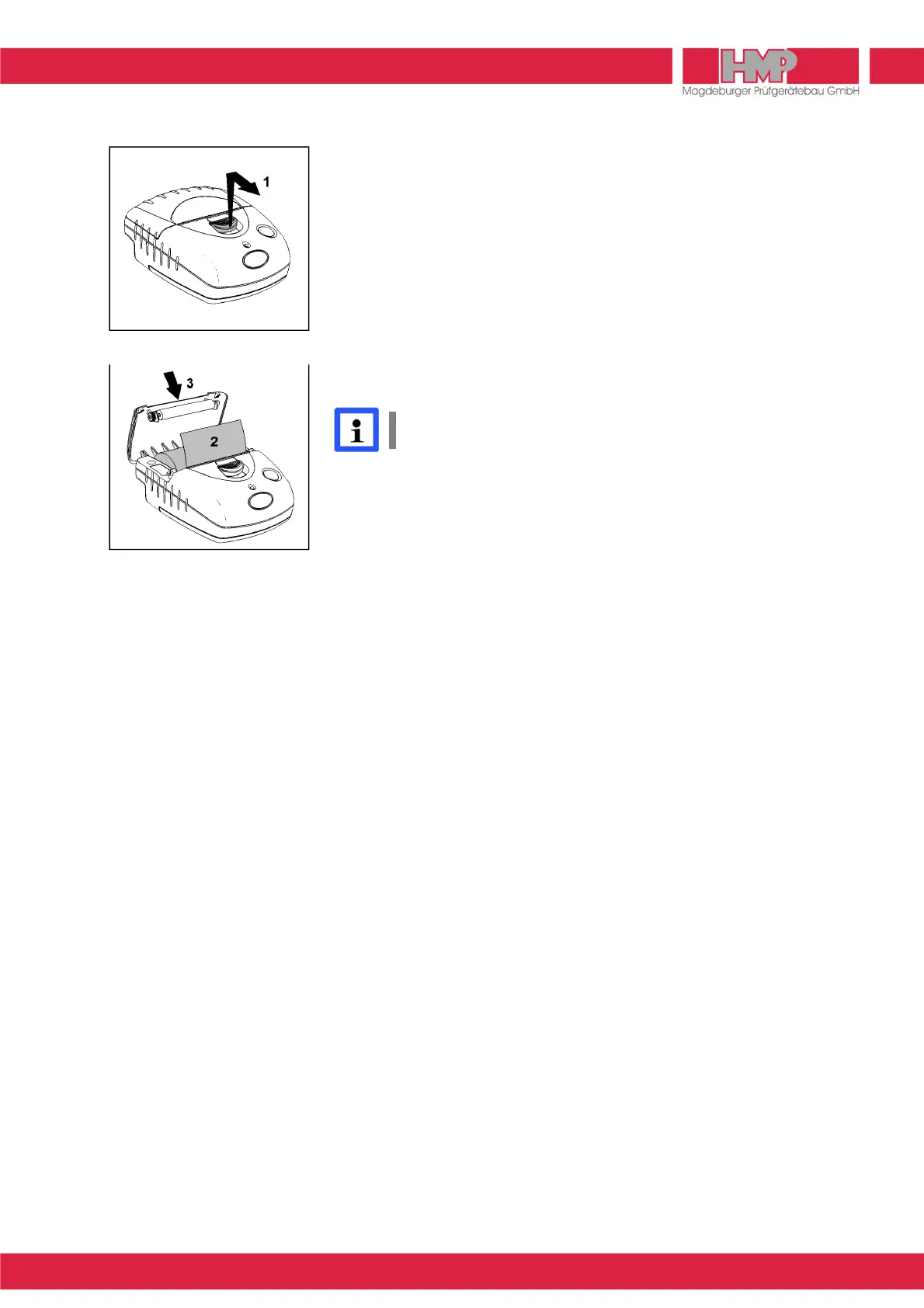
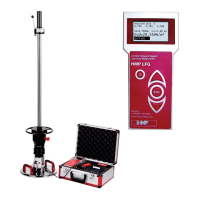
(Figure 38 and Figure 39)
■
Push the paper compartment opener to the front until the printer lid opens (1).
■
Unwind a few centimetres of the new roll and load the paper roll into the
compartment such that the paper will unwind from below (2).
■
Close the printer lid (3).
■
Press the paper feed key to check the correct paper movement.
■
Excessive paper is rapidly torn off by using the cutting edge.
The thermal printer AP1300 is provided with sensors to detect lacking paper or
opened paper compartment. If a sensor is activated, the printer switches to
the storage mode; all data transmitted to the printer are preserved. Printing is
continued immediately as soon as the defect has been removed.
It is recommended using original paper rolls for thermal printer only,
dimensions: ∅ 3 cm, width 5.7 cm (length of paper 10 m).
Malfunction
Printer fails to start printing:
❙
Connection correct? Check connections/establish connection.
❙
Has the printer automatically switched on and is the LED on?
Check, if the printer can be switched on manually.
❙
Is the power pack discharged? Charge the printer before use.



 To Next Page