EasyManua.ls Logo

Hobart GPU-600 Series - User Manual

Hobart GPU-600 Series
116 pages
Print Icon
To Next Page IconTo Next Page
Loading...
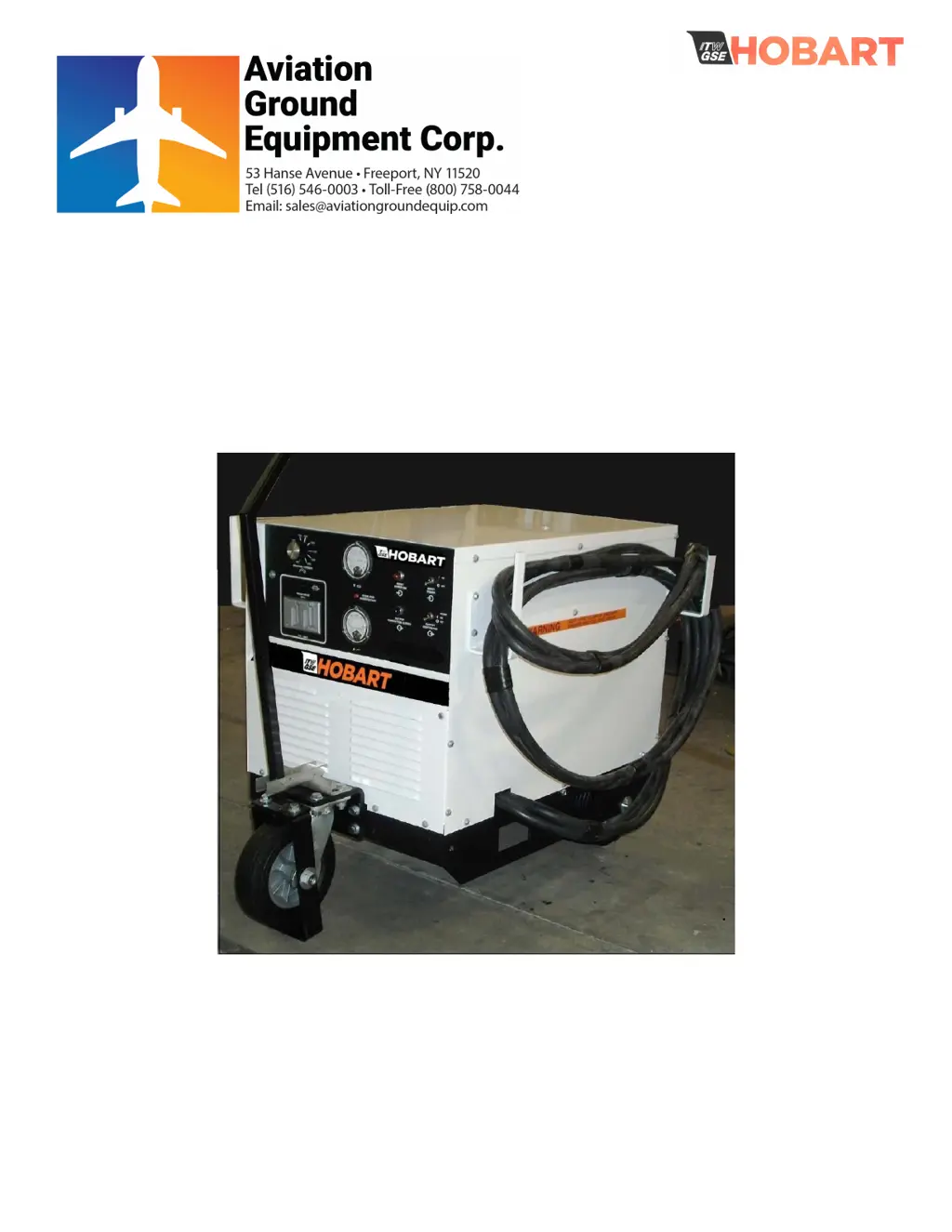
Operation and Maintenance Manual with
Illustrated Parts List for GPU-600
3-Phase Solid State
Transformer-Rectifiers
Series 500082-6xx
28.5 Volts, 600 Amps
OM 2244
12/15/2014 Rev A

Questions and Answers

  • S
    Sheila KingAug 5, 2025
    How to troubleshoot a Hobart GPU-600 Transformer machine that will not start?
    • J
      jsmithAug 5, 2025
      If your Hobart Transformer machine won't start, there are several potential causes: * The input power may be turned OFF at the remote disconnect switch. To solve this, turn the power ON at the remote disconnect switch. * There might be a blown fuse in the remote disconnect switch. Replace the blown fuse. If the fuse blows frequently, determine and fix the underlying cause. * There could be incorrect input power connections at the machine. Check the input power connections against the appropriate connection diagram. * The power input (frequency and voltage) might be incorrect. Ensure the voltage and frequency of the power input match the rating on the machine's nameplate. * A broken input cable could be the issue. Repair the cable as needed.
  • A
    Allison ThompsonAug 13, 2025
    Why does the line contactor fail to close on my Hobart GPU-600 Transformer?
    • G
      Gary PowellAug 13, 2025
      If the line contactor fails to close on your Hobart Transformer, here are a few things to check: * The line contactor fuse F8 may be blown. Replace the fuse. If the fuse blows frequently, check for the cause. * There might be a mechanical obstruction on the contactor. Remove any obstruction. * The line contactor switch could be defective. Replace the line contactor switch. * The coil in the line contactor might be defective. Replace the contactor if the coil is open or shorted. * A cable could be broken at the line contactor. Repair the broken cable as necessary.
  • S
    sosathomasAug 22, 2025
    How to fix high output voltage on Hobart GPU-600?
    • C
      Chelsea SmithAug 22, 2025
      If the output voltage of your Hobart Transformer is too high (above 32 Volts), consider these causes: * The voltage calibration might be off. Attempt calibration. If calibration isn’t possible, replace the PC control board. * The voltage sensing lead could be open. Repair or replace the voltage-sensing lead.
  • M
    melissa01Aug 27, 2025
    What causes unstable voltage in a Hobart GPU-600?
    • A
      Andrew NewmanAug 27, 2025
      If you're experiencing unstable voltage with your Hobart Transformer, here are potential causes and solutions: * An open filter capacitor. Find and replace the defective capacitor. * One or more SCRs not firing properly. Adjust the balance control or replace the defective SCR heat sink assembly if an oscilloscope shows faulty SCR devices. Replace PC control boards if the oscilloscope shows no gate pulse and the PC control board inputs and controls are proper except for output.
  • A
    Ashley AshleyAug 30, 2025
    What to do if operator gets a shock from Hobart GPU-600?
    • D
      David PattonAug 30, 2025
      If an operator receives a shock when touching the Hobart Transformer machine case, it's likely due to the case not being grounded. Ground the machine case to an earth-type ground if the utility ground is already connected. Connect the normal safety ground and recheck if the 'utility' ground had not been connected.
  • C
    Charles ClarkNov 8, 2025
    What to do if Hobart GPU-600 delivers power but soon shuts down?
    • S
      Sara MullenNov 8, 2025
      If your Hobart Transformer unit delivers power but soon shuts down due to thermal overload, electronic overload, or over-voltage circuit trips, consider these potential causes: * The power supply might be overloaded. Reduce the load, as overload can only be sustained for a short time. * The duty cycle may be too high. Avoid continuous operation at overload currents. * The ambient temperature could be too high. Operate at reduced loads when the temperature exceeds 104° F (40° C), or improve the cooling ambient. * Ventilation might be blocked. Ensure that air intake and exhaust openings are not obstructed. * The fan may not be operating. Check fuse F1 on the fan shroud. If the fuse is good, disconnect the fan motor leads and apply 115 VAC directly to the fan motor. Replace the fan...
  • A
    Alexander PerryNov 17, 2025
    Why won't the output contactor close on my Hobart Transformer?
    • A
      Alexandra WrightNov 17, 2025
      If the output contactor of your Hobart Transformer will not close, consider the following: * The output switch (S2) may be defective. With the unit off, place a jumper between terminals 2 and 4 on S2. Turn the unit on. If the output contactor closes, S2 is defective and should be replaced. * The input contactor auxiliary contacts (K1) may be defective. With the unit off, place a jumper between terminals NO 1 and COM 3 on the input contactor. Turn the unit on, and place S2 in the Close position. If the output contactor closes, K1 is defective and should be replaced. * The output voltage select switch (S103) may be defective (if applicable). With the unit off, place a jumper between terminals 4 and 5 on S103. Turn the unit on, and place S2 in the Close position. If the output contacto...

Summary

Introduction to Operation and Maintenance

Chapter 2 Servicing and Troubleshooting

Section 1 Troubleshooting

Provides guidance on diagnosing and resolving operational issues and faults within the GPU.

Section 2 Calibration and Test of PC Control Board

Details procedures for testing, calibrating, and adjusting the printed circuit board for proper function.

Section 3 Scheduled Maintenance

Outlines the recommended inspection and maintenance schedule for the GPU.

Chapter 3 Overhaul and Major Repair

Unscheduled Repair Procedures

Covers procedures for component replacement and major repair work when issues arise unexpectedly.

Chapter 5 Manufacturers Literature

Appendix A Options and Features

Lists available optional features and accessories for the GPU-600, including part numbers.

Chapter 1 Description and Operation

Section 1 Description

Details the GPU's general information, optional equipment, orientation, and mounting.

Section 2 Preparation for Use, Storage, or Shipping

Provides instructions for receiving, unpacking, storing, and shipping the GPU unit.

Section 3 Operation Procedures

Step-by-step guide for the safe and efficient operation of the GPU.

Chapter 4 Illustrated Parts List

Section 1 Introduction and Numerical Index

Introduces the parts list and explains the numerical index for locating specific components.

Section 2 Manufacturers Codes

Lists vendor codes and contact information for parts suppliers.

Section 3 Illustrated Parts List Details

Contains detailed illustrations and part numbers for all GPU assemblies and components.

Hobart GPU-600 Series Specifications

General IconGeneral
Frequency60 Hz
Temperature Rise150°C
Enclosure TypeNEMA 3R
Phase3
CoolingSelf-cooled
Primary Voltage480V

Related product manuals