10. Built-in devices 179
Operation
• Use the main switch on the Control Panel to turn on the
12V power supply.
• Open the tinted glass covering
j
.
• Turn the adjusting knob
k
of the burner you wish to use
to the ignition position (large ame), press it and hold it
pressed.
• Use the ignitor
l
to ignite the ame; keep pressing the
igniter
l
until the ame comes on.
• Continue to press the rotary switch
k
for a further 5-10
seconds to ensure that the automatic ame guard takes
eect.
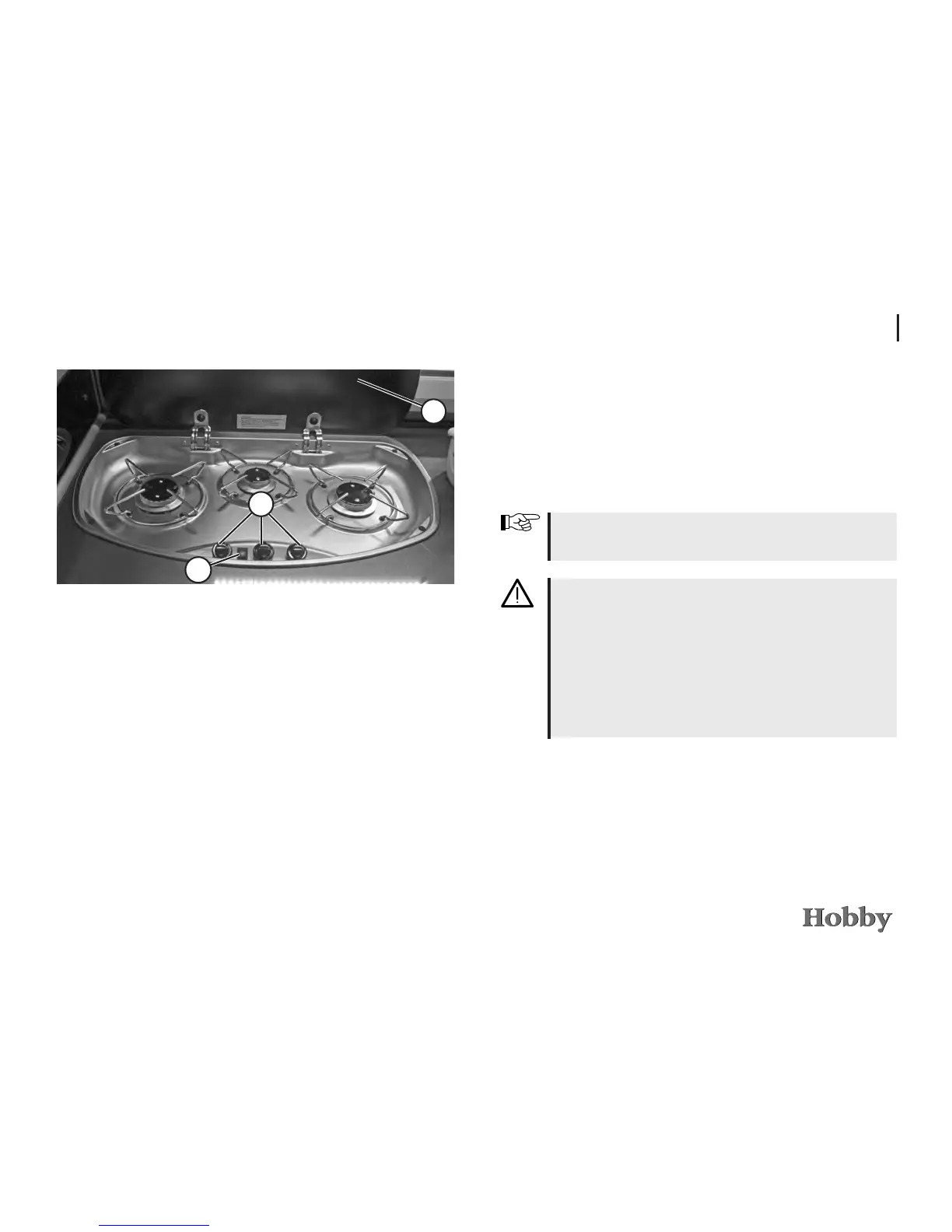
2
1
3
Operating elements for gas cooker
Use oven gloves or potholders when handling hot pots,
pans or similar objects. You may be burned!
Never allow gas to escape without burning. Danger of
explosion!
After cooking, leave the glass cover
j
open until the
burners stop giving o heat. Otherwise, the glass cover
could burst.
Never store easily ammable objects such as dishto-
wels, serviettes, etc. near the cooker. Danger of re!
• Release the rotary switch
k
and turn to the desired set-
ting (large or small ame).
• If ignition was unsuccessful, repeat the procedure.
• To turn o the gas ame, turn the rotary switch
k
back
to the “0” position
• Close the main gas stop valve on the gas cooker.





 To Next Page