A3SuperUserManualVer.2.6
HTTP://WWW.HOBBYEAGLE.COM Feb.20,2014
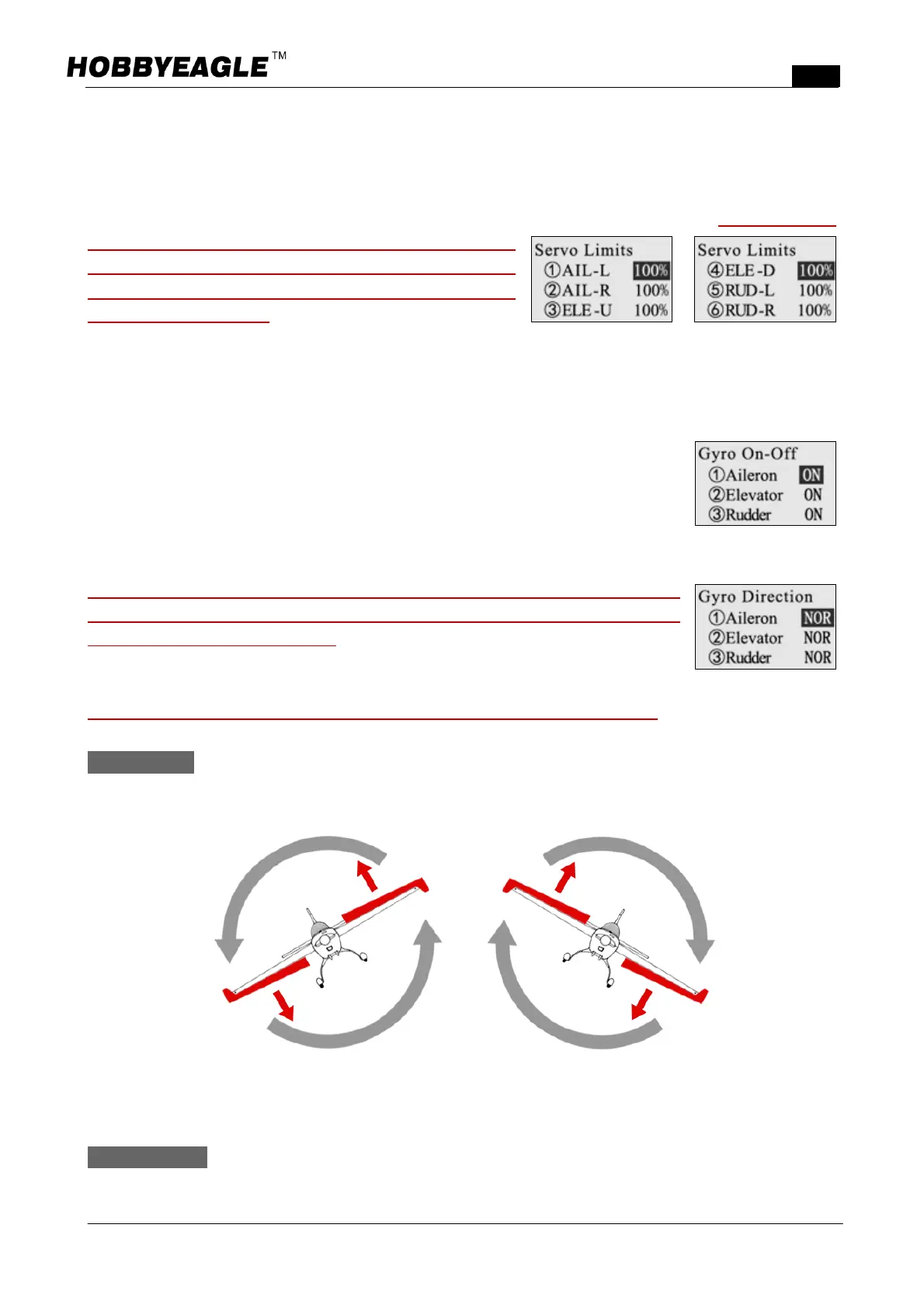
12.6. ServoLimits
This function is used to set the mechanical limits for aileron, elevator and rudder servos. The max limit is
determined by the maximum possible control travel of the mechanism. The limits can be set between 0100%
corresponding to the pwm pulse length from 1020 to 2020μs. The default setting is 100%. When adjusting,
switch the controller to the 3D flight mode first, move the
stickstooneside,theservowillmovetothesetlimit,increase
or decrease the value until no binding occurs by using the
programcardorPCtool.Alwaystrytoachievethemaximum
possibletravellimittoobtainthebestperformance.
12.7. GyroOnoff
Itisusedtoturnonoroffthegyroforeachchannel.WhensettoOFF,allgyrofunctions
forthecorrespondingchannelwillbedisabledwhatevertheflightmodeis.
12.8. GyroDirection
It is extremely important to make sure that the gyros of all channels are
compensatinginthecorrectdirectionbeforeflight,otherwiseitcouldleadtolosing
controlorevencrashduring flight! To performthe examination, power onthe plane,
pickitupandcheckitbyfollowingtheillustrationsbelow.Turn it to REV(Reversed)if
thegyrocompensatesinaincorrectdirection.
ThegyrodirectionsofAileron2andElevator2canbesetseparatelyfromVer.2.1!
AILERON Quicklymovetherightwingdownwardaroundtherollaxis.Therightaileronshouldflapdown
andtheleftaileronflapupasshown.
ELEVATOR Quicklymovethenoseoftheplanedownwardaroundthepitchaxis.Theelevatorshouldflap
upasshown.



 To Next Page