① The First Stage of Low Voltage RTH: The drone status LED starts to
flash red slowly and the transmitter keeps beeping. The drone enters
the first stage of Low Voltage RTH. There are two possible returning
procedures: (After the activation of the first stage of Low Voltage RTH,
a "safety zone" with a height of 98 ft and a radius of 164 ft will be
generated with the Home Point as its center. Once the drone returns to
the airspace above the Home Point (thus ending the RTH procedure),
it can only fly within the safety zone.)
Low Voltage RTH
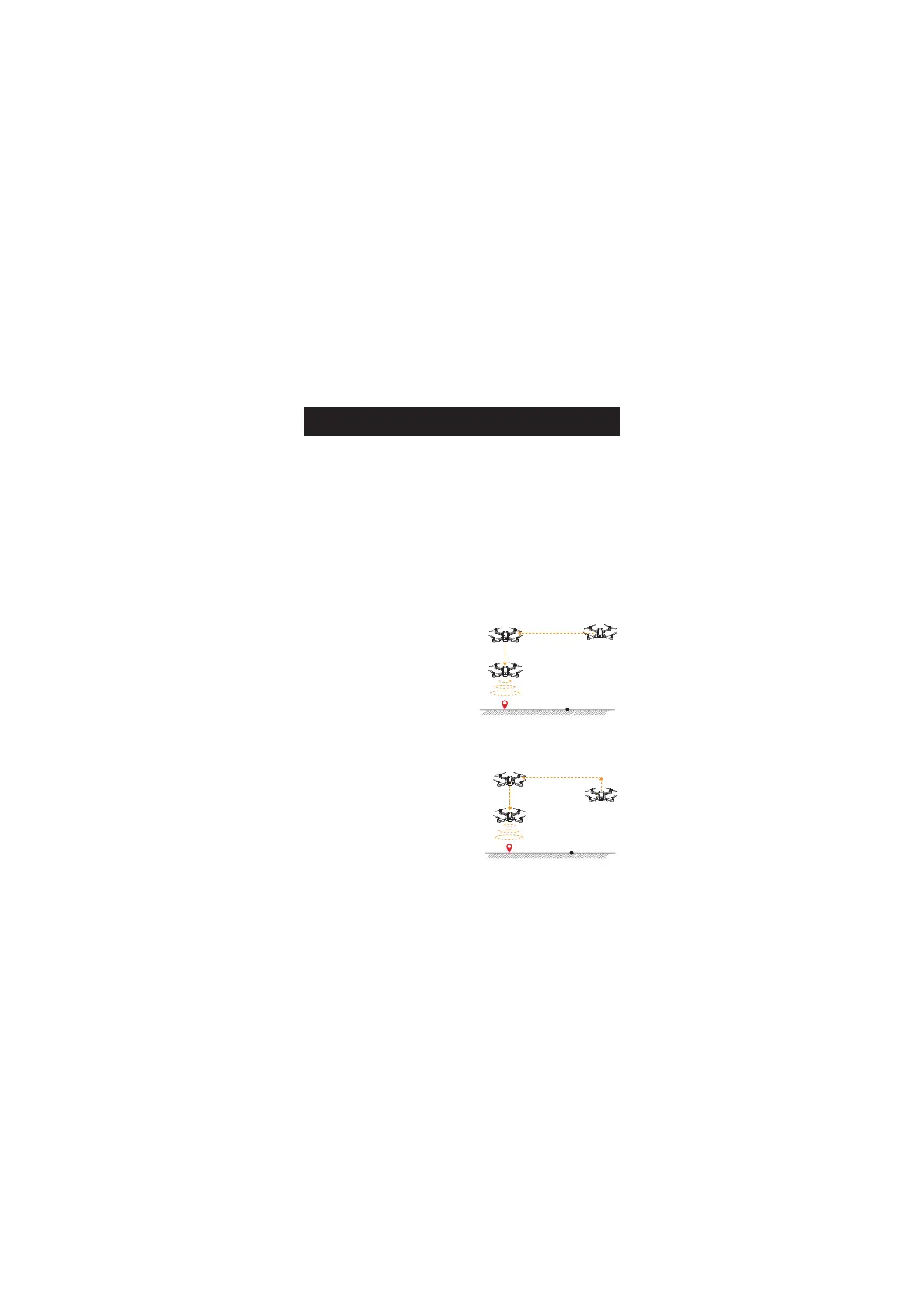
a. If the flight altitude is higher
than RA and the flight distance is
larger than 16ft, the drone will
first fly back above the Home
Point, descend to 49ft and hover
there. The first stage of Low
Voltage RTH ends.
Home Point
H=49 ft
RETURN TO HOME
* RA: the Return Altitude set in the app setting.
H>RA
b. If the flight altitude is lower
than RA and the flight distance is
larger than 16ft, the drone will
first ascend to RA, then fly back
above the Home Point and
hover there. The first stage of
Low Voltage RTH ends.
a. Flight altitude > RA
Flight distance > 16ft
Home Point
H=49 ft
H=RA
b. Flight altitude < RA
Flight distance > 16ft
D=16 ft
D=16 ft


 To Next Page