Orbit Flight
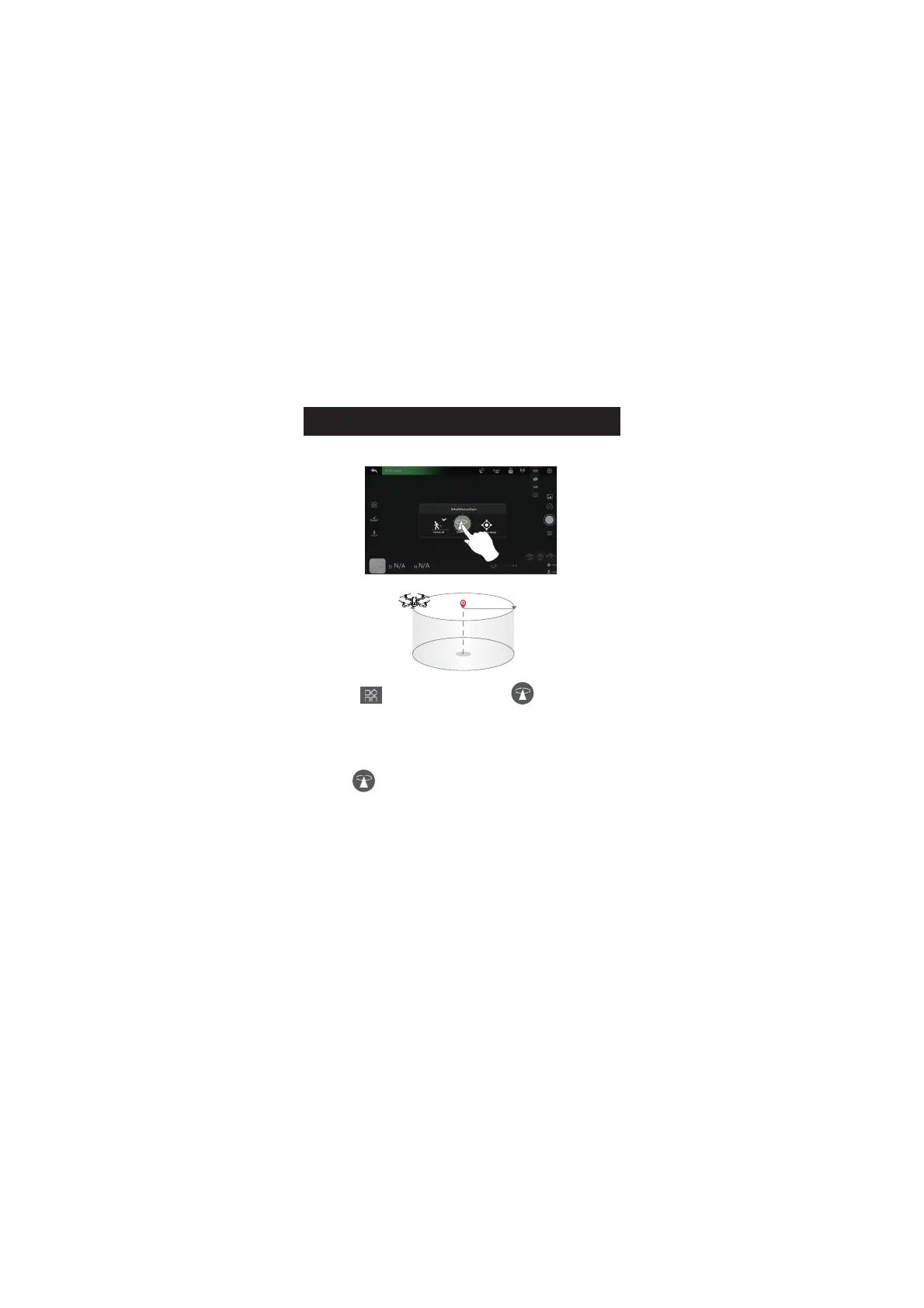
1.Tap the " " icon first. Then tap the " " icon. Follow the
instructions in the prompt box to activate the Orbit Flight function.
2.The drone will record its current position when this function is
activated as the circle's center. It then flies away from it to the set radius
distance and begins to circle clockwise. (Default radius:15 ft)
3.Tap the " " icon again to turn off Orbit Flight.
3
APP OPERATION INSTRUCTION


 To Next Page