Headless Mode
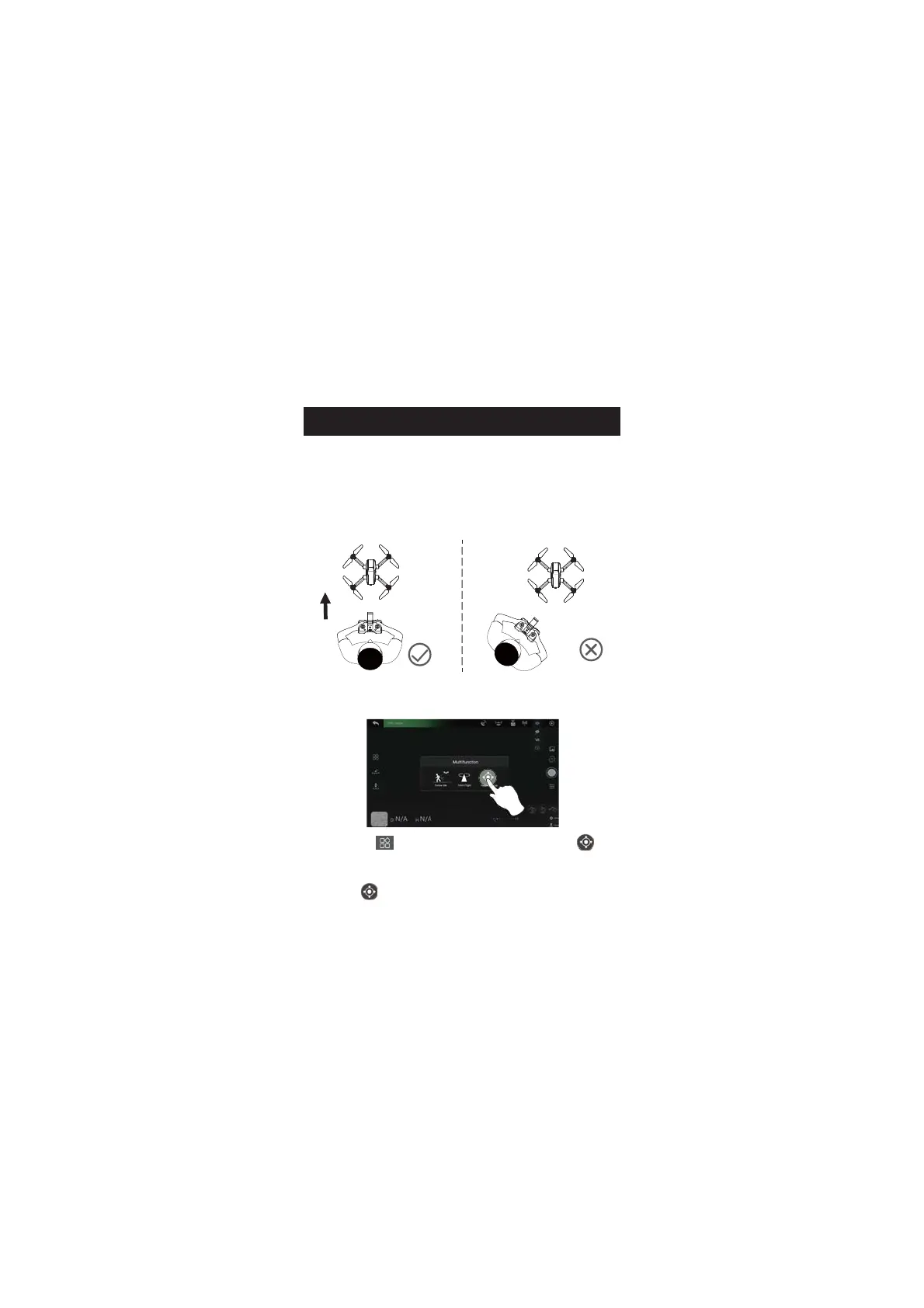
The Headless Mode is a great training tool for beginner pilots. It is also
useful when the drone is too far from the pilot (which makes it difficult
to tell its orientation). It keeps the drone traveling forward, backward,
left, or right when you move the right joystick in those directions,
regardless of which way the front of the drone is pointed.
1. First tap the " " icon on the app interface, then select " " icon
by tapping on it. Follow the instructions in the prompt box to activate
Headless Mode.
2. Tap the " " icon again. The drone exits Headless Mode.
APP OPERATION INSTRUCTION
The pilot should stay facing the same direction that
the drone’s head points to when it takes off.


 To Next Page