You can only use this function when the drone is NOT in GPS
mode. There is no need to trim when the drone is in GPS mode.
The Forward Trim
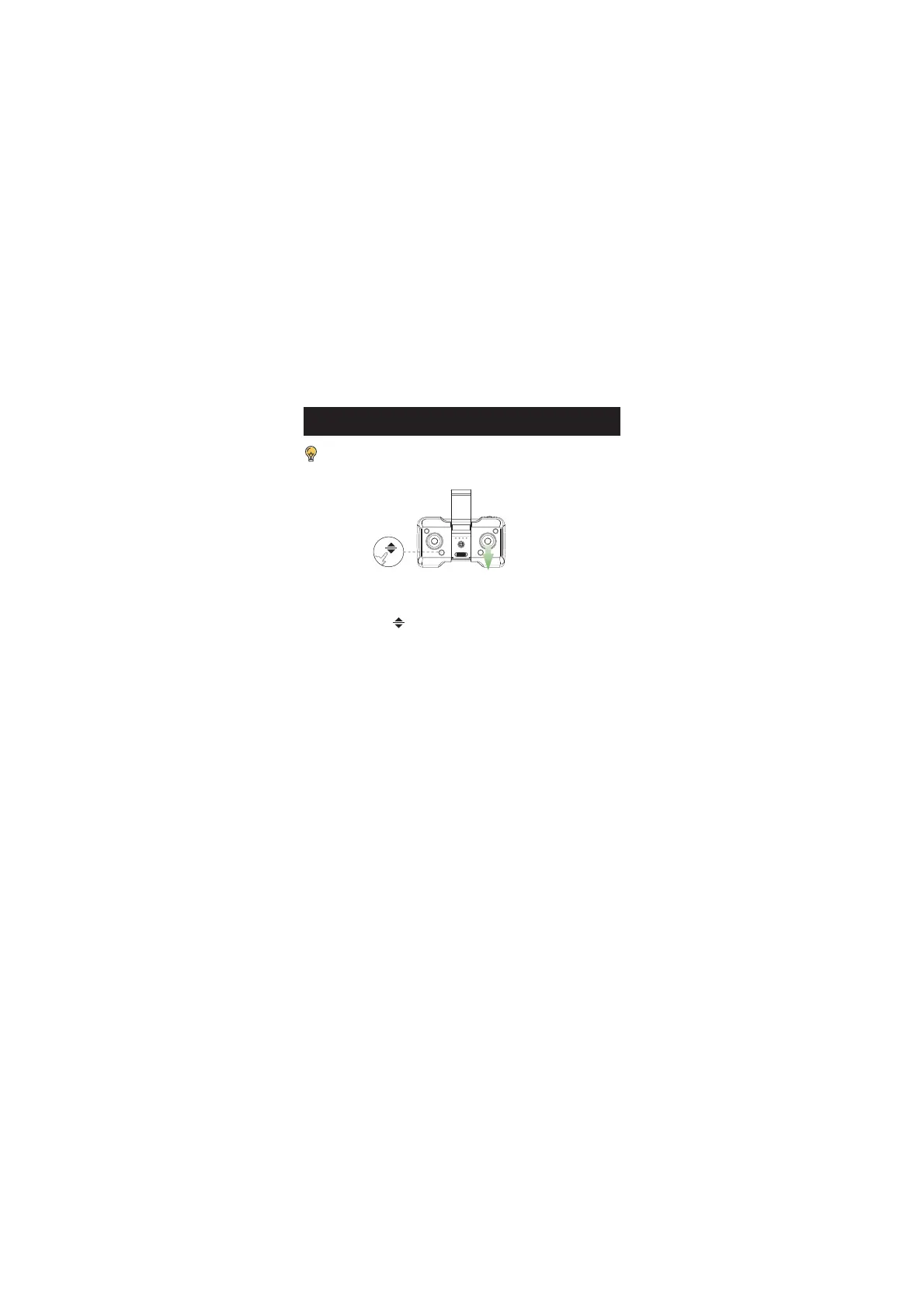
If the drone tends to drift forward:
1. Press down the ” ” button and do not release it.
2. At the same time, push the right joystick backward one time.
3. Depending on how the drone drifts, it may take several pushes to
balance the drone.
4. After each push, wait 2 seconds to watch the drone's movement. If it
still drifts, push the joystick backward again.
5. Repeat STEP 4 until the drone drifts forward no more.
* You can also fix the Backward/Sideward Trim using a similar
method, i.e., pushing the right joystick to the direction opposite the
drift.
TRIMMER


 To Next Page