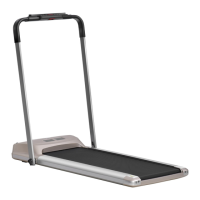
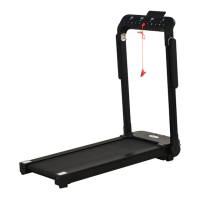
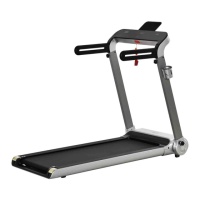
This document provides comprehensive instructions for the assembly, safe use, and maintenance of the HOMCOM treadmill, model INadd002V03_UK A90-001V70. It emphasizes the importance of reading the entire manual before assembly and use to ensure safe and effective operation.
Function Description
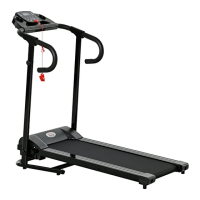
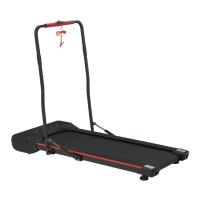
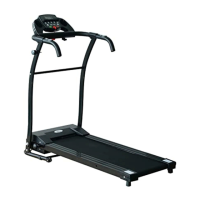
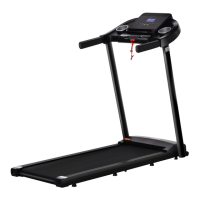
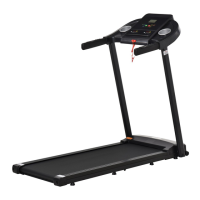
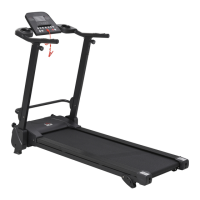
The HOMCOM treadmill is designed for home use to facilitate exercise and improve physical fitness. It functions as a cardio-vascular training device, allowing users to walk or run in place, thereby toning muscles and assisting with weight loss when combined with a calorie-controlled diet. The treadmill features a running belt, a control panel, handrails, and an emergency stop switch for user safety. Its primary function is to provide a convenient and effective way to engage in aerobic exercise indoors.
Usage Features
The treadmill offers several features to enhance the user experience and ensure safety during operation:
- Control Panel: The central interface for managing the treadmill's functions. It displays key exercise metrics such as scan, speed, time, distance, and calories burned.
- Emergency Stop Switch: A critical safety feature, the emergency stop key is placed on a magnetic docking pad on the console. Removing this key immediately brings the running belt to a standstill, providing an instant safety measure in case of an emergency or loss of balance.
- Speed Adjustment: Users can gradually increase or decrease the treadmill's speed using the "+" and "-" buttons on the control panel, allowing for a customized workout intensity.
- Mode Selection: The "Mode" button allows users to cycle through different display settings on the computer panel, including Scan, Speed (Km/h), Time, Distance, and Calories burned.
- Scan Function: When the "Scan" function is selected, the display automatically switches between Speed, Time, Distance, and Calories burned every 5 seconds, providing a comprehensive overview of the workout progress.
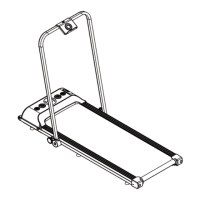
- Assembly and Storage: The treadmill is designed for relatively straightforward assembly and can be folded for storage. The assembly process involves attaching the handle supporting frames and the handrail bar to the main treadmill frame, connecting cables, and securing the control panel. For storage, the running board can be lifted and fixed in an upright position using a tension knob and fixed knob, making it more compact. To spread the machine for use, the tension knob is pulled out, allowing the running board to fall down and be secured with the fixed knob.
- Exercise Program Guidance: The manual outlines a structured exercise program consisting of a Warm-Up Phase, an Exercise Phase, and a Cool-Down Phase.
- Warm-Up Phase: This phase helps prepare the body for exercise by increasing blood flow and muscle activity, reducing the risk of cramps and injury. It includes recommendations for stretching exercises, each held for approximately 30 seconds.
- Exercise Phase: This is the main workout phase, where users are encouraged to work at their own pace while maintaining a steady tempo. The goal is to raise the heart rate into a target zone, which is illustrated with a heart rate graph based on age. This phase should last a minimum of 12 minutes, with most people starting at 15-20 minutes.
- Cool-Down Phase: This phase allows the cardio-vascular system and muscles to gradually wind down. It involves reducing the tempo for about 5 minutes, followed by repeating the stretching exercises from the warm-up phase.
- Weight Loss Focus: The manual highlights that the amount of effort exerted directly correlates with calorie burning, emphasizing that harder and longer workouts contribute more to weight loss.
- Safety Precautions: The manual provides extensive safety guidelines, including ensuring all parts are secure, consulting a physician before starting an exercise program, wearing suitable clothing and footwear, keeping children and pets away, avoiding exercise within 2 hours of a large meal, holding the handrail until confident, using the treadmill in a clear space, and stopping exercise immediately if any adverse symptoms occur (e.g., nausea, chest pain).
Maintenance Features
Proper maintenance is crucial for the longevity and safe operation of the treadmill. The manual provides the following maintenance guidelines:
- Regular Inspection: The equipment's safety can only be maintained if it is regularly examined for damage and/or wear and tear. Users are advised to stop using the equipment immediately if any defective components are found or unusual noises are heard during use, and to rectify the problem before further use.
- Belt Adjustment: The treadmill belt is factory-adjusted, but individual users may cause it to shift to the "Right" or "Left." The manual provides instructions for adjusting the belt using two adjustment bolts at the rear of the unit. This involves tightening the bolt on the side towards which the belt has shifted and loosening the bolt on the opposite side by half a turn, then rotating the belt to ensure it is centered.
- Belt Cleaning: The running belt can be cleaned with mild soap and water. It is important to remove any excess water after cleaning.
- Running Board Lubrication: The running board under the belt should be cleaned periodically with a household furniture polish. After cleaning, a small amount of silicone spray should be applied to the surface of the running board to facilitate easier belt sliding.
- Nut and Bolt Security: Users are advised to check that all nuts and bolts are securely tightened before each use to ensure stability and safety.
The manual also includes a troubleshooting section for common malfunctions, such as the treadmill not working, the running belt not moving smoothly, and error codes (E01, E02, E03, E05, E06, E07), providing potential causes and solutions for each issue.

 Need help?
 General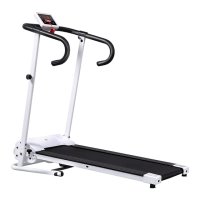

 To Next Page