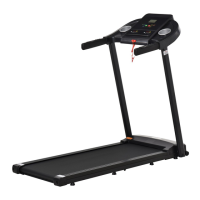
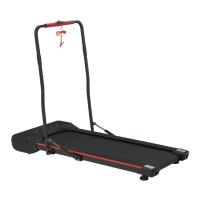
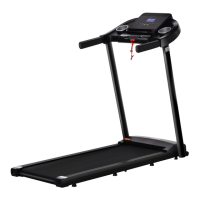
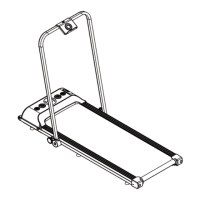
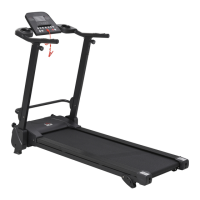
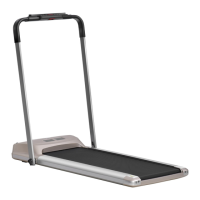
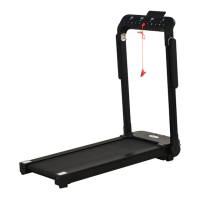
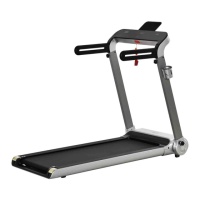
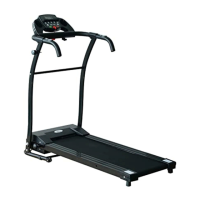
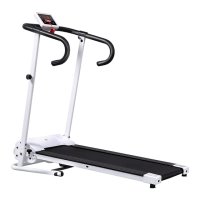
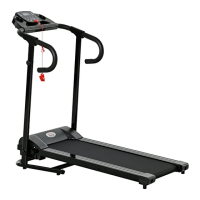
This document is a user manual for the INapb002_UK A90-252V70 Treadmill, manufactured by HOMCOM. It provides essential information for safe operation, technical specifications, usage instructions, and maintenance guidelines.
Function Description
The HOMCOM A90-252V70 Treadmill is designed for indoor use, providing a platform for walking and light running exercises. It features an electronic control panel that displays various exercise metrics such as time, speed, distance, calories burned, and accumulated mileage. The treadmill allows users to adjust speed, start, and stop their workout. It is equipped with a safety lock mechanism for emergency stops and includes features to prevent overheating and electrical malfunctions. The device is suitable for family use and is not intended for professional training, testing, or medical purposes.
Important Technical Specifications
- Model Number: XD-T1
- Dimensions: 1330 x 500 x 130mm
- Running Surface Size: 400 x 1100mm
- Speed Range: 1-6 Km/h
- Rated Voltage: 220V-240V
- Rated Power: 500W
- Rated Frequency: 50 Hz
- Max Weight Capacity: 100 Kg
- Level: HB (likely indicating a home-use grade)
- Parts Included: Body frame, Controller (Battery), Tools, Manual.
Usage Features
- Start/Stop Functionality: The treadmill can be started and stopped using a dedicated "START/STOP" button. Holding the STOP button puts the treadmill into sleep mode, and any button press can restart it.
- Speed Adjustment: Speed can be adjusted in increments of 0.1 km/h using "+" and "-" buttons. Holding these buttons for more than two seconds will change the speed by 0.5 km/h.
- Display Metrics: The electronic screen displays:
- Time: Counts forward from 0:00-99:59 or backward from a set time.
- Speed: Shows current speed (1.0-12 km/h) and countdown (3, 2, 1) at startup.
- Distance: Counts forward from 0.0-99.9 or backward from a set value.
- Calories: Counts forward from 000-990 or backward from a set value.
- Mileage: Shows accumulated mileage since the first use.
- Standby Mode: If no input is detected for more than 10 minutes in standby mode, the treadmill enters an energy-saving state with no screen display. Pressing any button exits this mode.
- Safety Lock: A safety lock cable clip should be attached to clothing during exercise to enable an emergency shutdown.
- Grounding: The treadmill requires reliable grounding to prevent electrical hazards.
- Placement: Must be placed on a flat surface indoors, with a safe use space of 2m x 1m (2000mm x 1000mm) at the rear for emergency escape.
- Emergency Stop Procedure: In an emergency, hold the armrests, prop up the body, and step onto the side rails with both feet, jumping away from the machine from one side.
Maintenance Features
- Regular Cleaning: Dust should be removed regularly from parts. After each use, the meter and other parts should be cleaned with a dry towel to remove sweat and debris, avoiding splashing water on electrical components or under the running belt.
- Storage: Store the treadmill in a clean, dry environment with the power turned off and unplugged.
- Mobility: Equipped with wheels for easy movement; ensure power is disconnected and the body folded before moving.
- Part Inspection: Frequently check and lock all parts of the treadmill.
- Rest Periods: Recommended to rest the treadmill for 10 minutes after 30 minutes of continuous use to extend its life and prevent overheating.
- Running Belt Adjustment:
- Loose Belt: If the running belt is too loose, use a hex wrench to rotate the left guard's adjustment hole clockwise 1/4 turn, then the right foot's adjustment hole clockwise 1/4 turn. Ensure both sides are adjusted synchronously to keep the belt centered.
- Tight Belt: If the running belt is too tight, adjust the left and right synchronization counter-clockwise.
- Alignment: If the running belt deviates from the center (e.g., due to uneven foot pressure), run the treadmill without stepping on it at 6th gear. If it deviates left, rotate the left screw clockwise 1/4 turn. If it deviates right, rotate the right screw clockwise 1/4 turn. Repeat until centered.
- Caution: Do not over-tighten the running belt or the drum, as this can cause damage to the treadmill and bearings.
- Lubrication:
- Treadmills are pre-oiled, but lubrication should be checked after one year or 100 hours of operation.
- Check for lubricant by pulling the starting belt from the side and touching the table surface; if lubricant is felt, no additional lubricant is needed.
- To add lubricant, open the side bar on the front left, insert the oil bottle into the opening (after cutting the tip to size), and squeeze the bottle to refuel into the fuel pipe on the platform. Use non-petroleum lubricants.
- Troubleshooting: The manual provides a detailed table of fault codes (Er1, Er2, Er3, Er4, Er5, Er6, Er13, Er14) with corresponding issues and solutions, covering problems like no signal, over pressure, over current, overload, motor connection issues, motherboard connection issues, IGBT short circuit, and load short circuit. It also addresses common problems like unresponsive buttons, no display, treadmill not starting, belt slipping, belt deviation, and abnormal sounds, offering step-by-step troubleshooting methods.


 To Next Page
 General