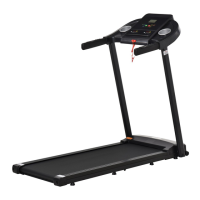
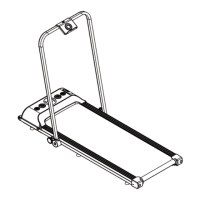
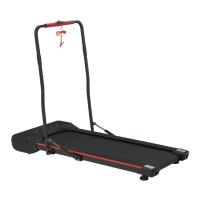
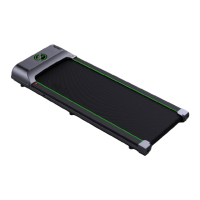
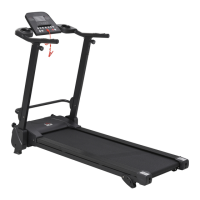
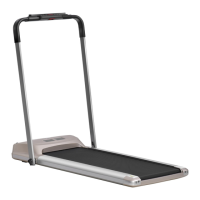
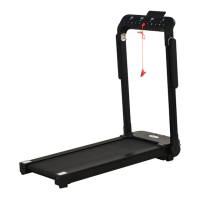
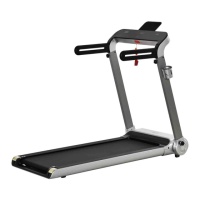
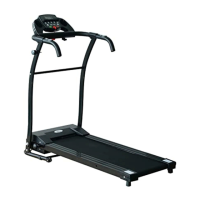
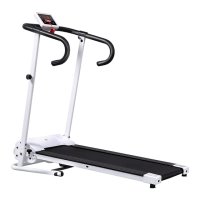
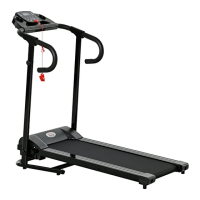
This document is a user manual for the INan006_UK A90-248 Treadmill, a home electric treadmill designed for personal fitness.
Function Description
The treadmill is designed for indoor exercise, offering various modes and programs to support different fitness goals. It features a display that shows real-time exercise data such as speed, time, distance, calories burned, and pulse. Users can engage in manual mode, select from built-in programs, or perform a physical fitness test (FAT). The treadmill is equipped with a safety lock function for immediate stopping in emergencies and an energy-saving mode. Some models may also include Bluetooth music connectivity.
Important Technical Specifications
- User Weight Limit: The user's weight should not exceed 100kg.
- Speed Range: The treadmill operates at speeds ranging from 1.0 to 12 KM/H.
- Display Ranges:
- Time: 0:00 to 99:59 (forward count), 15:00 to 0:00 (countdown).
- Distance: 0.0 to 99.9 km (forward count), 1.0 to 0.0 km (countdown).
- Calories: 000 to 990 kcal (forward count), 50.0 to 0.0 kcal (countdown).
- Heart Rate: Displays pulse value when a signal is detected.
- Power Input: AC 200-240V (for electronic watch).
- Built-in Programs: 12 preset programs (P01-P12), each divided into 10 segments with varying speeds.
- Physical Fitness Test (FAT): Measures Body Mass Index (BMI) based on sex, age, height, and weight, with an ideal range of 20-25.
- Minimum Spacing (after setup): Front and sides: not less than 100CM; Rear: not less than 200CM.
Usage Features
- Quick Start (Manual Mode):
- Attach the magnetic safety lock.
- Press "START" to begin a 3-second countdown, after which the treadmill starts running at 1.0 KM/H.
- Adjust speed using "+" and "-" keys (0.1km/time adjustment range).
- Press "STOP" to reduce speed and stop.
- Mode Selection ("MODE" key):
- Allows cycling through time countdown (15:00), distance countdown (1.0 km), and calorie countdown (50.0 kcal) modes.
- Use "+" and "-" keys to set desired countdown values.
- Program Selection ("PROG" key):
- In standby, press "PROG" to select from P01-P12 programs or enter Body Fat Test mode.
- Set exercise time for programs using "+" and "-" keys.
- Safety Lock Function: A red clip attached to clothing, when pulled off, immediately stops the treadmill and displays "E07" (error code for safety switch not on). The treadmill will not operate until the safety lock is re-installed.
- Energy Saving Mode: The treadmill enters this mode after 10 minutes of no operation in standby, blanking the display. Press any button to exit.
- Bluetooth Music (for compatible models): Connects via phone settings (Bluetooth device name: EsAudioV2.3) to broadcast music through the treadmill.
- Handrail Use: Recommended for stepping on and off the machine, ensuring the treadmill has come to a complete stop.
- Emergency Stop: Unplugging the safety lock immediately stops the treadmill.
Maintenance Features
- Regular Cleaning: Remove dust frequently. After each use, clean the meter and other parts with a clean towel or cloth to remove sweat and debris, avoiding water on electrical components.
- Storage: Store in a clean, dry environment with power off and cable unplugged.
- Lubrication:
- Treadmills are pre-oiled. Check for lubricant after 30 hours or 30 days of use by touching the table surface under the running belt.
- Lubricate after one year of use or 100 hours of operation using non-petroleum lubricants.
- To add lubricant: Open the side bar on the front left, insert the bottle into the opening, cut the tip, and squeeze oil into the fuel pipe on the platform.
- Running Belt Adjustment:
- Looseness: If the belt is too loose, use a hex wrench to rotate the left guard adjustment hole clockwise 1/4 turn, then the right foot clockwise 1/4 turn. Adjust synchronously.
- Tightness: If the belt is too tight, adjust left and right counter-clockwise. Avoid over-tightening to prevent damage to the belt and bearings.
- Alignment: If the running belt deviates from the center (normal during use, but should return when not in use), run the treadmill at 6th gear without stepping on it.
- If deviated left, rotate the left screw clockwise 1/4 turn.
- If deviated right, rotate the right screw clockwise 1/4 turn.
- Repeat until centered and running smoothly.
- Part Inspection: Frequently check and lock all parts of the treadmill.
- Rest Periods: Recommended to rest the treadmill for 10 minutes after 30 minutes of continuous use to extend its life.
- Troubleshooting: The manual provides solutions for common issues like non-working buttons, no display, treadmill not starting, slipping belt, belt deviation, and abnormal running sounds, often involving checking connections, replacing components, or adjusting the belt.

 Need help?

 To Next Page
 General