11
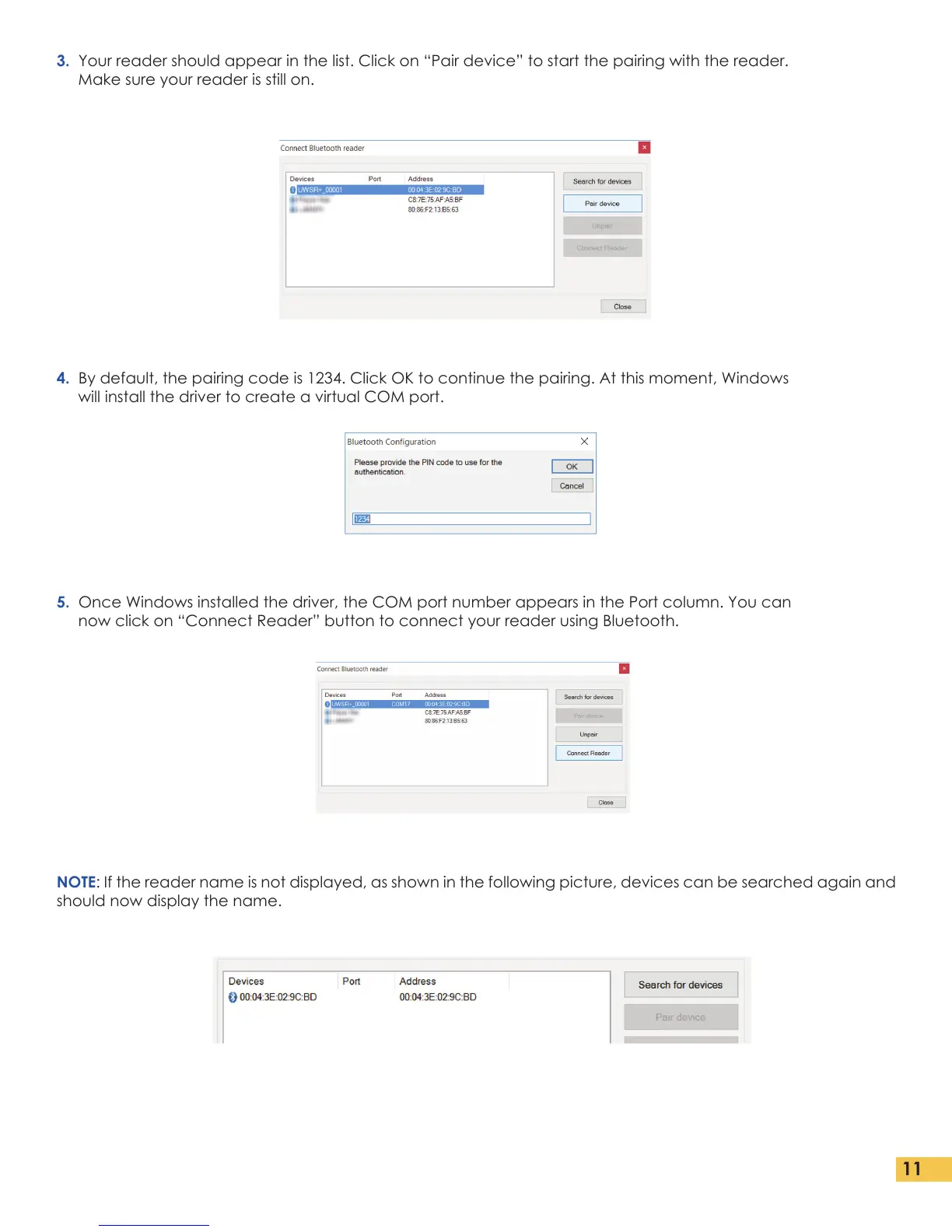
3. Your reader should appear in the list. Click on “Pair device” to start the pairing with the reader.
Make sure your reader is still on.
4. By default, the pairing code is 1234. Click OK to continue the pairing. At this moment, Windows
will install the driver to create a virtual COM port.
5. Once Windows installed the driver, the COM port number appears in the Port column. You can
now click on “Connect Reader” button to connect your reader using Bluetooth.
NOTE: If the reader name is not displayed, as shown in the following picture, devices can be searched again and
should now display the name.


 To Next Page