10
Blinking Fixed
The UWSR+ is equipped with a Class 2
2
Bluetooth
®
module to communicate. This device is compliant with the
Bluetooth
®
Serial Port Prole (SPP).
Enable the Bluetooth
®
feature by using the “Microchip Management Software”
Bluetooth
®
works on a premise that one end of the communication will be paired to the other one. A host ini-
tiates communications and looks for other devices to connect. Smart phones and computers usually establish
the connection with readers which are connectable and discoverable.
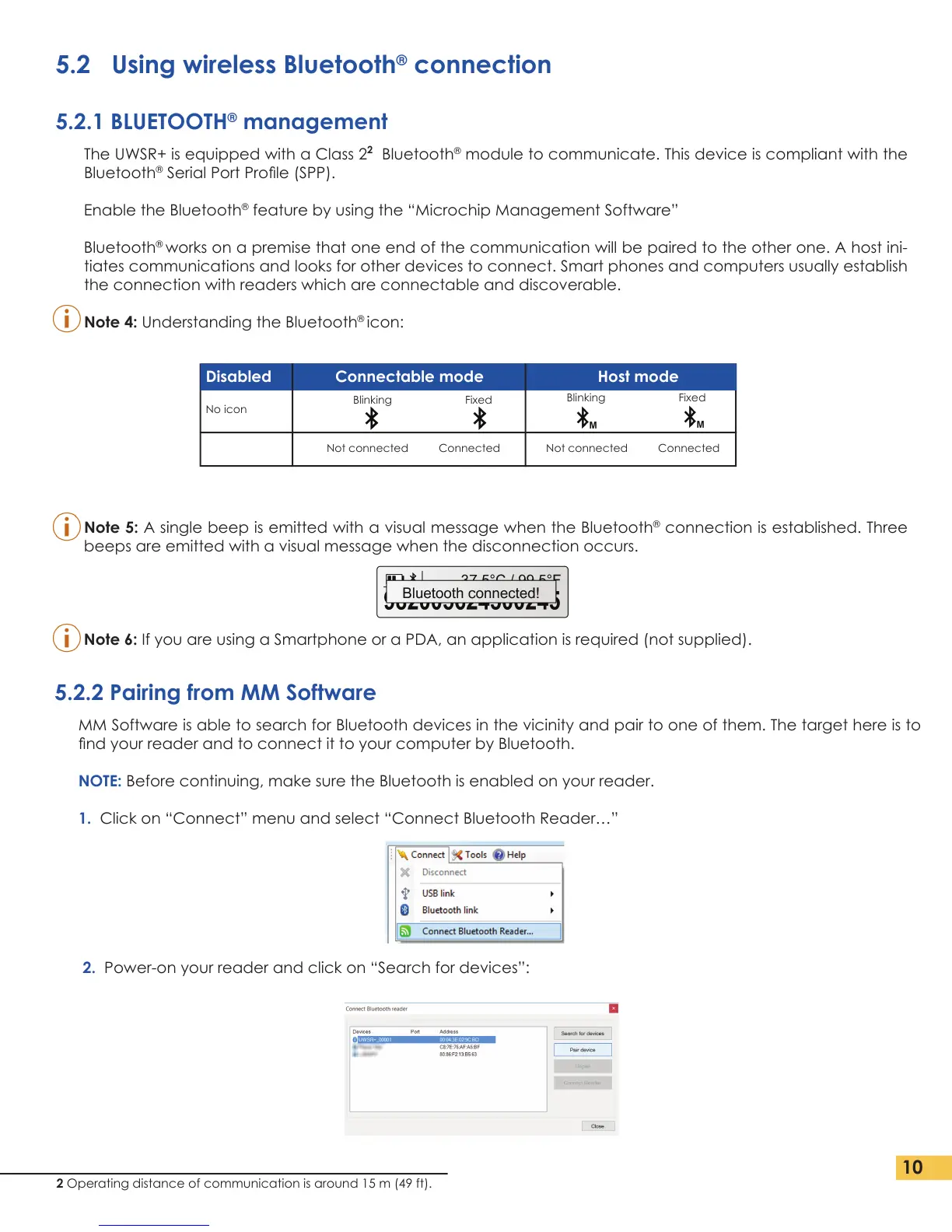
Note 4: Understanding the Bluetooth
®
icon:
Note 5: A single beep is emitted with a visual message when the Bluetooth
®
connection is established. Three
beeps are emitted with a visual message when the disconnection occurs.
Note 6: If you are using a Smartphone or a PDA, an application is required (not supplied).
MM Software is able to search for Bluetooth devices in the vicinity and pair to one of them. The target here is to
nd your reader and to connect it to your computer by Bluetooth.
NOTE: Before continuing, make sure the Bluetooth is enabled on your reader.
1. Click on “Connect” menu and select “Connect Bluetooth Reader…”
2. Power-on your reader and click on “Search for devices”:
Disabled Connectable mode Host mode
No icon
Blinking Fixed
Not connected Connected Not connected Connected
2 Operating distance of communication is around 15 m (49 ft).
5.2.2 Pairing from MM Software
5.2 Using wireless Bluetooth
®
connection
5.2.1 BLUETOOTH
®
management


 To Next Page