7
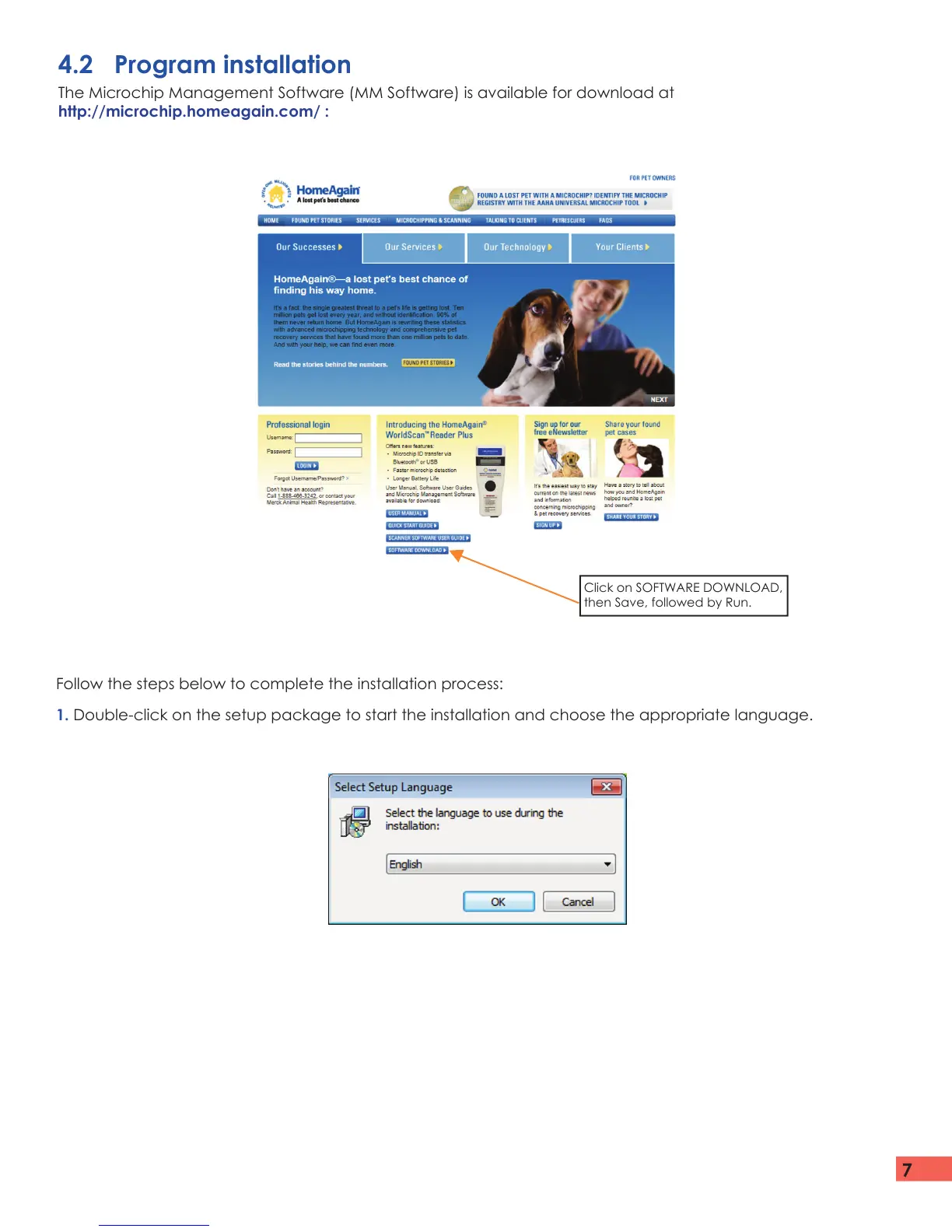
Follow the steps below to complete the installation process:
1. Double-click on the setup package to start the installation and choose the appropriate language.
4.2 Program installation
The Microchip Management Software (MM Software) is available for download at
http://microchip.homeagain.com/ :
Click on SOFTWARE DOWNLOAD,
then Save, followed by Run.


 To Next Page