14
6. Memory
6.1 Memory Management
6.2 Download Memory
6.3 Temperature measurement
The UWSR+ can store up to 3000 IDs, each associated with a time/date stamp, in its internal memory and transmit
them to a personal computer via an USB cable or wirelessly using Bluetooth
®
.
The tool “Microchip Management Software” allows you to enable/disable the memory storage. By default, the
memory storage is DISABLED. To enable the memory storage follow the steps below:
1. To enable/disable memory feature, go into the reader settings panel by clicking on the “Reader settings”
button or using the top menu as following:
2. In the reader setting panel, locate “Memory” and choose “Enabled or Disabled“ option:
When memory is enabled and a microchip is read, the UWSR+ displays the number of microchips stored in mem-
ory, above the microchip number, as shown in picture below:
The UWSR+ can read and display the Microchip Temperature™ when reading microchips with temperature sens-
ing implants from Allex
®
or Destron Fearing™.
3
The Microchip Temperature™ is displayed above the microchip number as shown in picture below:
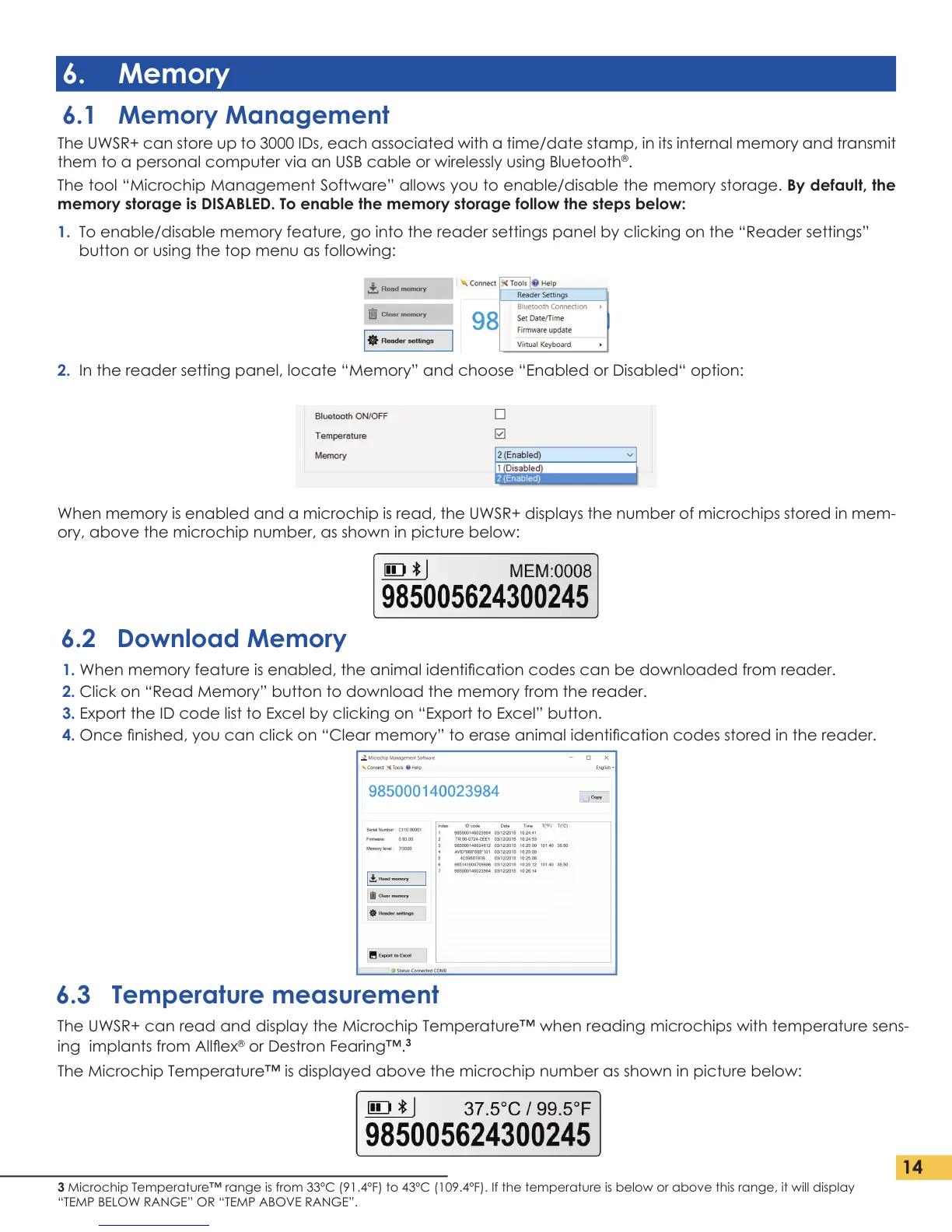
1. When memory feature is enabled, the animal identication codes can be downloaded from reader.
2. Click on “Read Memory” button to download the memory from the reader.
3. Export the ID code list to Excel by clicking on “Export to Excel” button.
4. Once nished, you can click on “Clear memory” to erase animal identication codes stored in the reader.
3 Microchip Temperature™ range is from 33ºC (91.4ºF) to 43ºC (109.4ºF). If the temperature is below or above this range, it will display
“TEMP BELOW RANGE” OR “TEMP ABOVE RANGE”.


 To Next Page