15
For advanced and technical application development, the UWSR+ was designed with the capability to connect
to iPhone, iPad and Android through wireless Bluetooth
®
connection. The current UWSR+ package does not in-
clude software or application for this feature.
7. Connecting the reader to an Application on smart
phone or on Mobile Device
7.1 Pairing with iPhone
®
/iPad
®
devices
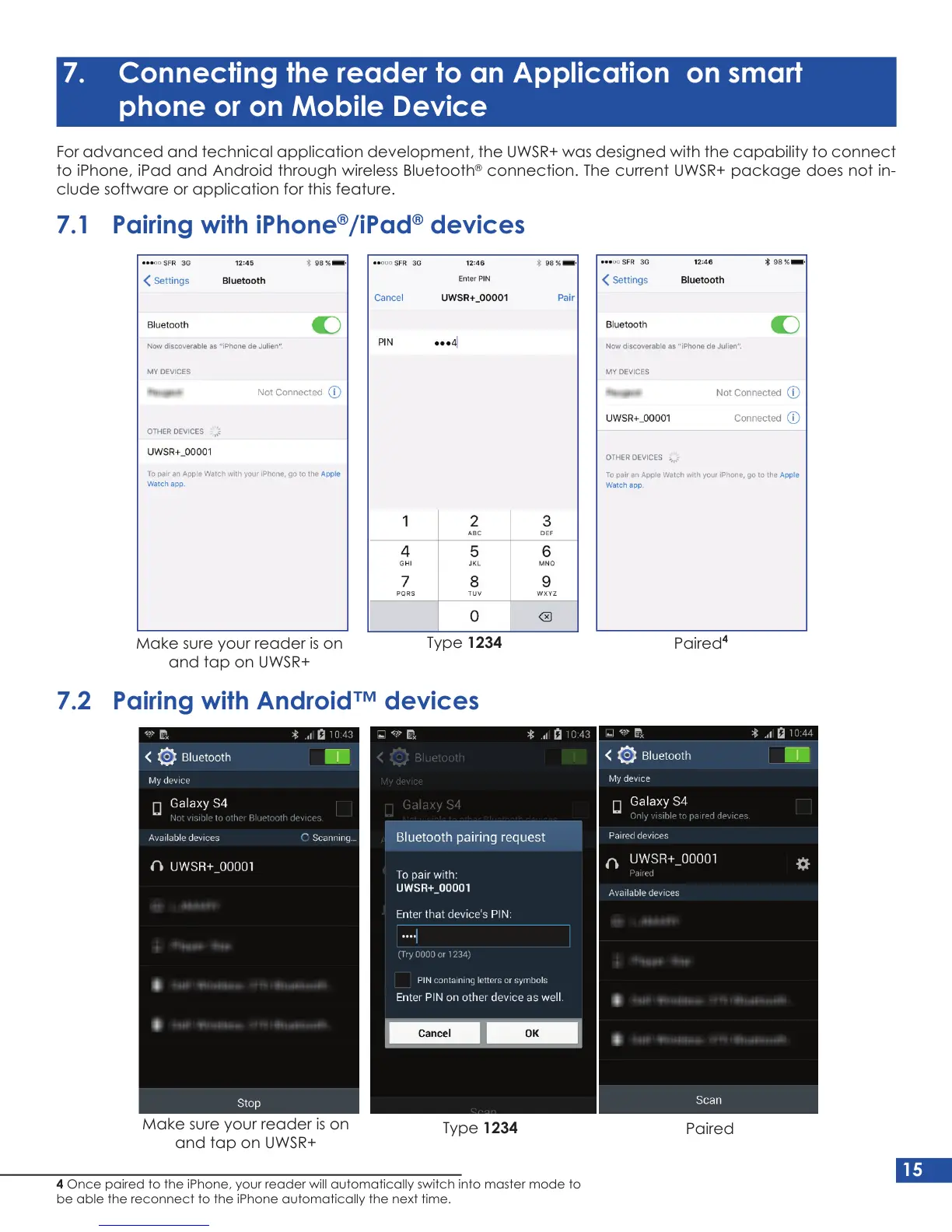
Make sure your reader is on
and tap on UWSR+
Make sure your reader is on
and tap on UWSR+
Type 1234
Type 1234
Paired
4
Paired
7.2 Pairing with Android™ devices
4 Once paired to the iPhone, your reader will automatically switch into master mode to
be able the reconnect to the iPhone automatically the next time.


 To Next Page