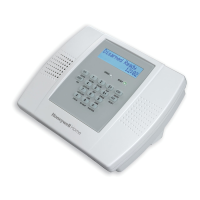
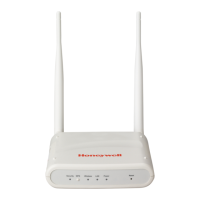
Indicates that the power is supplied to The FDAP Gen3 and FDAP
Gen3 Anchor have one Ethernet cable and one power cable. When the
FDAP Gen3 and FDAP Gen3 Anchor are powered ON, the Power LED
turns ON automatically.
Indicates that FDAP Gen3 and FDAP Gen3 Anchor are connected to
FDN network. When the FDAP Gen3 and FDAP Gen3 Anchor are
connected to FDN Network, the Ethernet Active LED turns ON
automatically.
Indicates the software status of FDAP Gen3 and FDAP Gen3 Anchor
factory image. The Status LED blinks ON/OFF once every second to
indicate that the FDAP Gen3 and FDAP Gen3 Anchor factory firmware
is in the working condition.
BLE Status LED provides the different states of BLE connection:
• ALWAYS OFF - Advertisement off, controlled through WDM UI,
typically done when FDAP has already joined the network
• 10 seconds OFF, 1 second ON – FDAP Gen3 and FDAP Gen3
Anchor are in advertisement mode, waiting for connection
from BLE Central (for example, Mobile App)
• seconds OFF, 2 seconds ON – FDAP Gen3 and FDAP Gen3
Anchor are connected to BLE Central (for example, Mobile
App). NOTE: Only connected, not yet BONDED
• 1 second OFF, 1 second ON - FDAP Gen3 and FDAP Gen3
Anchor are bonded to BLE Central (for example, Mobile App)
• ALWAYS ON - FDAP Gen3 and FDAP Gen3 Anchor are ready
for secure data exchange with BLE Central (for example,
Mobile App)
• Special case of BLE module firmware download, where LED is
toggled every 250ms (that is 250ms ON, 250ms OFF).
NOTE: When BLE module firmware download is in progress,
connection to FDAP Gen3 and FDAP Gen3 Anchor by BLE
Central (for example, Mobile App) is not possible.


 To Next Page
 Loading...