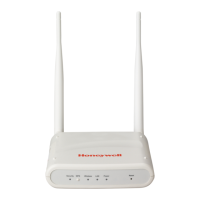
FDAP2
The FDAP2 supports a two-wire RS-485 interface. A three-pin connector is available on
the Power Board of the FDAP2 when the FDAP2 top cover is opened as shown in the
following figure, V+ and V- are the two pins that must be connected to slave RS-485 two-
wire connection (DATA+ and DATA-) as shown in the following figure.
Fig. 28. FDAP2 Connection with Modbus
Configure FEWIO device in WDM
To configure FEWIO device in WDM:
1. Make sure that the FEWIO DD file is loaded in WDM.
FDAP as FWIO, FDAP Gen3 and FDAP Gen3 Anchor as FEWIO
role has different DD files


 To Next Page
 Loading...