www.honeywell.com/security
38 | Performance Series IP Camera User Guide
Quality
Set the Quality to a value between 1 (lowest) and 6 (highest).
Interval
Select a snapshot frequency between 1 snapshot per second (1S) and 7 snapshots per
second (7S), or click Customized to define a custom interval between 1 and 50,000 seconds.
Click Save to apply the settings.
Configuring Overlays
You can configure privacy masks, channel titles, time titles, and customized text overlays on
the Setup > Camera > Video > Overlay page.
Configuring Privacy Masks
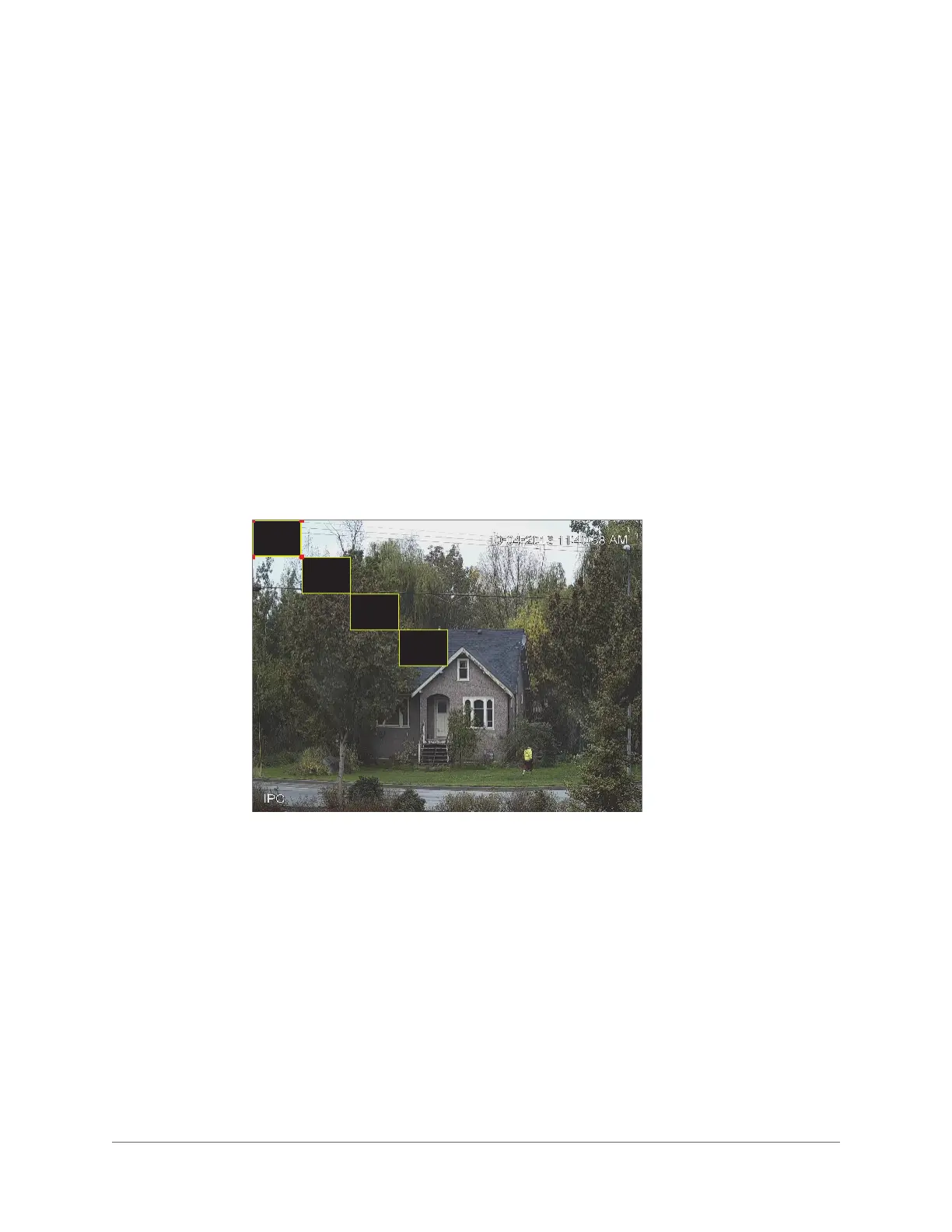
To enable privacy masking, click Enable. Four privacy masks appear in the preview window.
Delete any masks that you don’t need. To delete a mask, right-click it or select it and then
click Delete. To remove all the masks, click Remove All.
To move a mask, select it and drag the center of the mask.



 To Next Page
 Loading...