Configuring Events and Alarms | 69
800-23288 - A - 07/2017
Configuring Alarms
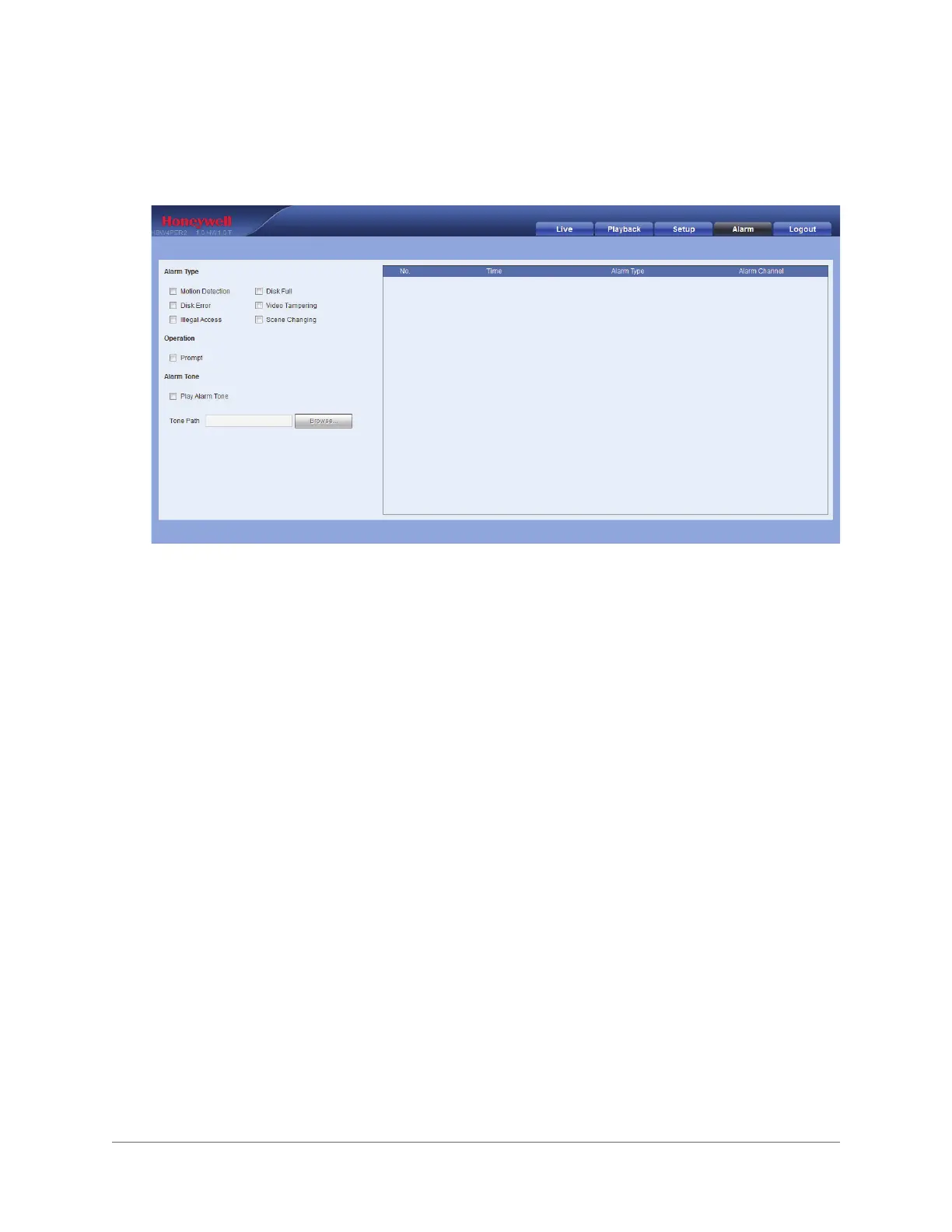
You can configure alarm settings on the Alarm page.
1. Under Alarm Type, select the events that you want to generate an alarm for.
2. If you want a confirmation dialog box to appear before an alarm is generated, under
Operation, select the Prompt check box.
3. If you want your PC to play a sound when an alarm occurs:
a. Under Alarm Tone, select the Play Alarm Tone check box.
b. Click Browse, navigate to the location of the sound file that you want to play, select
the file, then click OK. The file path is displayed in the Tone Path field.



 To Next Page
 Loading...