Document 800-04763 Rev B 41
08/09
Configuring a DNR Camera
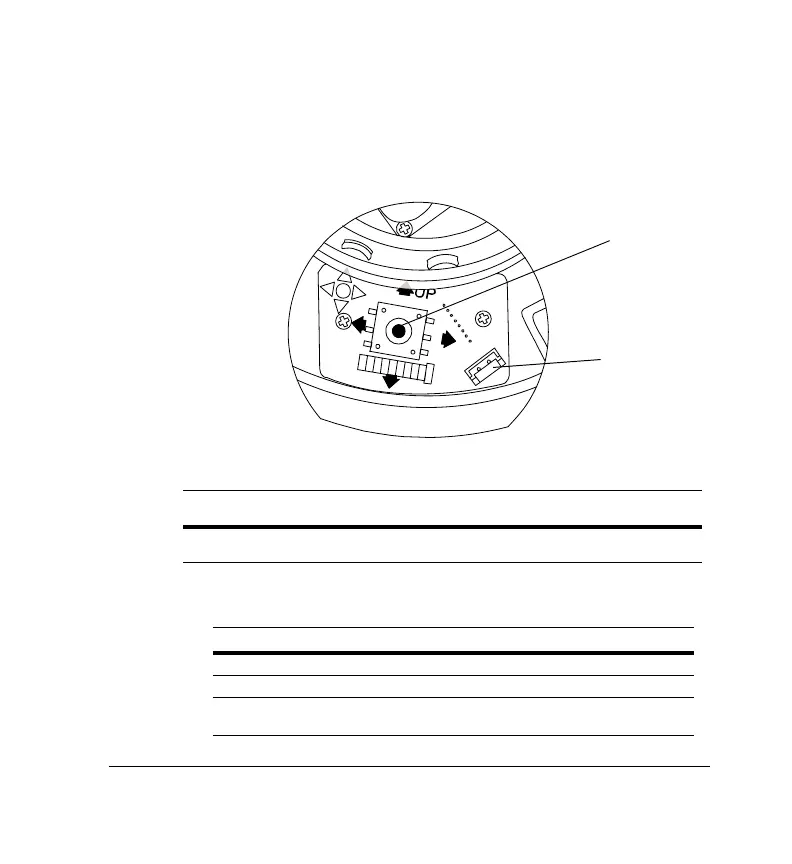
Use the OSD (On-Screen Display) to program the camera.
Figure 3 Camera Controller
R
T
D
N
L
F
Legend
#Description
1
Video-test monitor output connector
2
Camera OSD control (four position plus center push)
Press this control To do this
UP, DOWN Select a new item
LEFT, RIGHT Select a menu item
SETUP (MENU)
(CENTER PUSH)
Enter SETUP MENU, access a submenu
1
2



 To Next Page
 Loading...





