50
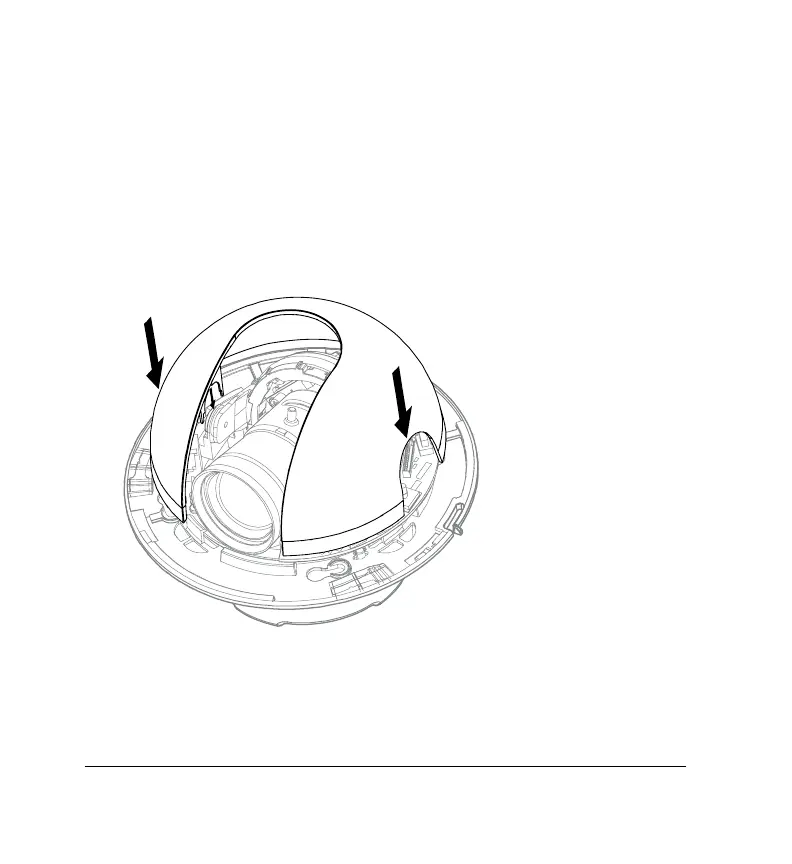
Installing the Turret
Note Install the lower dome only if you have already adjusted the
field of view of the camera (see Adjusting the Field of View
(FOV) on page 25), focussed the lens (see Focusing the Lens
on page 26), and configured the camera (see Configuring the
Camera on page 27).
Reinstall the turret (inner dome liner) onto the gimbal.
Note Please ensure that both sides of the turret are snapped into
place.



 To Next Page
 Loading...





