30
Configuring a WDR Camera
Use the OSD (On-Screen Display) to program the HD5U WDR camera.
OSD Menu Controls
Navigating Through the Menus
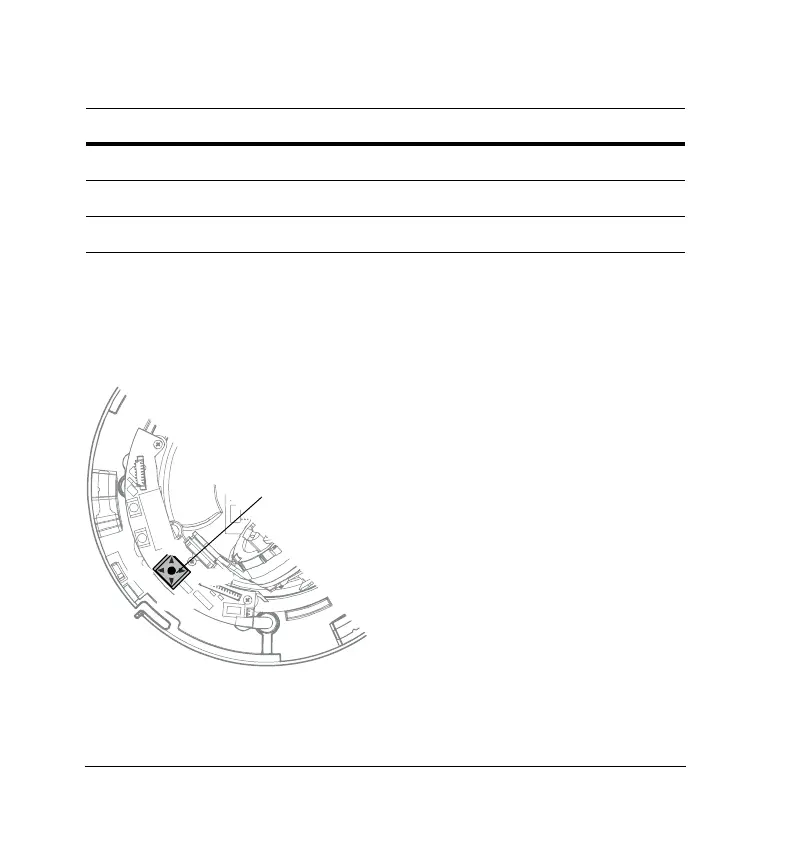
Press the joystick for two seconds to enter the menus.
6
FLK ON/OFF Flickerless On/Off
7
LL ON/OFF Line Lock On/Off
8
Not used (But DIP switch is in the bottom position.)
Control Function Definition
• Press down on the joystick and hold for 2
seconds to access the MAIN MENU
• Press down on the joystick to enter a screen or
select a menu option
!, #
Move horizontally to and between menus
and options
$, %
Move vertically to and between menus and options
“…” indicates submenus
Joystick
Right
Left
Down
Up



 To Next Page
 Loading...





