Playing Back Video (HBD3PR2/H4D3PRV2 only) | 41
800-21358 - A - 10/2015
Playing a Recorded File from the Calendar
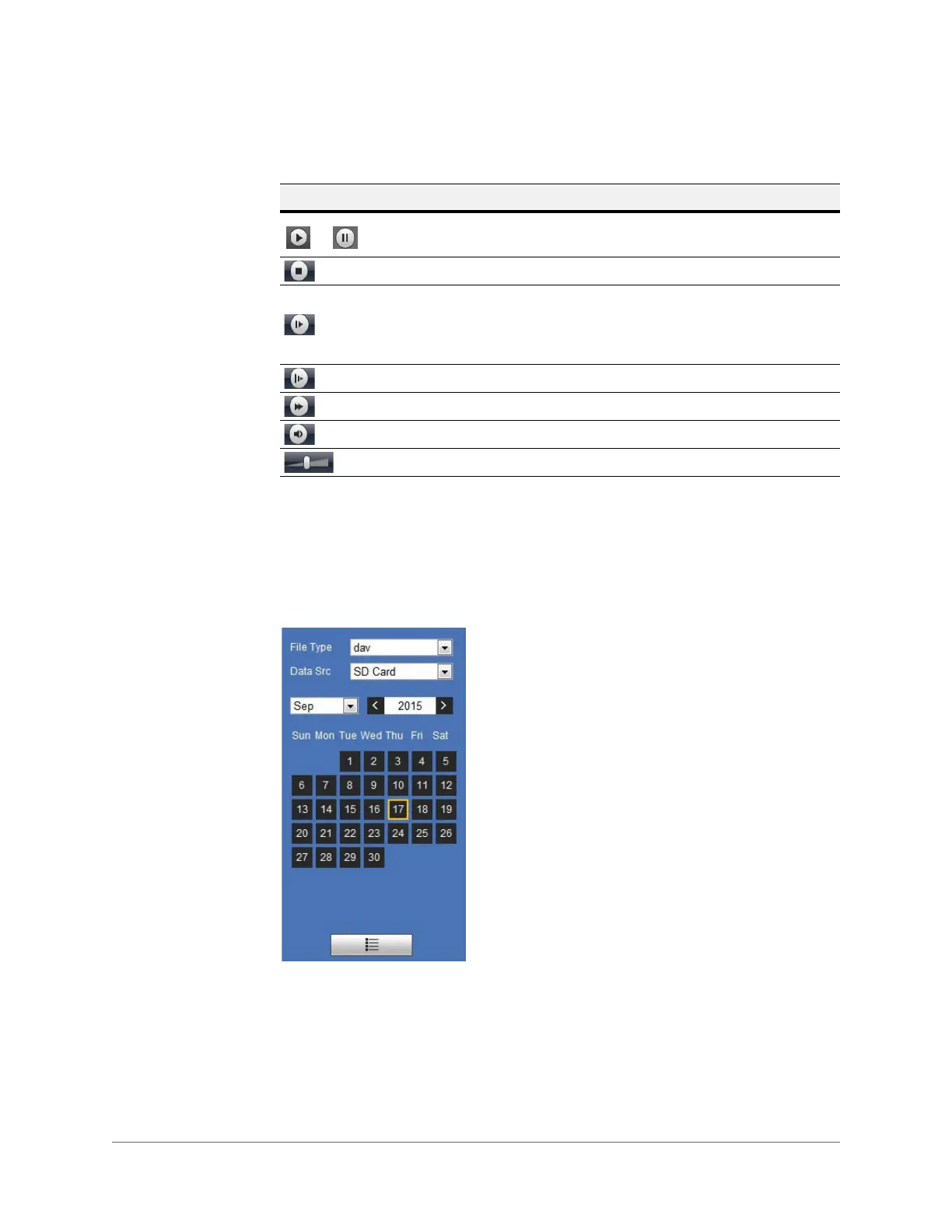
On the playback calendar, a day in BLUE indicates a day on which video was recorded.
Figure 4-3 Playback Calendar
For the File Type, select dav for video playback and jpg for snapshots.
The default Data Source is SD Card.
Playing a Recorded File
1. In the Playback interface, in the calendar area, use the options to find a recording:
a. In the File Type box, select dav.
Table 4-1 Playback Controls
Control Description
Click to play video. While in Play mode, this button changes to
the Pause button.
Click to stop video playback.
Click to go to the next frame.
Note Video playback must be paused before you can use
this function.
Slow playback.
Fast playback.
Mute sound.
Volume control.







 To Next Page