www.honeywell.com/security
92 | Performance Series IP Camera Software Configuration Guide
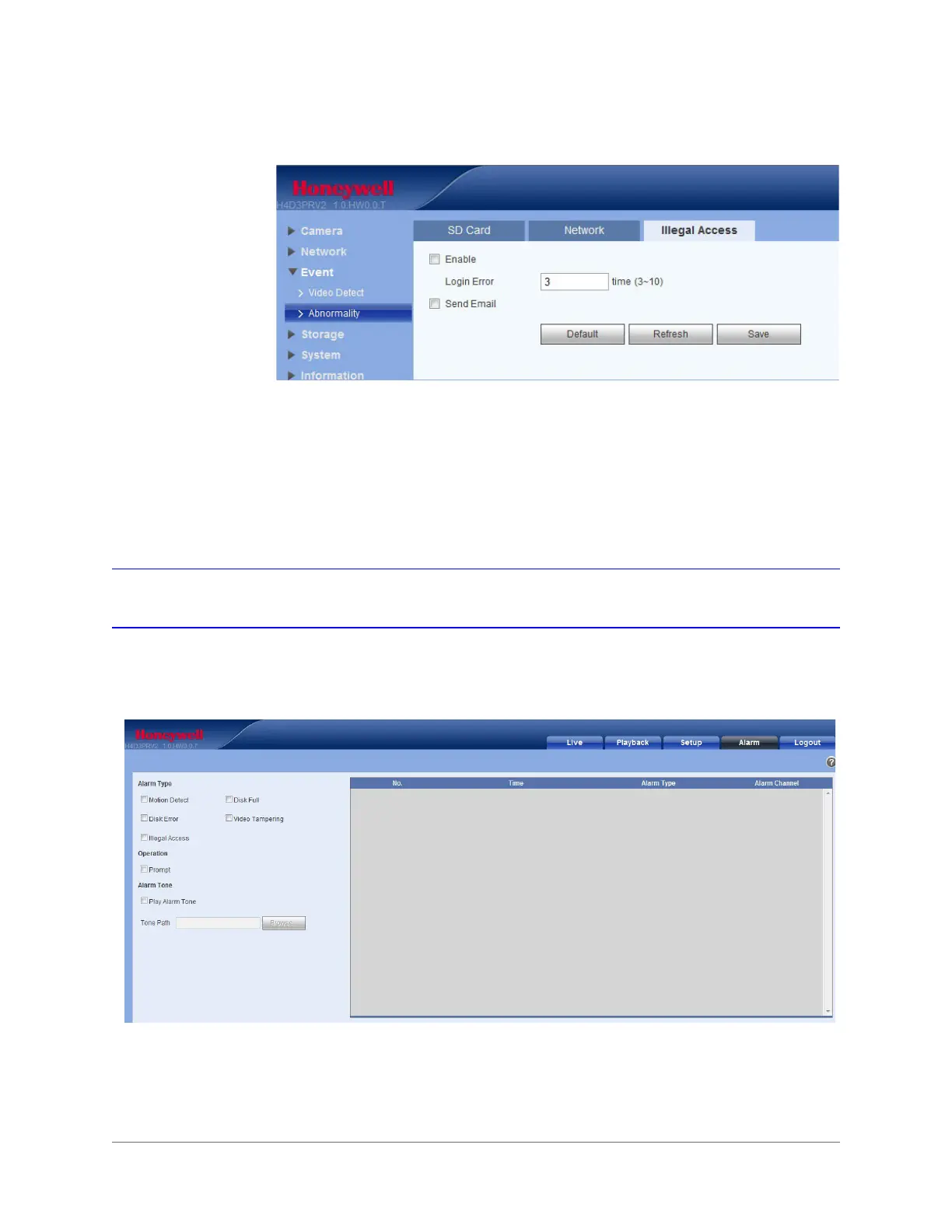
Figure 6-11 Illegal Access Configuration Interface
1. Click Enable so that an alarm is triggered when someone tries to illegally access the
camera.
2. Enter the number of times a user can attempt to log in. Select from 3 to 10.
3. Click Email so that an email is sent to a specified receiver if someone attempts to illegally
access the camera.
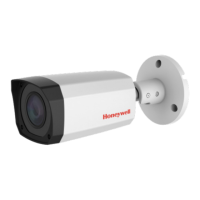
Configuring Alarms
Click the Alarm tab to open the alarm configuration interface.
Figure 6-12 Alarm Configuration Interface







 To Next Page