Configuring Camera Settings | 57
800-21358 - A - 10/2015
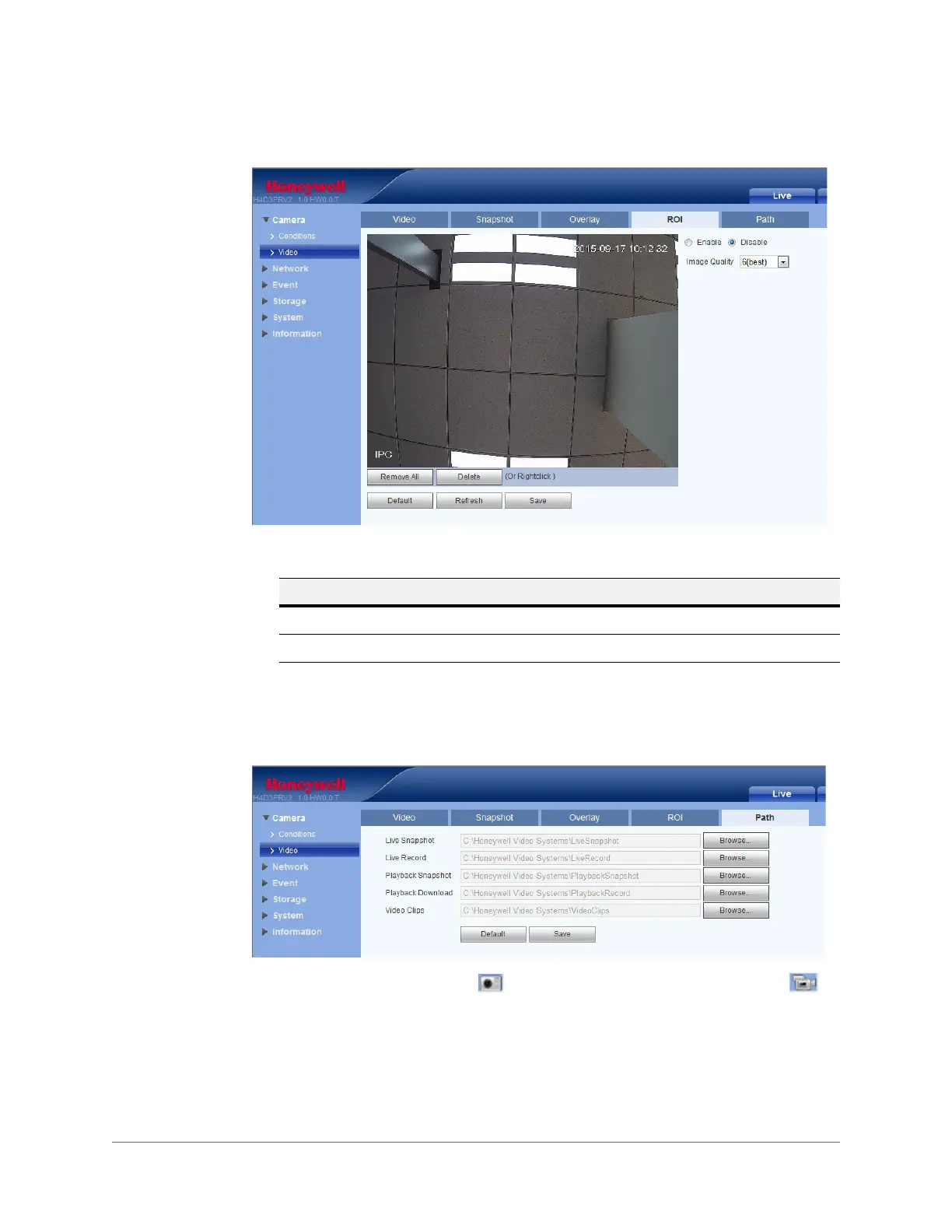
Figure 5-7 ROI Interface
Path
Figure 5-8 Storage Path Interface
Set the storage path for snapshots ( in the live interface) and for recorded video ( in
the live interface). The default path for snapshots is C:\Honeywell Video
Systems\LiveSnapshot. The default path for recorded video is C:\Honeywell Video
Systems\LiveRecord.
Click Save to save any changes to the storage paths.
Table 5-6 ROI Configurations
Parameter Function
Enable/Disable Enable or disable the Region of Interest (ROI) feature.
Image Quality Select the image quality required for the region of interest.







 To Next Page