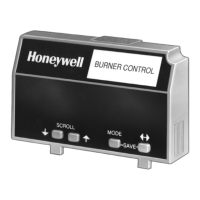
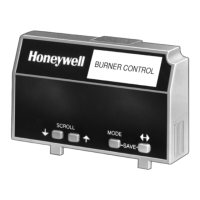
7800 SERIES S7800A KEYBOARD DISPLAY MODULE
65-009
0-6
30
CALL SERVICE
Press ENTER by pressing the two ENTER buttons at the same
time.
Fig. 63. CALL SERVlCE screen.
Select
Exit
Fig. 68. Select/Exit screen.
Choose Sele
ct.
Fig. 64. Blank screen.
The blank screen is displayed for two seconds.
When done, the display will be:
DISPLAY
Setup
Select: CS TEST
DISPLAY
Setup
Select:
CLONE
Fig. 69. DlSPLAY Setup/Select CLONE screen.
Use the down arrow to scroll down through menu choices until
CS EDIT appears.
Fig. 65. DlSPLAY Setup/Select CS TEST screen.
Press ENTER using the two ENTER buttons at the same time.
DISPLAY
Setup
Select: CS EDIT
Select
Exit
Fig. 70. DlSPLAY Setup/Select CS EDlT screen.
Press ENTER using the two ENTER buttons at the same time.
Fig. 66. Select/Exit screen.
Choose Exit.
You will be taken completely out of the Setup menu.
Display
Setup-CS
EDIT
CS EDIT allows customizing or personalizing a Call Service
message. Three screens of messages are available. Each
screen has two lines of text with 20 characters available. See
Table 9 for available characters. This message will be
displayed with the 7800 SERIES is in a lockout condition in
place of the
normal Lockout Fault condition. Note that the Call
Service feature must be turned ON using the CS ON/OFF
selection.
To access the CS EDIT menu:
Press the left three buttons of the KDM for one second, then
release.
DISPLAY Setup will appear. If you have a personal password,
enter it to enter Setup.
DISPLAY
Setup
PASSWORD: 000
Select
Exit
Fig. 71. Select/Exit screen.
Choose Select.
Call Service
Setup
Edit Screen: 1
Fig. 72. Call Service Setup/Edit Screen 1 screen.
Press ENTER using the two ENTER buttons at the same time.
Select
Exit
Fig. 73. Select/Exit screen.
Choose Select.
Fig. 67. DlSPLAY Setup/PASSWORD screen.


 To Next Page