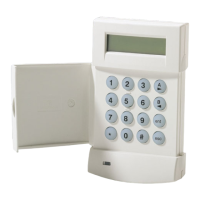
TURNING THE SYSTEM OFF
When you turn off the system, you turn off only the burglar portion of your
system; any smoke or heat detators and panic buttons will remain on. You must
enter through a designated entry door and turn off the system within the time
allowed. You can have different amounts of time for dfferent entry points. See
your system reference sheet for the times established for your system.
To turn yuour system off
Enter your 4-digit user code L—lr] rl rj
If no alarms have teken place, the On/Off tight (labeled arm) will go off, or the
display shows
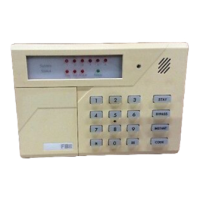
If alarms occurred when the system was on, or if a trouble condition exists, they
will display on the zone indcator lights as follows
Faat Btink
Alarm
Slow BlinWLow Intensity Bypass
slow Pulse
Trouble
Solid On
Not Ready
or the display shows
Burgla~ Alarms will sound a steady sound at tha keypad(s), and fire alarms will
generate a pulsing sound.
Important If an intrusion has taken place while you were away, do not enter
until the location has been checked. Call for help from a neighbor’s house and
wait for the potice,
After you have turned the system off with your user code, the message on
display keypads will show
m
To clear the display of the alarm or trouble conditions and silence the audible
alert :
Enter your 4-digit user code n ~ r! rj again.
Page 10


 To Next Page
 Loading...