17
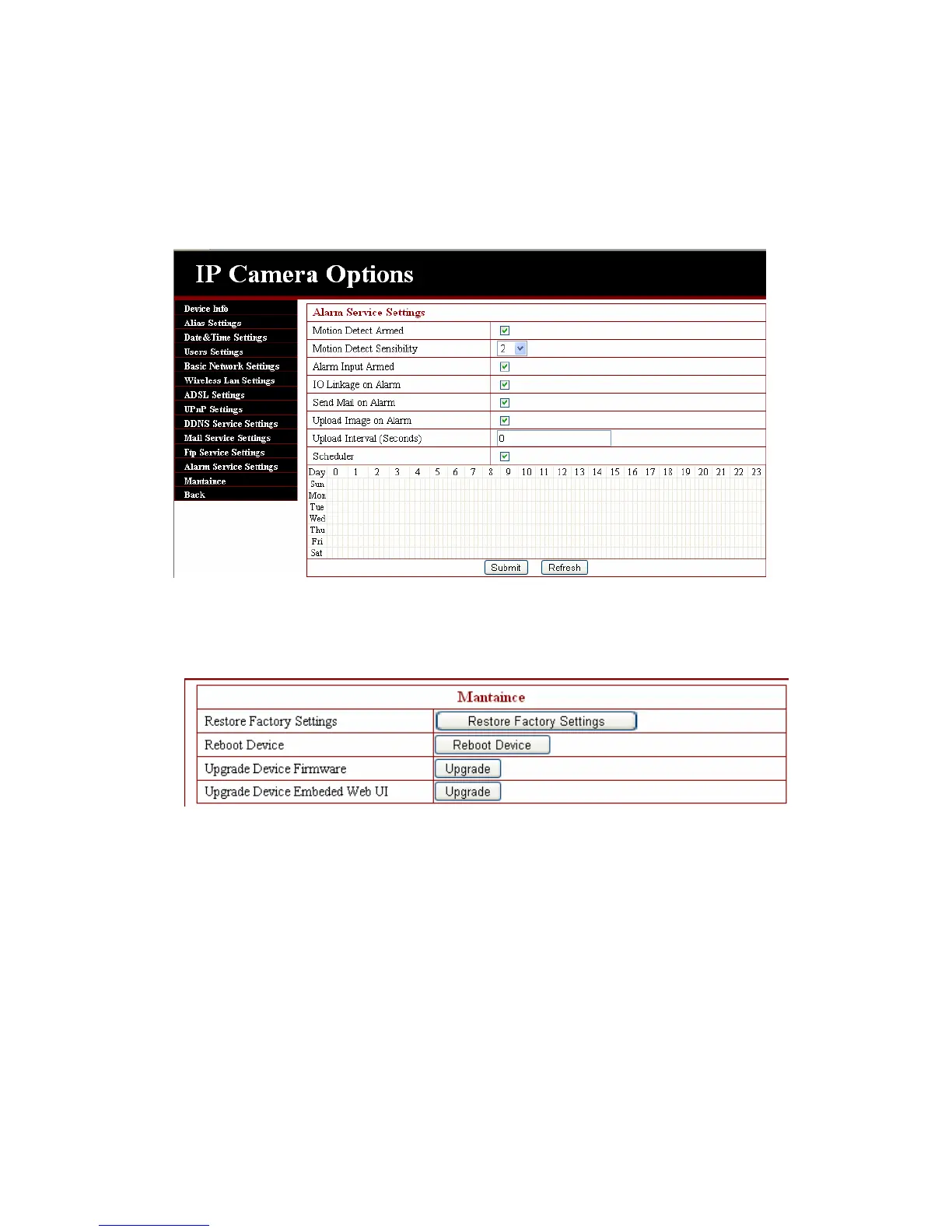
When triggered, there are 3 alarm modes:one is IO alarm linkage, camera connects with
linkage alarm box through GPIO, sound the siren ;the second is
email notification, send email with images captured;the last is upload pictures alarm,as the
way mentioned before FTP upload pictures alarm, Upload pictures interval(second) keeps
consistent with the mentioned upload pictures interval of Ftp service settings. The schedule
refers to arming time,as the selected time interval: 0:00 minute per week to 0:45 minutes
and Monday 1:00 hour and 2:00 hour。
3.4.13. Reset/Firm Ware Upgrade
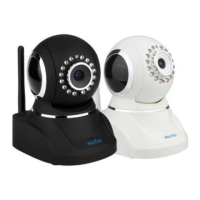
This sector is for camera firmware upgrade, it includes device system firmware and
device application firmware. Be cautious to apply for it!
3.4.14 Restore factory Settings
When users forget password, we can restore ex-factory settings, when click, a picture will
pop up, Click ok, and wait for 1 minute and you can use it normally. User setting feature restores


 To Next Page