11
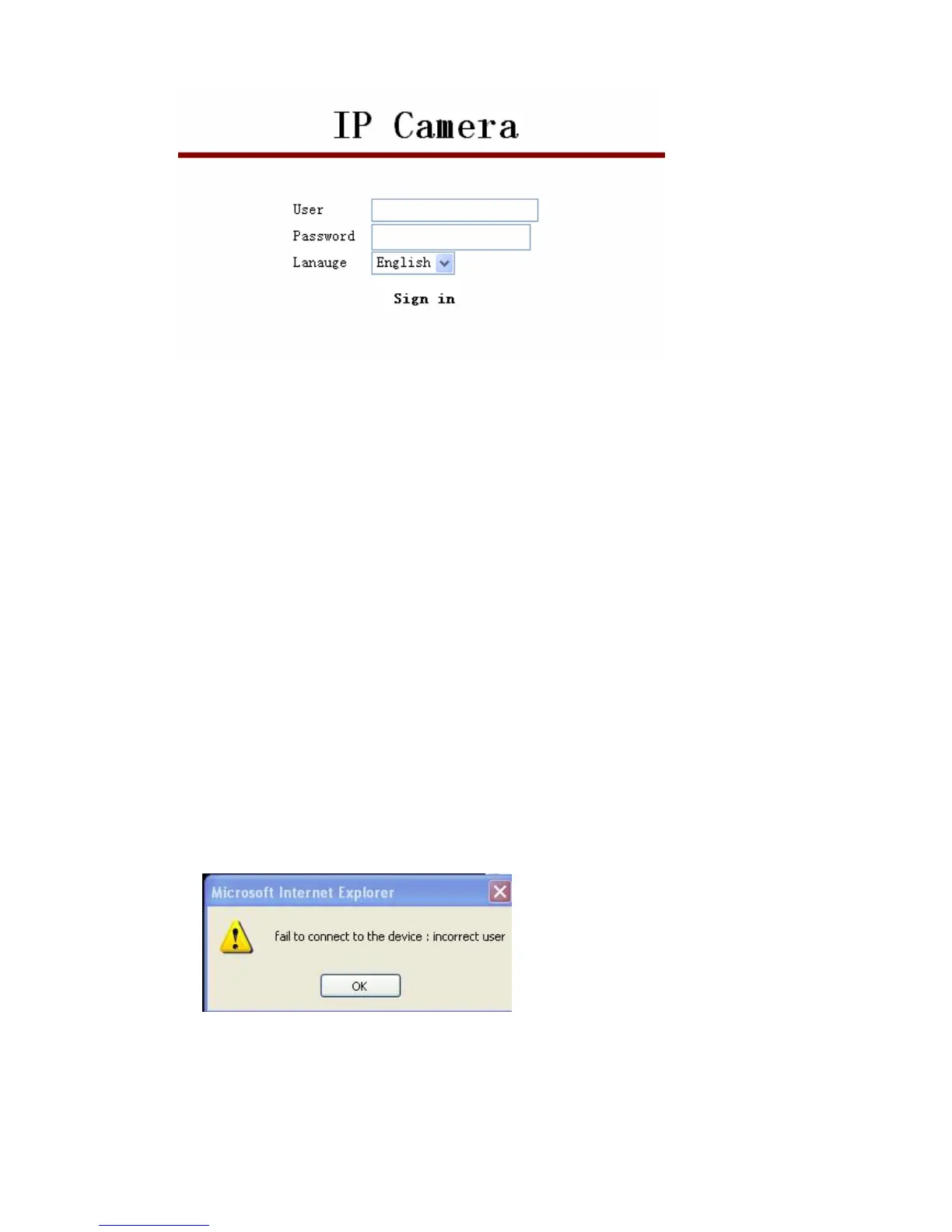
Select the needed language, enter log in information, click OK to enter, an installation
pop-up will appear, after installation and you can use it. If it is blocked and requires plug-in
installation by antivirus software, please remove block.
Note:
1. Default device account is admin,no password.
2.M series IP camera doesn’t support Firefox browser,but F series support.
3.3. Operation Button
Enter device, on left side displays monitor image, right side is control used for operations:
3.3.1. Equipment Status
When login name or password is wrong, it will show the following hint:
3.3.2. Administrator Operation
Click Sign in, a pop-up will show


 To Next Page