EasyManua.ls Logo

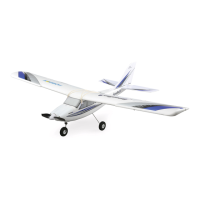
Horizon Hobby Apprentice STS E-flite - User Manual

Horizon Hobby Apprentice STS E-flite
38 pages
Print Icon
To Next Page IconTo Next Page
Loading...
Instruction Manual
Bedienungsanleitung
Manuel d’utilisation
Manuale di Istruzioni
SAFE
®
Select Technology, Optional Flight Envelope Protection

Questions and Answers

  • Y
    ywatsonAug 18, 2025
    What to do if my Horizon Hobby Toy aircraft does not operate?
    • M
      martinezmichaelAug 18, 2025
      If your Horizon Hobby Toy aircraft isn't operating, several factors could be at play. First, ensure the transmitter and receiver are linked by re-binding the system. Next, verify that the transmitter's AA batteries are correctly installed and not depleted; replace them if needed. Check for secure electrical connections by pushing connectors together firmly. Make sure the flight battery is fully charged. Finally, a crash might have damaged the radio inside the fuselage, requiring replacement of the fuselage or receiver.
  • R
    Ronald ChapmanAug 21, 2025
    Why does my Horizon Hobby Toy flight time is too short?
    • J
      Joseph MathisAug 21, 2025
      Short flight times for your Horizon Hobby Toy can occur for several reasons. Ensure the battery is fully charged before each flight. Avoid flying at full throttle continuously; instead, maintain just above half throttle to extend flight time. High wind speeds can also reduce flight time, so consider flying on calmer days. Lastly, a damaged propeller can impact efficiency, so replace it if necessary.
  • B
    Brian OwenAug 23, 2025
    What to do if my Horizon Hobby Toy aircraft is difficult to control?
    • E
      Elizabeth HallAug 23, 2025
      If your Horizon Hobby Toy aircraft is hard to control, check for a damaged wing or tail and replace any damaged parts. Also, inspect the propeller for damage and land immediately to replace it if needed. Ensure the center of gravity is correctly positioned; shift the battery forward if it's behind the recommended location, and do not fly until the correct center of gravity is achieved.
  • A
    anita48Aug 26, 2025
    What to do if my Horizon Hobby Toy aircraft keeps turning in one direction?
    • L
      lopezstevenAug 26, 2025
      If your Horizon Hobby Toy aircraft consistently turns in one direction, the rudder or aileron trim might not be correctly adjusted. Try adjusting the stick trims. After landing, manually adjust the aileron and/or rudder linkages to eliminate the need for transmitter trim.
  • S
    Samantha Merritt MDAug 28, 2025
    What to do if my Horizon Hobby Toy aircraft will not climb?
    • T
      taylorandrewAug 28, 2025
      If your Horizon Hobby Toy aircraft won't climb, first ensure the battery is fully charged before flying. Check if the elevator is trimmed 'down' and adjust it 'up' as needed. Also, inspect the propeller for damage or incorrect installation, and land immediately to correct or replace it.
  • S
    Steven LeeAug 30, 2025
    Why does my Horizon Hobby Toy aircraft nose rises steeply at half throttle?
    • C
      cartersherryAug 30, 2025
      If your Horizon Hobby Toy aircraft's nose rises steeply at half throttle, it could be due to several reasons. Strong or gusty wind conditions can cause this, so postpone flying until the wind calms down. Too much 'up' elevator trim can also be a factor; if more than 4 trim clicks are needed, adjust the push rod length. Also, ensure the battery is correctly positioned; try moving it forward approximately 1/2 inch.
  • A
    Angela JonesSep 1, 2025
    What to do if Horizon Hobby Toy trim changes when flight mode is switched?
    • J
      Julie ClaySep 1, 2025
      If the trim changes when you switch flight modes on your Horizon Hobby Toy, it could be due to the trim or sub-trim not being at neutral. If you need to adjust the trim more than 8 clicks, return the trim to neutral and manually adjust the clevis to center the trim. Avoid using Sub-Trim; instead, adjust the servo arm or the clevis.
  • A
    Amanda BarnesSep 3, 2025
    What to do if my Horizon Hobby Toy aircraft vibrates?
    • J
      Jason CarneySep 4, 2025
      If your Horizon Hobby Toy aircraft vibrates, the propeller, spinner, or motor might be damaged. Try tightening or replacing these parts.
  • M
    Michelle GreenSep 6, 2025
    What to do if my Horizon Hobby Toy aircraft will not Bind to transmitter?
    • T
      tyler94Sep 6, 2025
      If your Horizon Hobby Toy aircraft won't bind to the transmitter, the transmitter might be too close to the aircraft during the binding process; move the powered transmitter a few feet away, then disconnect and reconnect the battery to the aircraft. Interference from metal objects, wireless sources, or other transmitters could also be the cause; move the aircraft and transmitter to a different location and try binding again. Finally, check the battery charge in both the flight battery and the transmitter, and replace or recharge if necessary.
  • W
    Walter MckinneySep 8, 2025
    What to do if my Horizon Hobby Toy rudder, ailerons or elevator do not move freely?
    • D
      Donald GonzalezSep 8, 2025
      If the rudder, ailerons, or elevator on your Horizon Hobby Toy do not move freely, there may be damaged or blocked push rods or hinges. Repair any damage or clear any blockages.

Summary

Safety Precautions and Warnings

Meaning of Special Language

Defines terms like WARNING, CAUTION, and NOTICE used in the manual.

Age Recommendation

Specifies the minimum age for operating the model aircraft.

Box Contents and Specifications

Box Contents List

Lists all items included in the aircraft package.

Aircraft Specifications

Details key technical specifications like motor, servos, battery, and dimensions.

Optional Upgrades and Initial Setup

Optional Upgrades (LAS & GPS)

Describes optional modules for enhanced flight capabilities.

From the Box to the Air Checklist

Provides a step-by-step guide for initial aircraft setup and preparation.

Charger Warnings

Important safety instructions for charging the flight battery.

Charging the Flight Battery

Smart Technology Battery and Charger

Details the RTF Smart Technology battery and S120 charger specifications.

Charger Operation and LED Indicators

Explains how to use the charger and interpret its LED status indicators.

Transmitter Overview and Setup

Installing Transmitter Batteries

Instructions for installing batteries and low battery alarm indication.

Transmitter Features and Controls

Identifies transmitter buttons, switches, sticks, and their functions.

Transmitter LEDs and Modes

Explains the meaning of transmitter LED indicators and flight mode switches.

Transmitter Configuration

Transmitter Setup for BNF Models

Guides on configuring transmitters for Bind-N-Fly aircraft.

Telemetry and Dual Rates Setup

Covers setting up telemetry and adjusting dual rates for control surfaces.

Aircraft Assembly Steps

Landing Gear Installation

Detailed instructions for attaching the landing gear components.

Tail Assembly Installation

Steps for mounting the vertical and horizontal stabilizers.

Wing Installation Procedure

Transmitter and Receiver Binding

Binding Procedure (without GPS)

Steps to bind the transmitter and receiver for basic operation.

GPS Module Binding Considerations

Notes on binding when a GPS module is installed.

Flight Battery Installation and SAFE System

Battery Installation and ESC Arming

Guides on installing the battery, arming the ESC, and SAFE system initialization.

Center of Gravity (CG) Verification

Explains how to check and adjust the aircraft's center of gravity.

Pre-Flight Checks

Control Direction Test

Verifies correct control surface response to transmitter inputs.

Choosing a Flying Field

Advice on selecting a suitable and safe location for flying.

Radio System Range Test

Performing the Range Check

Instructions on how to perform a range check on the radio system.

Propeller and ESC Operation

Propeller Installation

Steps for correctly installing the propeller and spinner.

ESC Features and LVC

Details SMART ESC features, telemetry, and Low Voltage Cutoff (LVC).

Flying with SAFE Technology

SAFE Flight Modes Overview

Explains Beginner, Intermediate, and Experienced flight modes.

Panic Recovery Function

How to use the Panic button to recover from unstable attitudes.

Understanding Flight Controls

Elevator and Throttle Control

How to use the elevator and throttle sticks for pitch and speed control.

Aileron and Rudder Control

How to use aileron and rudder sticks for roll and yaw.

Flight Training and Instructor Guidance

Guidance for New Pilots

Recommendations for new pilots seeking flight instruction.

DXe Transmitter Trainer Feature

Information on using the DXe transmitter for buddy box training.

Takeoff and Ground Operations

Buddy Box Setup Configuration

Settings for using a buddy box with compatible transmitters.

Takeoff and Ground Launch

Procedures for initiating takeoff and ground handling.

Trim Adjustment Procedures

In-Flight Trim Adjustment

How to adjust control surface trims during flight.

Manual Trim Adjustment

Steps for mechanically setting control surface trims.

Landing and Post-Flight

Manual Landing Procedures

Instructions for performing a manual landing.

Water Takeoff and Landing

Guides for using optional floats for water operations.

Post-Flight Procedures

Steps to take after completing a flight session.

Control Surface Settings

Factory Settings for Control Horns and Servo Arms

Recommended hole placements for control horns and servo arms.

Troubleshooting Guide

AS3 X System Troubleshooting

Solutions for common issues with the AS3X stabilization system.

General Aircraft Troubleshooting

Addresses common problems like no power, turning issues, and control difficulties.

Optional Landing Assist Sensor (LAS)

LAS Module Installation

Instructions for installing the LAS module into the aircraft.

Landing with LAS Assistance

How LAS assists in landing and its limitations.

LAS with GPS Integration

Describes LAS functionality when used with a GPS module.

Optional SAFE+ GPS Upgrade

GPS Module Installation Procedure

Steps for installing the GPS module into the aircraft's pocket.

GPS System Calibration

Compass Calibration Process

Detailed steps for calibrating the aircraft's compass.

Compass Error Indicators

Explains LED indicators for compass errors and potential causes.

GPS Initialization and Home Location

Powering On and GPS Acquisition

Steps for powering on the aircraft and acquiring a GPS signal.

Establishing Home and Airfield Location

Guides on setting the home location and virtual fence modes.

GPS Flight Modes Overview

Holding Pattern and AutoLand Triggers

How to activate Holding Pattern and AutoLand modes using transmitter buttons.

Flying with SAFE+ Technology

Tips for flying with SAFE+ features, including wind limitations.

Virtual Fence Modes Explained

Virtual Fence Options and Selection

Describes different virtual fence modes and how to select them.

Virtual Fence LED Indications

Details LED indicators for various virtual fence modes.

GPS Operational Modes

Holding Pattern Mode Details

In-depth explanation of the Holding Pattern mode's autonomous flight.

Failsafe and GPS Deactivation

Describes failsafe behavior and how to deactivate the GPS system.

AutoLand Mode Operation

AutoLand Activation and Manual Assistance

How to activate AutoLand and manually assist the landing process.

GPS System Troubleshooting

Deactivating GPS and Troubleshooting

Procedures for deactivating GPS and resolving SAFE+ GPS issues.

LED Status Indicators Summary

Comprehensive LED Indicator Guide

A table summarizing all LED indicators and their meanings.

Service and Repairs

Propeller and Motor Service Procedures

Instructions for disassembling and assembling the propeller and motor.

Parts and Accessories Lists

Replacement Parts List

Lists part numbers for replacing damaged or lost components.

Recommended and Optional Parts

Lists recommended and optional accessories for the aircraft.

Aircraft Safety Compliance

AMA General Safety Code

Outlines the general rules for model aircraft operation according to AMA.

AMA Radio Control Safety Code

Details safety guidelines specific to radio-controlled model aircraft.

Warranty Information

Limited Warranty Coverage

Explains what the product warranty covers and what it excludes.

Warranty Service and Contact

Information on how to obtain warranty service and contact Horizon Hobby.

Regulatory Compliance Information

FCC, IC, and EU Compliance

Compliance statements for radio transmission and directives.

WEEE Disposal Instructions

Guidelines for proper disposal of electronic equipment in the EU.

Horizon Hobby Apprentice STS E-flite Specifications

General IconGeneral
BrandHorizon Hobby
ModelApprentice STS E-flite
CategoryToy
LanguageEnglish

Related product manuals