EasyManua.ls Logo

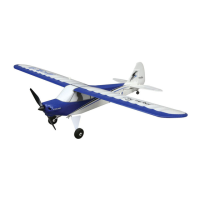
Horizon Hobby HobbyZone Apprentice STOL S - User Manual

Horizon Hobby HobbyZone Apprentice STOL S
29 pages
Print Icon
To Next Page IconTo Next Page
Loading...
Instruction Manual | Bedienungsanleitung
Manuel d’utilisation | Manuale di Istruzioni
HBZ6100, HBZ6150
Apprentice
®
STOL S
700mm
Scan the QR code and select the Manuals and Support quick links from the product
page for the most up-to-date manual information.
Scannen Sie den QR-Code und wählen Sie auf der Produktseite die Quicklinks
Handbücher und Unterstützung, um die aktuellsten Informationen zu Handbücher.
Scannez le code QR et sélectionnez les liens rapides Manuals and Support sur la
page du produit pour obtenir les informations les plus récentes sur le manuel.
Scannerizzare il codice QR e selezionare i Link veloci Manuali e Supporto dalla
pagina del prodotto per le informazioni manuali più aggiornate.
160202.3
Updated 12/23

Questions and Answers

  • D
    David MooreJul 28, 2025
    What to do if my Horizon Hobby HobbyZone Apprentice STOL S Toy aircraft will not bind to the transmitter?
    • I
      irobbinsJul 28, 2025
      If your Horizon Hobby Toy aircraft won't bind to the transmitter during the binding process, there might be several reasons: * The transmitter might be too close. Move it a few feet away from the aircraft and try again. * There could be interference from metal objects or other transmitters. Relocate to a different area. * The bind plug may not be correctly installed. Ensure it's properly in the bind port. * Low battery charge in either the flight battery or the transmitter. Replace or recharge the batteries. * The bind switch or button may not have been held long enough. Power off the transmitter and repeat the binding process, holding the button until the receiver is bound.
  • T
    Tara SmithAug 1, 2025
    What to do if my Horizon Hobby HobbyZone Apprentice STOL S Toy aircraft will not connect to the transmitter after binding?
    • L
      Lawrence GarciaAug 1, 2025
      If your Horizon Hobby Toy aircraft will not connect to the transmitter after binding, consider these potential causes: * The transmitter might be too close to the aircraft. Move it a few feet away. * Interference from metal objects or other transmitters could be the issue. Try moving to a different location. * The bind plug might still be installed. Rebind the transmitter to the aircraft and remove the bind plug before cycling power. * The aircraft might be bound to a different model memory. Select the correct model memory on your transmitter. * Low battery charge in either the flight battery or the transmitter. Replace or recharge the batteries. * The transmitter may have been bound using a different DSM protocol. Try binding the aircraft to the transmitter again.
  • J
    James WellsAug 6, 2025
    Why is my Horizon Hobby Toy experiencing reduced flight time or feels underpowered?
    • A
      Amanda SantosAug 6, 2025
      If you're experiencing reduced flight time or your Horizon Hobby Toy aircraft feels underpowered, here's what could be happening: * The flight battery charge may be low. Completely recharge it. * The propeller might be installed backward. Ensure the numbers face forward. * The flight battery could be damaged. Replace it, following the battery instructions. * Cold flight conditions can affect performance. Make sure the battery is warm before use. * The battery capacity might be too low for the flight conditions. Replace it with a larger capacity battery.
  • J
    Jared CalderonAug 10, 2025
    How to fix oscillation in my Horizon Hobby HobbyZone Apprentice STOL S Toy aircraft?
    • K
      Kaylee MitchellAug 10, 2025
      If your Horizon Hobby Toy aircraft is experiencing oscillation, consider the following: * You might be flying over the recommended airspeed. Reduce your speed. * The propeller or spinner could be damaged. Replace them. * The propeller might be imbalanced. Balance it. * There could be motor vibration. Replace parts or correctly align all parts and tighten fasteners as needed. * The receiver could be loose. Align and secure it in the fuselage. * The aircraft controls might be loose. Tighten or secure parts like the servo, arm, linkage, horn, and control surface. * Parts may be worn. Adjust gain or replace worn parts, especially the propeller, pivot points, or servo. * There might be irregular servo rotation. Replace the servo.
  • W
    William ParsonsAug 14, 2025
    Why is my Horizon Hobby HobbyZone Apprentice STOL S Toy aircraft making extra propeller noise or vibrating?
    • C
      Curtis YoungAug 14, 2025
      If your Horizon Hobby Toy aircraft is making extra propeller noise or vibrating excessively, check these potential causes: * The propeller, spinner, collet, or motor might be damaged. Replace any damaged parts. * The propeller could be out of balance. Balance or replace it. * The prop nut might be too loose. Tighten it. * The spinner might not be tight or fully seated. Tighten it or try turning it 180 degrees.
  • S
    samantha57Aug 19, 2025
    What to do if Horizon Hobby HobbyZone Apprentice STOL S Toy aircraft will not respond to throttle?
    • K
      Kimberly ReidAug 19, 2025
      If your Horizon Hobby Toy aircraft won't respond to the throttle but responds to other controls, consider these potential issues: * The throttle might not be at the lowest position, or the throttle trim could be too high. Reset the controls with the throttle stick and trim at the lowest setting. * The throttle servo travel might be less than 100%. Ensure it's at 100% or greater. * The throttle channel could be reversed. Reverse the throttle channel on the transmitter. * The motor might be disconnected from the ESC. Make sure it's properly connected.
  • C
    csmithAug 22, 2025
    What to do if trim is at extreme and Horizon Hobby HobbyZone Apprentice STOL S Toy aircraft does not fly straight?
    • M
      mccarthyheatherAug 22, 2025
      If the trim on your Horizon Hobby Toy aircraft is at an extreme and the aircraft doesn't fly straight or level, it might be because the trim isn't at neutral. If you adjust the trim more than 4 clicks, adjust the linkage to mechanically remove trim.

Summary

Safety Precautions and Warnings

General Safety Guidelines

General safety guidelines and warnings for operating the aircraft.

Aircraft Assembly

Transmitter Setup and Operation

Transmitter and Battery Charging

Flight Battery and ESC Installation

Installing Flight Battery and Arming ESC

Steps for installing the flight battery and arming the electronic speed control.

Center of Gravity (CG) Balancing

CG Adjustment Procedure

How to balance the aircraft for optimal flight performance.

Pre-Flight Checks

Control Direction Test

Verifying control surface responses before flight.

Flight Preparation

Radio System Range Test

Procedure to test the radio system's range and functionality.

Flight Control Inputs

Aircraft Control Input Guide

Explains how different stick movements affect aircraft control surfaces.

SAFE Technology Overview

SAFE Technology Features

Overview of SAFE technology modes, activation, and assistance features.

SAFE Flight Modes and AS3 X

Detailed SAFE Flight Modes

Details on Beginner, Intermediate, and Experienced flight modes.

Preflight Checklist and Flying Tips

Preflight Checklist Items

A comprehensive list of checks before each flight.

In-Flight Operations and Landing

Safe Landing Procedure

Step-by-step instructions for landing the aircraft safely.

Aircraft Trimming and Control Surfaces

Post Flight and Transmitter Binding

Spektrum Transmitter Setup

ESC Features and Service

Power Component Service and Settings

Troubleshooting Guides

SAFE Technology Troubleshooting

Solutions for common issues related to SAFE technology.

General Aircraft Troubleshooting

A comprehensive guide to resolving various aircraft operational problems.

Horizon Hobby HobbyZone Apprentice STOL S Specifications

General IconGeneral
Experience LevelBeginner
Recommended EnvironmentOutdoor
Radio SystemSpektrum (included)
Servos4 (installed)
Speed ControlBrushless (installed)
Control SystemSAFE Technology

Related product manuals