9
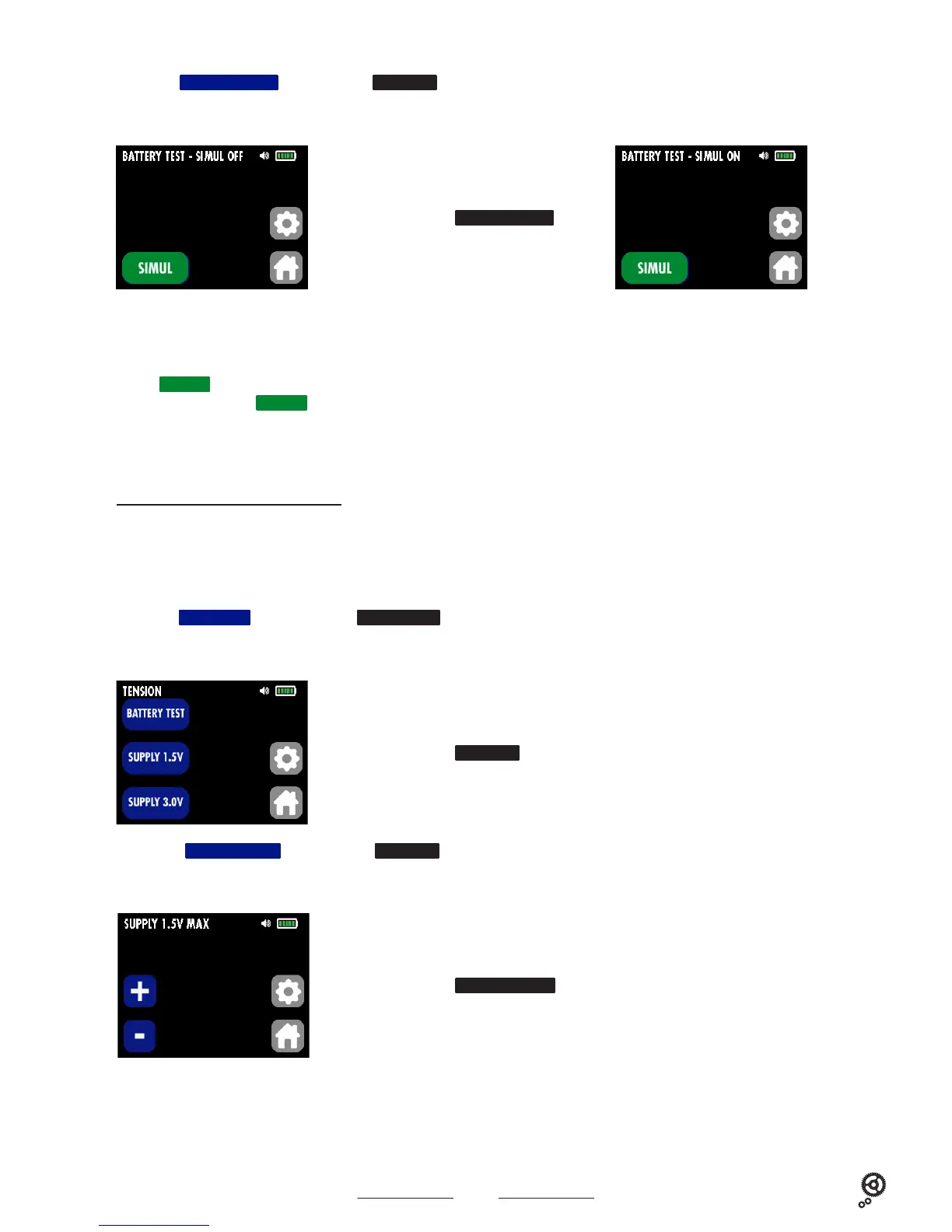
C2a. Press the
SUPPLY 1.5V
key of the submenu
TENSION
if the watch is supplied with 1.5 V.
The following screen displays :
C. Measuring the movement supply voltage
Connaître le point d’arrêt d’un mouvement est une information très importante permettant de définir l’origine de la panne.
Si la tension d’arrêt indiquée à l’écran est supérieure à celle donnée par le fabricant (exemple : mouvement ISASWISS 1198, tension d’arrêt 0.8 V), cela signifie
que le mouvement est encrassé ou endommagé. Ceci explique le besoin d’énergie supplémentaire.
Dépannage : nettoyer ou changer le rouage.
C1. Press the
BATTERY
key on the main menu
FLASHTEST
to measure the movement supply voltage.
The following screen displays :
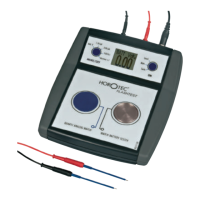
This measurement is performed only with the single battery : place the battery on the metal plate of the device.
Place the positive pole (+) of the battery on the metal plate, so the negative pole (-) will be positioned upwards. Use the black precision probe (-) and place
it on the negative pole (-) of the battery.
Press the
SIMUL
key to simulate the power consumption of the watch with a 1000 Ohm resistance. Read the battery voltage (under load) on the screen of
the device (2). Press again the
SIMUL
key to remove the load of 1000 Ohm (1).
Caution : we recommend to limit the duration of the battery test to avoid that the battery discharges too quickly.
Do not touch the watch batteries with your hands to avoid a redox reaction on the surface of the battery.
Display of the sub-submenu
SUPPLY 1.5V
Display of the sub-submenu
TENSION
B2. Press the
BATTERY TEST
key of the submenu
TENSION
The following screen displays :
Display of the sub-submenu
BATTERY TEST
- 0.00 V
<->
- 0.00 V
<->
1.50 V
(1) (2)



 To Next Page