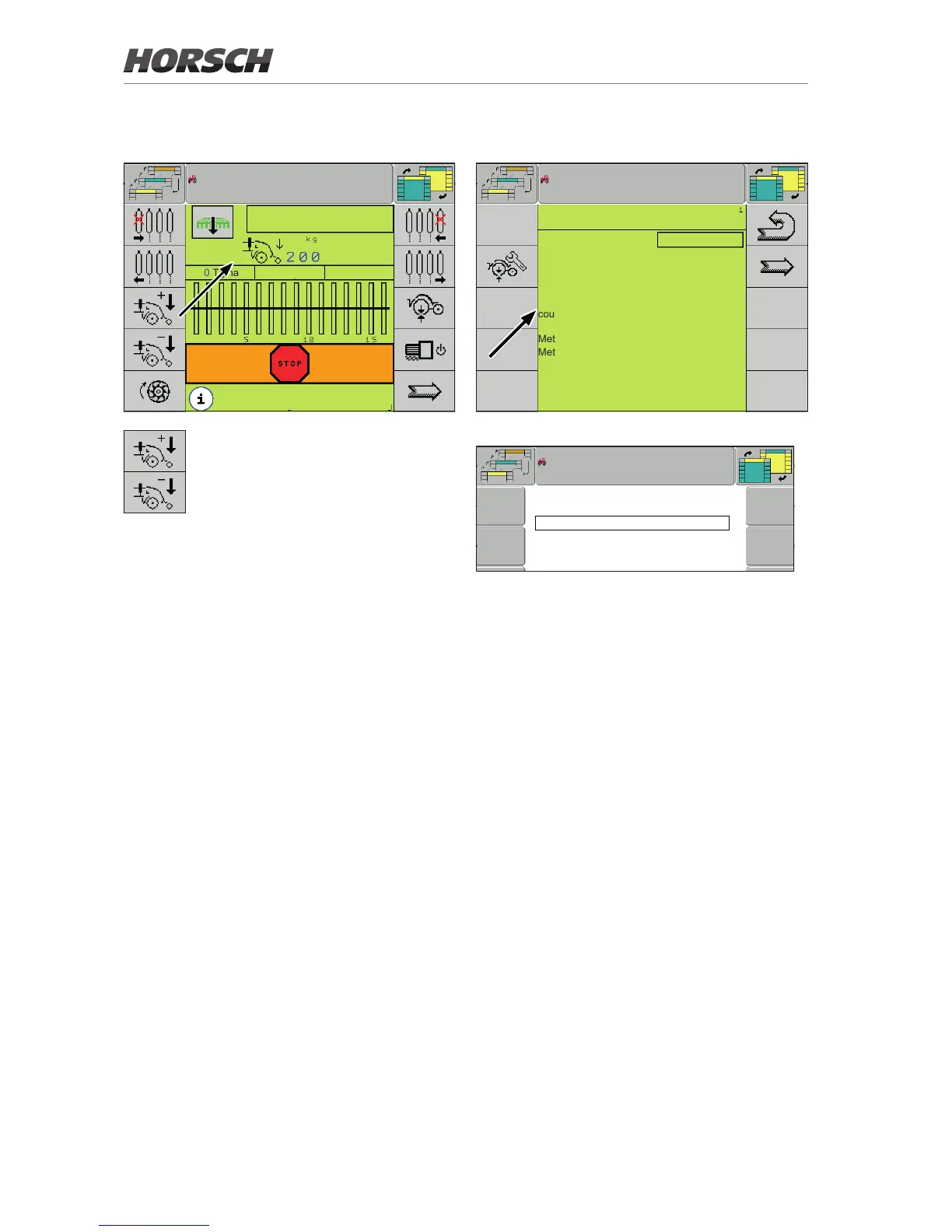
Manual mode work screen
0.0
km/h
0 Tg/ha 0 kg/ha
maize
In manual mode the coulter pressure
is adjusted via these two softkeys. The
set pressure is shown in the centre of
the display.
Conguration
CONFIGURATION
Machine type : Maestro
Additional hopper : no
cent.hopper SOD : SOD 1x
Hydraulic valve block : no
coult.press.set : Hyd Auto
Metering unit 1: without
Metering unit 2: without
fertiliser monitoring : no
Detail view : no
Conguration 1
no
Hydac
Hyd Auto
Bucher
Bu Auto
Conguration options Coulter pressure adjustment
¾ Set the conguration option Coulter pressure
adjustment to Hyd auto (Hydac valve block)
or Bu auto (Bucher valve block) to activate
AutoForce.
¾ Always activate this setting if AutoForce is
installed, regardless whether the system is
used.
10



 To Next Page