Diagnostics
Maestro 16/18 SW (row spacing >
60 cm)
Maestro 24/36/47/48 SW with
E-Manager software 10.07
DIAGNOSTICS
mA mA
2 : 3.88 sct 1 14 : 3.98 sct 4
6 : 3.78 sct 1 16 : 3.79 sct 2
9 : 0.02 sct 2 19 : 4.09 sct 3
10: 4.47 sct 4 23 : 3.68 sct 3
PWM :
sct 1 : 0 % sct 3 : 0 %
sct 2 : 0 % sct 4 : 0 %
1
2
Diagnostics
Softkey for transferring the current
value to the valve.
With the Maestro SW with E-Manager
version 10.07 listed above, the softkey
for preloading the units (active) must
be green and the valve needs to be
selected so that the PWM values can
be transferred.
Softkey for preloading the drill units.
The softkey is shaded green if the
units are preloaded.
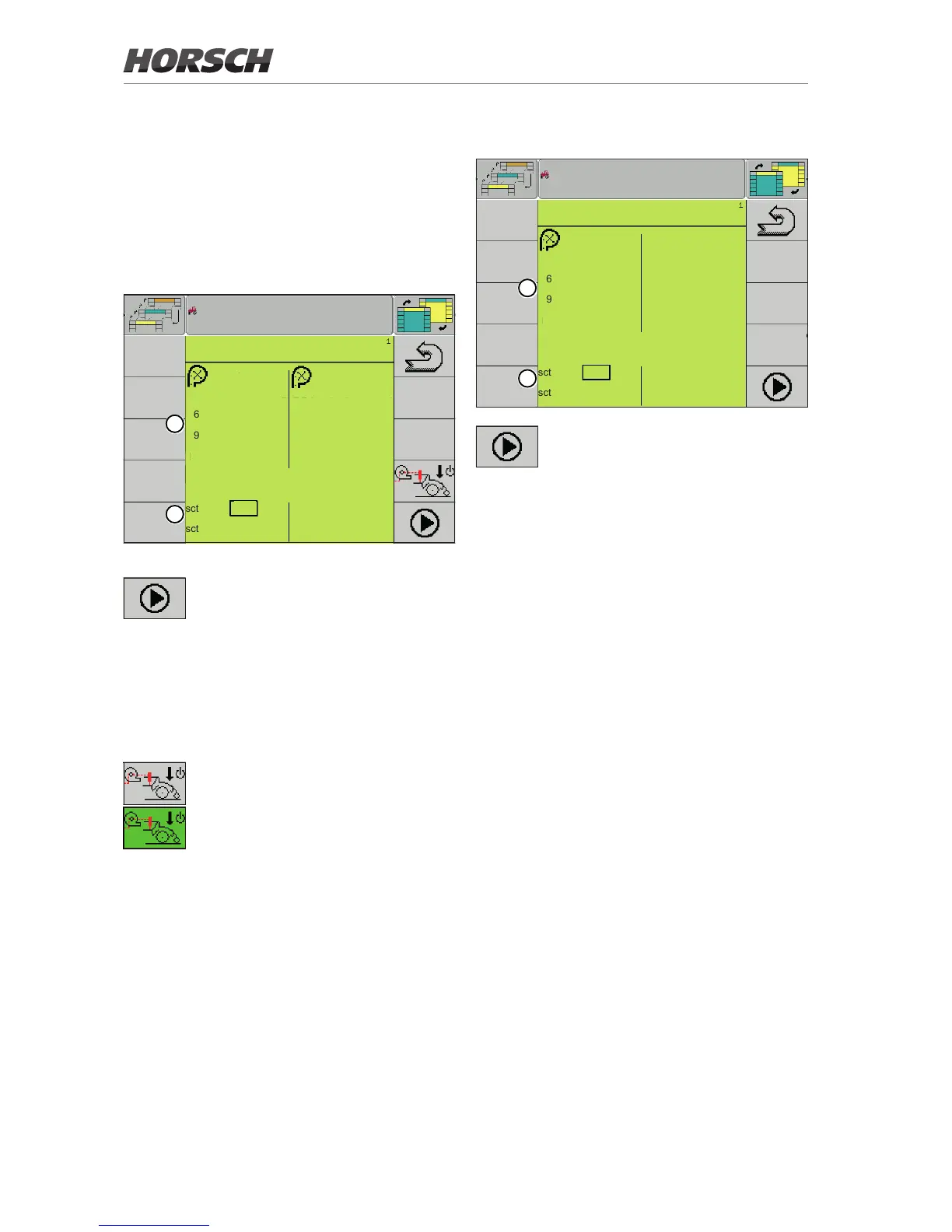
1. All congured sensors are displayed in the
upper area of the Diagnostics screen. The
screen displays all current values of the
sensors.
2. In the lower area, a separate PWM value
(Pulse Width Modulation) can be set for each
hydraulic valve of each section.
¾ To do so, select the section, enter the value
and press the softkey to preload the units to
transfer the current value set to the valve.
Maestro CC / RC - 12/18 SW
DIAGNOSTICS
mA
2 : 3.98 sct 1
6 : 3.76 sct 1
9 : 4.11 sct 2
10: 3.52 sct 4
PWM :
sct 1 : 0 %
sct 2 : 0 %
1
2
Softkey for transferring the current
value to the valve.
1. All congured sensors are displayed in the
upper area of the Diagnostics screen. The
screen displays all current values of the
sensors.
2. In the lower area, a separate PWM value
(Pulse Width Modulation) can be set for each
hydraulic valve of each section.
¾ To do so, select the section, enter the value
and press the softkey to transfer the current
value set to the valve.
14



 To Next Page