Operation
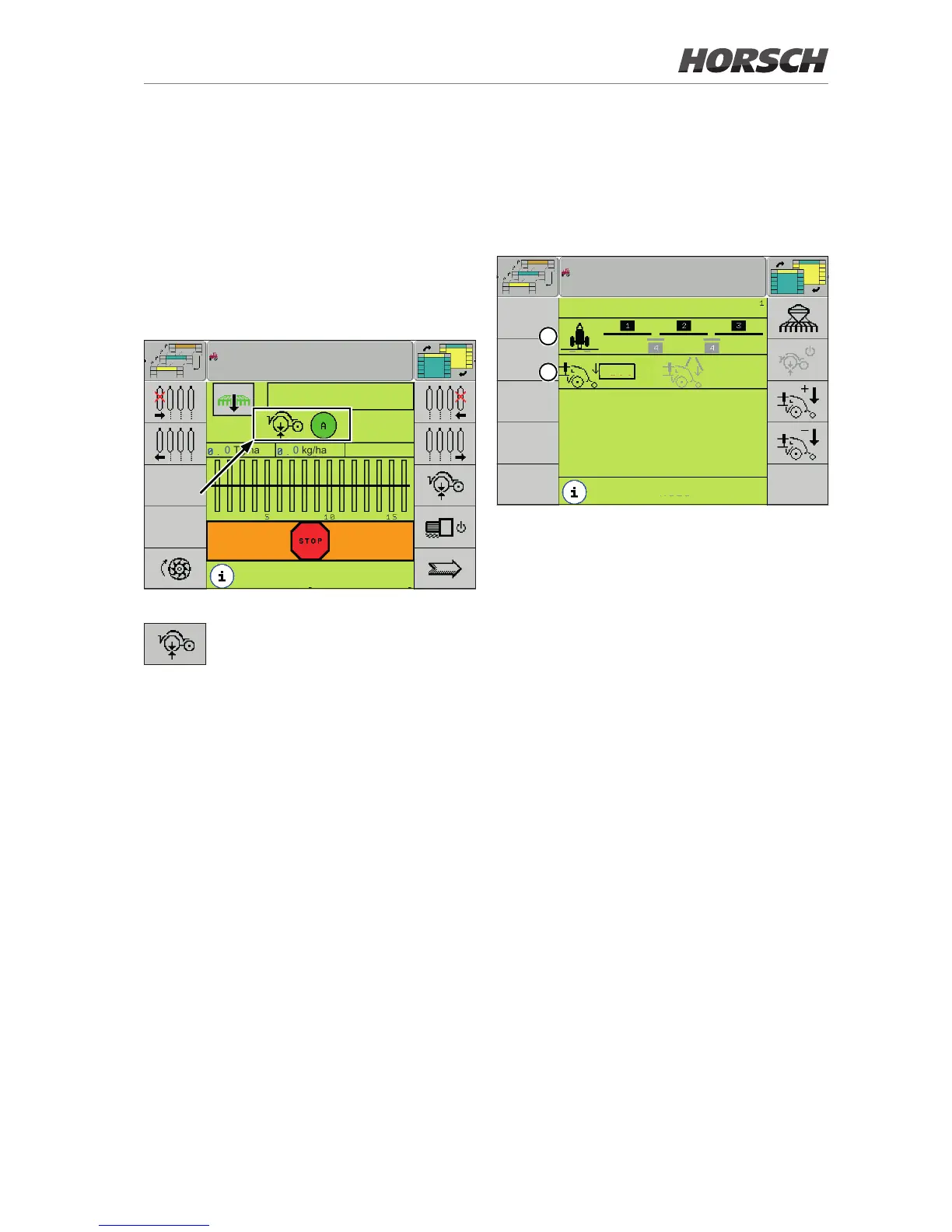
AutoForce screen
The AutoForce screen can be accessed via the
corresponding button on the working screen or
the additional key.
Depending on the terminal, the button can be
selected by rotary wheel or touch.
0.0
km/h
0 Tg/ha 0 kg/ha
maize
Working screen - Button to access the AutoForce screen
Softkey for accessing the AutoForce
screen.
Manual mode
The manual mode is active is the automatic
mode is disabled.
The manual mode must be used if no control
is possible.
AutoForce
200
kg
200
kg
Manual
res. 30.0
ha
16689
m
1
2
AutoForce screen - manual mode
1. The diagram shows the layout of the sections.
The standard sections are shown in black,
the sections in the tracks in grey.
2. The target values for the standard sections
(black) and the sections in the tracks (grey)
can be entered here.
The hydraulic valve is then pressurised with
a constant value.
Target value range for manual mode:
150 - 350 kg.



 To Next Page