Settings
Softkey for accessing the AutoForce
settings.
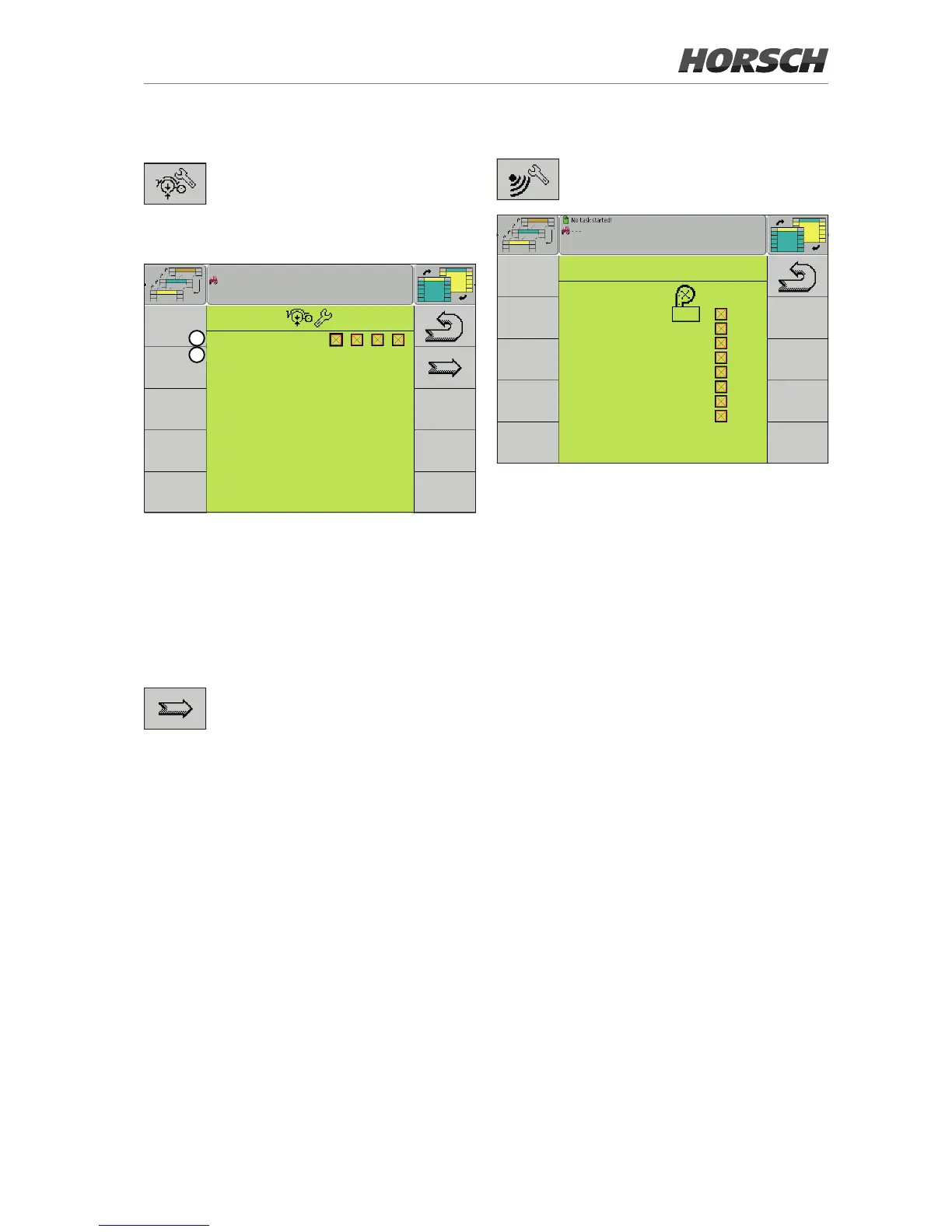
Section selection
Current Sections :
Track section : sct4
1
2
1. Current (=active) sections
Depending on the equipment version, 1 - 4
sections can be enabled and disabled here.
2. Track section
The section for the track can be selected
here. By default, this is the highest section.
Softkey to the Section - row allocation page.
Sensor row allocation
Softkey for accessing the page for
sensor allocation.
CONFIGURATION
Sensor 1 : 2
Sensor 2 : 6
Sensor 3 : 9
Sensor 4 : 10
Sensor 5 : 14
Sensor 6 : 16
Sensor 7 : 19
Sensor 8 : 23
Sensor - row allocation
¾ Select the number of the row with the corre-
sponding sensor or enter it in the left column,
depending on the equipment of the machine.
¾ Mark the checkbox in the right column to se-
lect whether a sensor is installed or activated.



 To Next Page