Howto use Quicksetcontrol
The Quick Set control provides a short-cut method
for entering time and the Power Level on your micro-
wave oven. Cooking Codes are only used for
recipes
which need little or no attention, and which require
no change of power level during cooking. Recipes
which require additional ingredients, attention or
change in power !evel during microwaving should be
cooked in the usual manner. Also, recipes with cook-
ing time of less than one minute or more than 99
minutes can not use Cooking Codes.
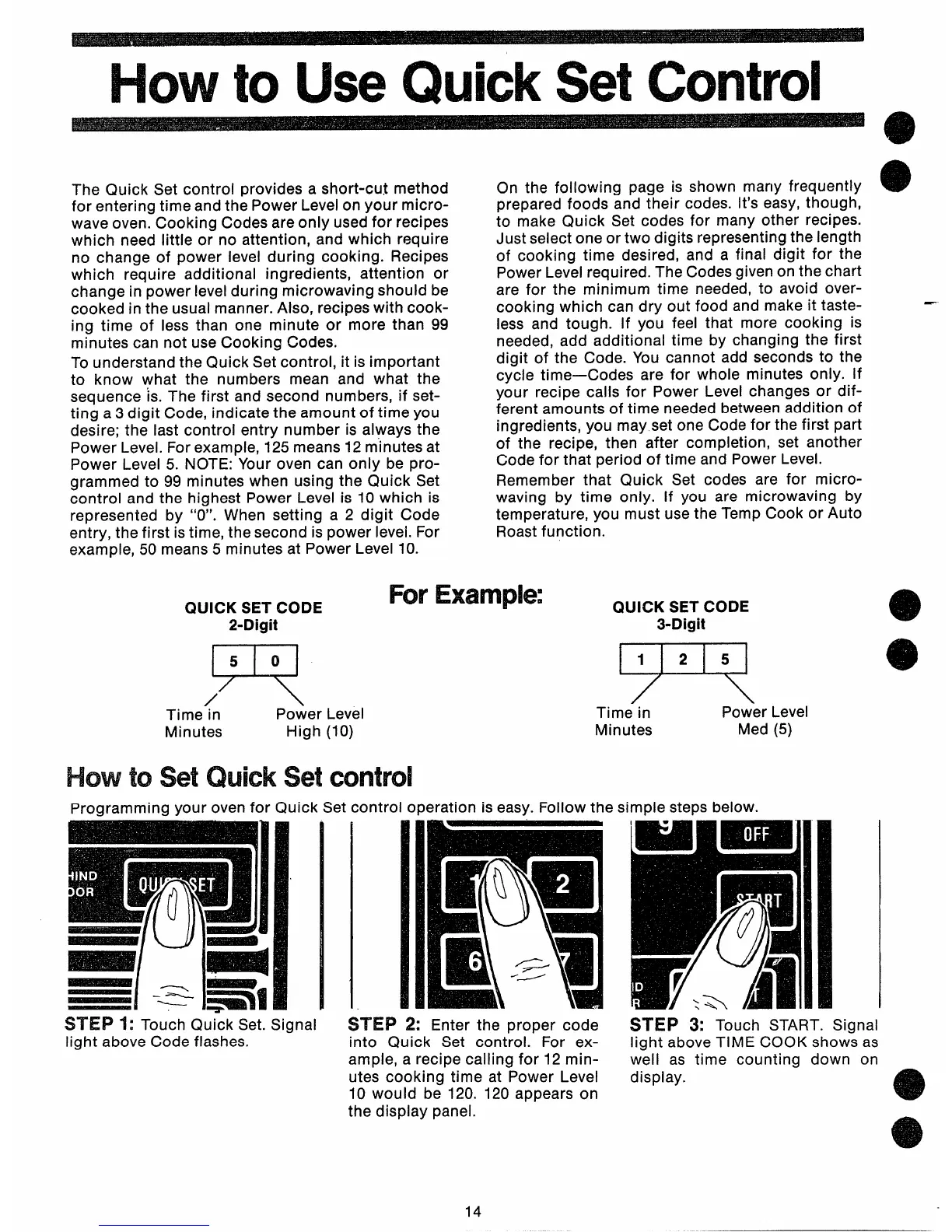
To understand the Quick Set control, it is important
to know what the numbers mean and what the
sequence ‘is. The first and second numbers, if set-
ting a3 digit Code, indicate the amount of time you
desire; the last control entry number is always the
Power Level. For example, 125 means 12 m“inutesat
Power Level 5. NOTE: Your oven can only be pro-
grammed to 99 minutes when using the Quick Set
control and the highest Power Level is 10 which is
represented by “O”. When setting a 2 digit Code
entry, the first is time, the second is power level.
For
example,
50 means 5 minutes at Power Level 10.
On the following page is shown many frequently
prepared foods and their codes. It’s easy, though,
to make Quick Set codes for many other recipes.
Just select one or two digits representing the length
of cooking time desired, and a final digit for the
Power Level required. The Codes given on the chart
are for the minimum time needed, to avoid over-
cooking which can dry out food and make it taste-
less and tough. If you feel that more cooking is
needed, add additional time by changing the first
digit of the Code. You cannot add seconds to the
cycle time
—Codes are for whole minutes only. If
your recipe calls for Power Level changes or dif-
ferent amounts of time needed between addition of
ingredients, you may set one Code for the first part
of the recipe, then after completion, set another
Code for that period of time and Power Level.
Remember that Quick Set codes are for micro-
waving by time only. If you are microwaving by
temperature, you must use the Temp Cook or Auto
Roast function.
QUICK SET CODE
2-Digit
J=!
50
/
Time in
Power
Minutes
High
Howto SetQuickSet
IIForExample
Level
QUICK SET CODE
3-Digit
R
Time in
Power Level
(lo)
Minutes Med (5)
control
Programming your oven for Quick Set control operation is easy. Follow the simple steps below.
~~~~ ~: Touch Quick Set. Signal
light above Code flashes.
~~~~ ~: Enter the proper code
into Quick Set control. For ex-
ample, a recipe calling for 12min-
utes cooking time at Power Level
10 would be 120. 120 appears on
the display panel.
STEP 3: Touch START. Signal
light above TIME COOK shows as
well as time counting down on
display.
a
e
14



 To Next Page