10
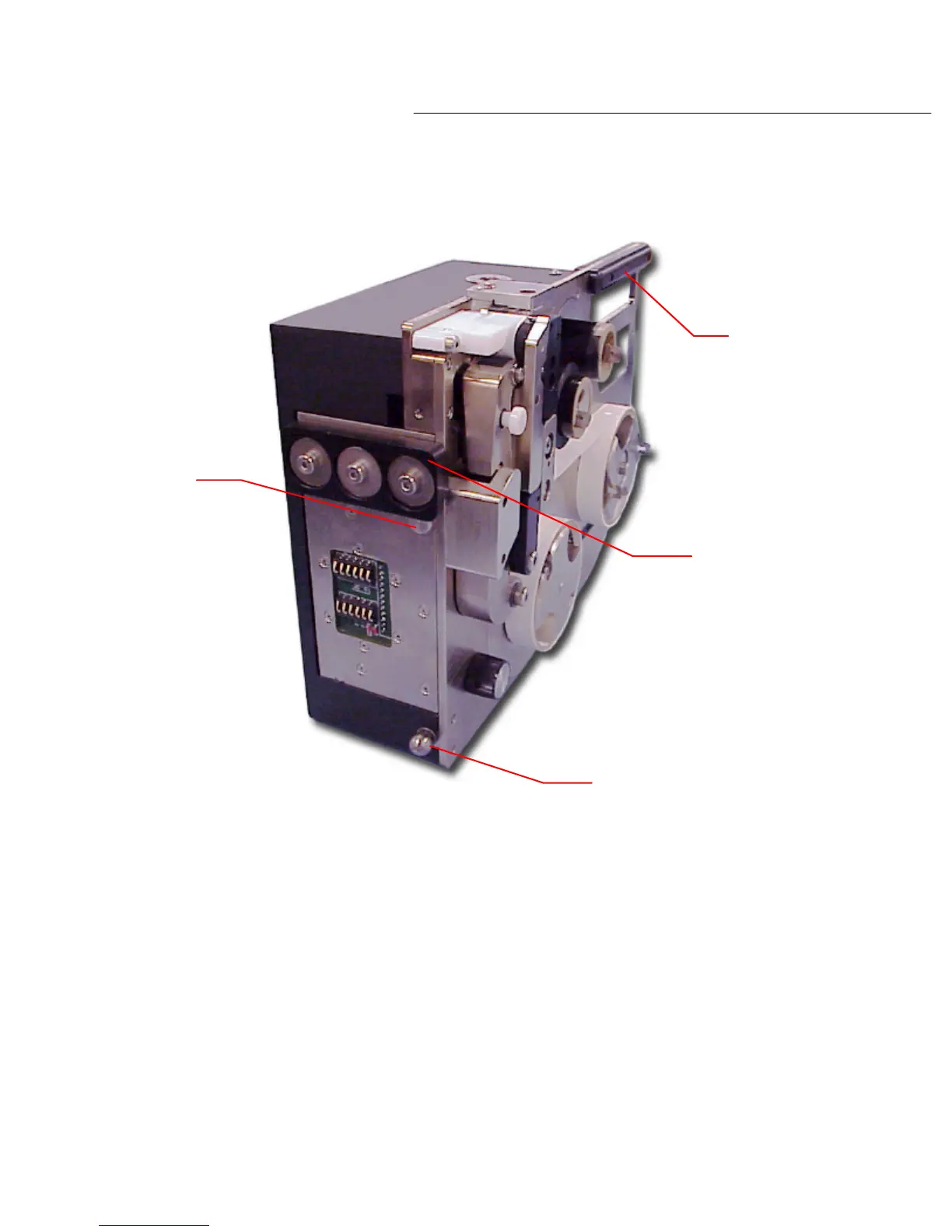
To mount the labeling unit to the docking station, align the guide pin within the top of the groove
in the dock base plate and place the bottom edge of the dock clamp block onto the notched edge
of the dock base plate. With the dock clamp block and guide
pin lined up to the dock base plate,
the tooling ball with snap into place and the labeling unit is now mounted onto the docking plate
as shown in diagram 2.3b.
To remove the labeler from the docking station, firmly grasp the handle found on the top of th
e
labeling unit. Lift the labeling unit up and out to release the tooling ball from the alignment
bushing. The labeler can now be lifted out and away from the docking station.
PL1200 Thermal Transfer Printer
Introduction
Guide pin
Handle
Dock clamp block
Tooling ball
Diagram 2.5a



 To Next Page