38
PL1200 Thermal Transfer Printer
Troubleshooting
To adjust the slip clutch tension, remove the labeler from the docking station. Next, remove the
cover of the PL1200 labeling unit. Spin the manual advance knob to advance the labels and
check the label dispensed for smudging.
If there is no galling present, clean and grease the mandrel. Re-
assemble the mandrel, and then
recheck the problem. If it still persists, please consult the factory.
If the ‘Calibration’ light starts to flash after a few labels have been printed and the rollers are
clean, it is recommended that the slip clutch tension be tightened on the label take up mandrel.
To do so, remove the cover from the PL1200 labeling unit. Spin the manual advance knob
clockwise to tighten.
6.3 Labels Won’t Calibrate
This problem can occur if
the ‘label alignment ‘ sensor needs to be adjusted or you are not using
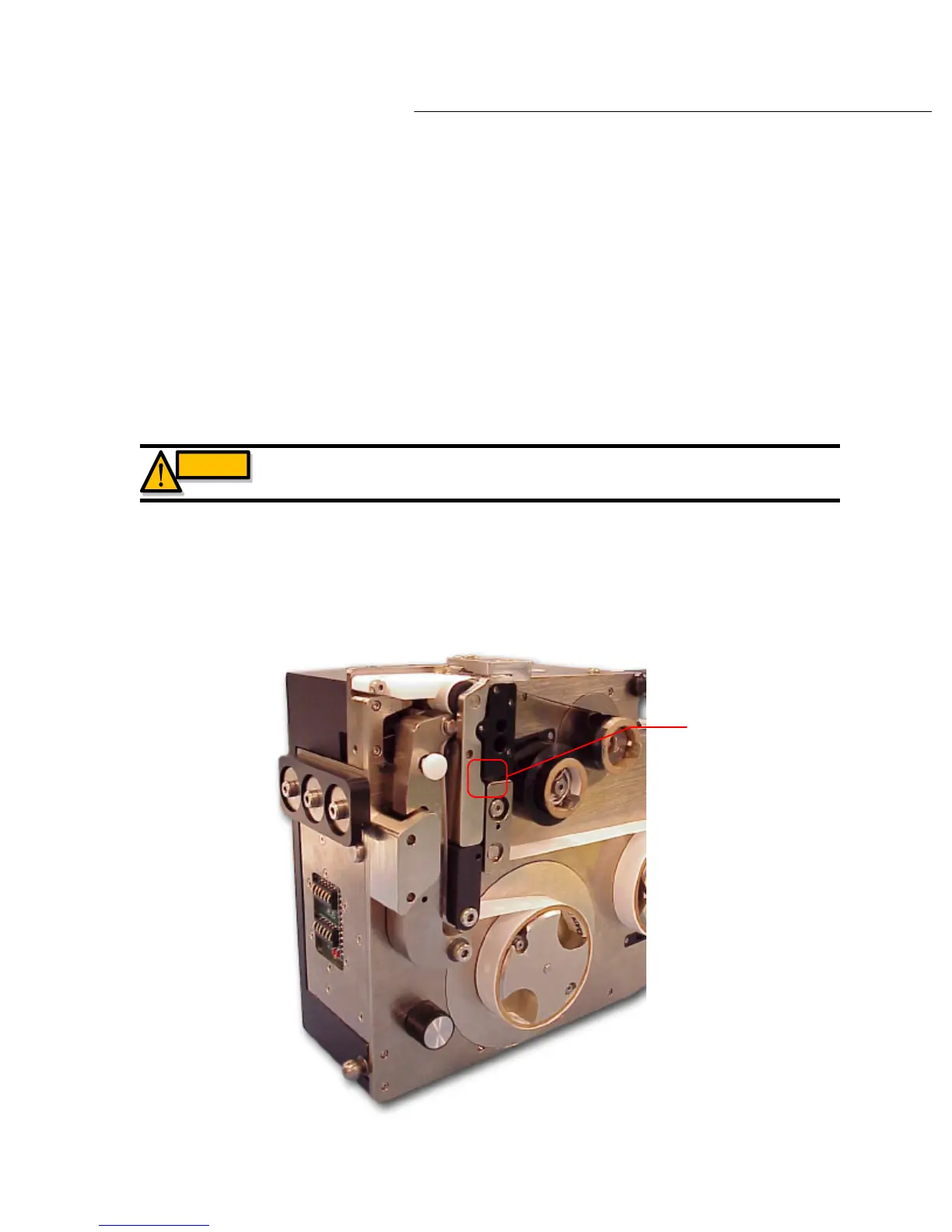
Identco brand labels. This sensor is located between the ‘label tension block’ and the ‘transfer
roller arm’ as shown in diagram 6.3a
Diagram 6.3a
Label alignment
sensor location
WARNING
WARNING : POSSIBLE PINCH POINTS KEEP HANDS CLEAR.



 To Next Page