39
PL1200 Thermal Transfer Printer
Troubleshooting
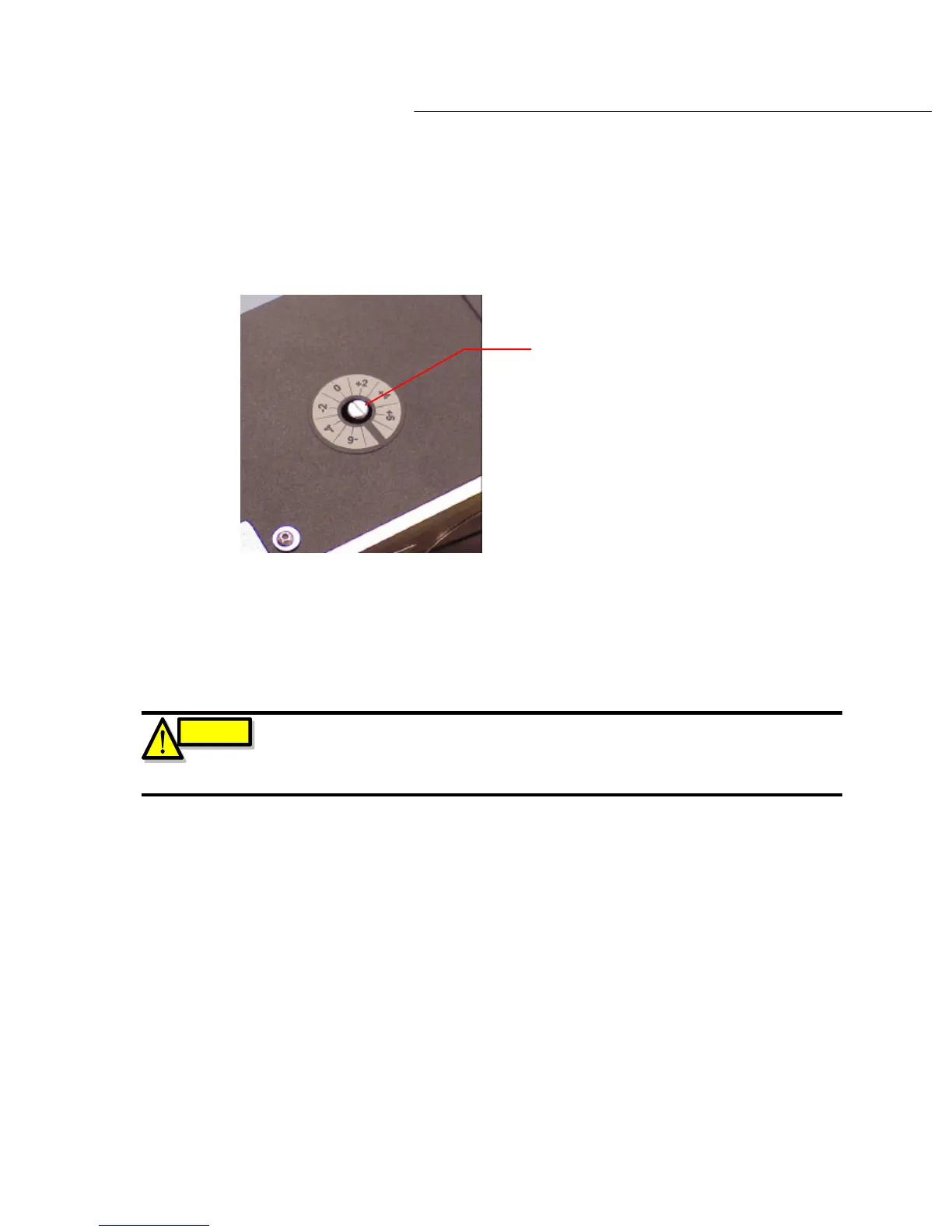
To adjust this sensor, use a screwdriver to turn the potentiometer located on top of the laberer.
(see diagram 6.3b).
Diagram 6.3b
Potentiometer
By placing the screwdriver in the slot and turning this will adjust the potentiometer.
Spin the screw a 1/16 of a turn. Now depress the ‘CALIBRATION’ switch. Check to see if the
calibration sequence occurs. If the calibration sequence does not occur repeat the above
instructions until the desired calibration sequence is obtained.
If the calibrate sequence does occur, press the ‘CALIBRATION’ switch multiple times, each time
checking to ensure the consistency of the label dispense sequence.
Once the desired consistency is achieved, you may now resume operations as normal.
CAUTION
Please note, this potentiometer is a ten turn POT, and is VERY SENSITIVE. A ¼
turn can have a dramatic effect on the adjustment on this POT. It is therefore
recommended that you turn this adjustment screw no more than 1/16 of a turn
AT ANY ONE TIME!



 To Next Page