20
PL1200 Thermal Transfer Printer
Introduction
2.9 Switches
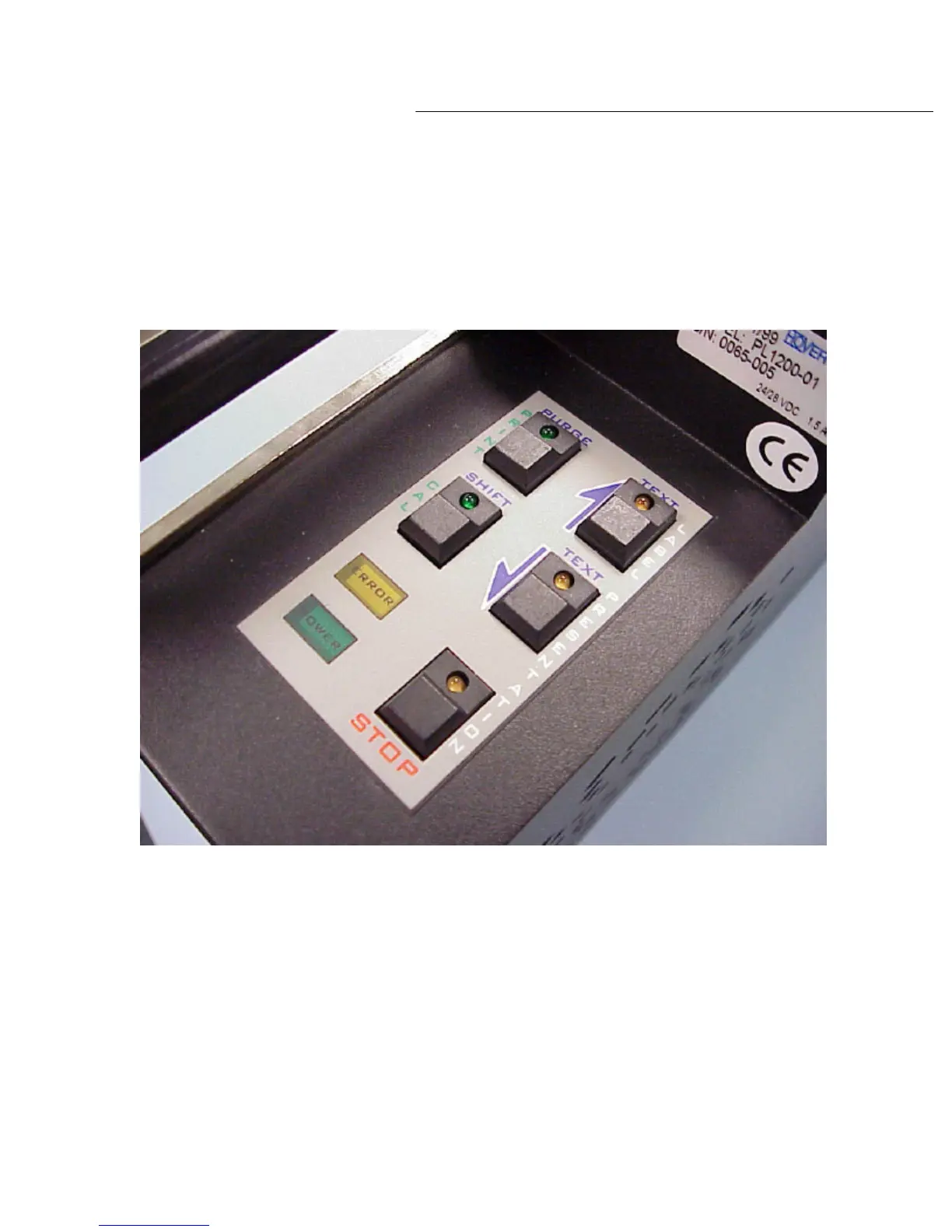
Next to be discussed is the switch bank found on the PL1200 series-
labeling unit. This is found on
the top of the labeling unit. The switch bank consists of five switches. Each switch contains an
LED indicator as shown in diagram 2.9a.
The switches found on the switch bank are multi
-functional. In the first mode the switches
function as the vertical labels on the switch indicate – The 2 switches on the upper right hand
side of the switch bank labeled ‘LABEL PRESENTATION’ are used to manually advance or retract
the label position for pickup by the host machine. When using these switches for adjusting
labels, it is important to adjust presentation first then adjust print position.
The switch on the top right corner of the switch bank ha
s a purple arrow pointing forward. This is
the ‘LABEL ADVANCE’ SWITCH. Each time this switch is depressed, the next label to be
dispensed for pickup will be advanced in approximately .005-inch increments.
Diagram 2.9a



 To Next Page