22
PL1200 Thermal Transfer Printer
Introduction
With the ‘SHIFT’ switch depressed and while concurrently depressing the ‘LABEL ADVANCE’
switch, the print on the label can be adjusted forward in approximately .005-inch increments.
With each depression of the ‘LABEL ADVANCE’ switch, an additional increment will occur.
With the ‘SHIFT’ switch depressed and while concurrently depressing the ‘LABEL RETRACT’
switch, the print on the label will be adjusted backward in approximately .005-inch increments.
Again, with each depression of the ‘LABEL RETRACT’ switch, an additional increment will occur.
In both of the above described sequences the program logic is set up in a loop. By depressing
the switches enough times, the setting of the print to the leading edge of the label will eventually
return to its original start position.
These adjustments will be seen on the second label to be dispensed following the actual
adjustment via the switches. If you calibrate the labeling unit immediately following each
adjustment, the changes will be immediate.
he switches to the original factory settings, push and hold the ‘STOP’ switch while
concurrently pushing and holding down the ‘LABEL ADVANCE’ and ‘LABEL RETRACT’ switches.
Next, release the ‘STOP’ switch, then release the ‘LABEL ADVANCE’ and ‘LABEL RETRACT
switches.
The ‘PURGE’ function key on the switch bank is currently disabled at this time.
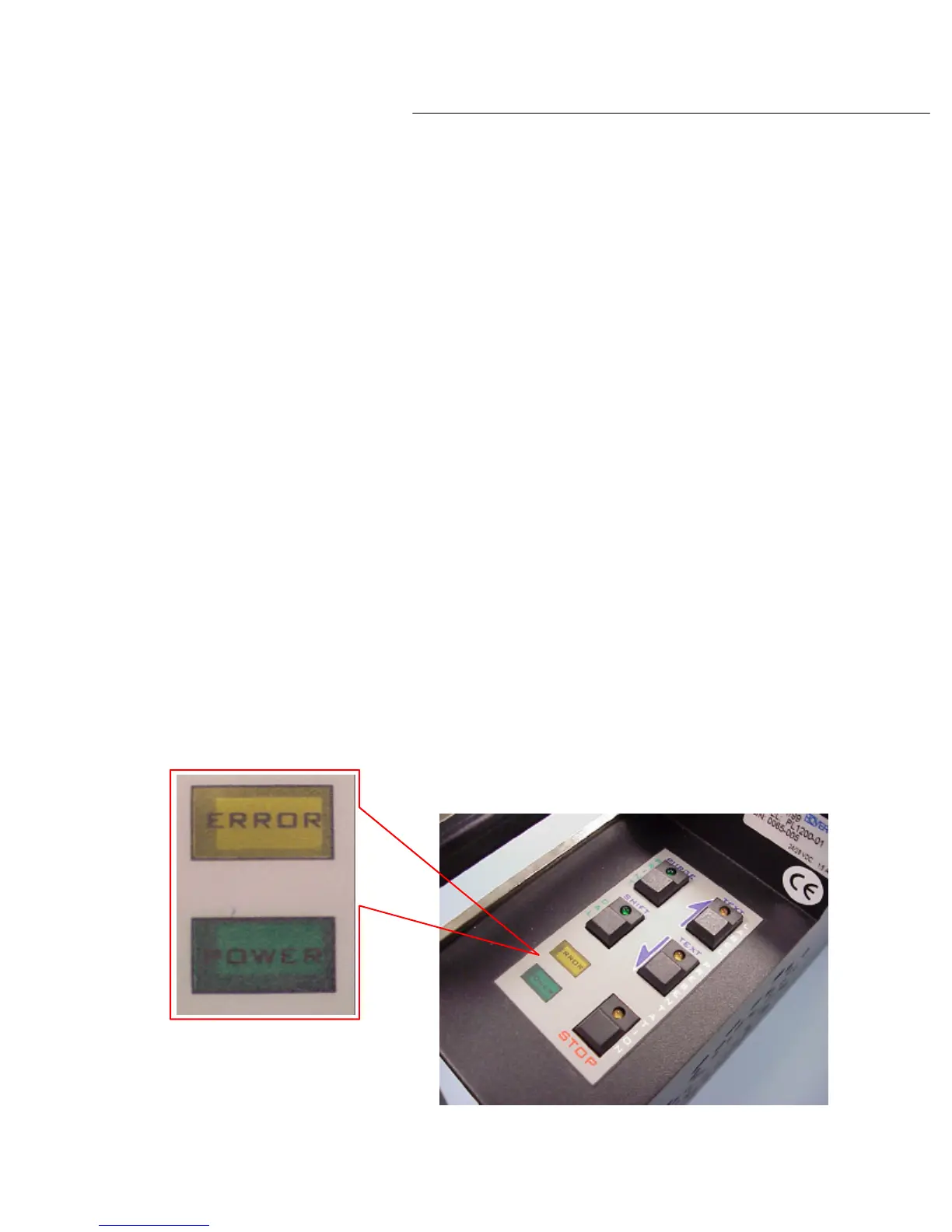
In addition to the switches on the display panel there are two LED indicators. The yellow
indicator labeled ‘ERROR’ will illuminate when errors are encountered, or when ‘low tape’
conditions on either stock reels are detected.
The green indicator labeled ‘POWER’ is lit when the labeling unit is successfully docked to the
adapter (see diagram 2.9b).
Diagram 2.9b



 To Next Page