27
PL1200 Thermal Transfer Printer
Operations
To set the knob to the open position, hold the unit firmly by the handle and pull the drive arm
‘lock knob’ out. While holding the knob in the out position, pull the knob to the left until the drive
arm locks open.
You will now notice that the ‘drive arm’ assembly and ‘transfer roller arm swing out slightly so
that you can easily remove or slide the label or print media type into position.
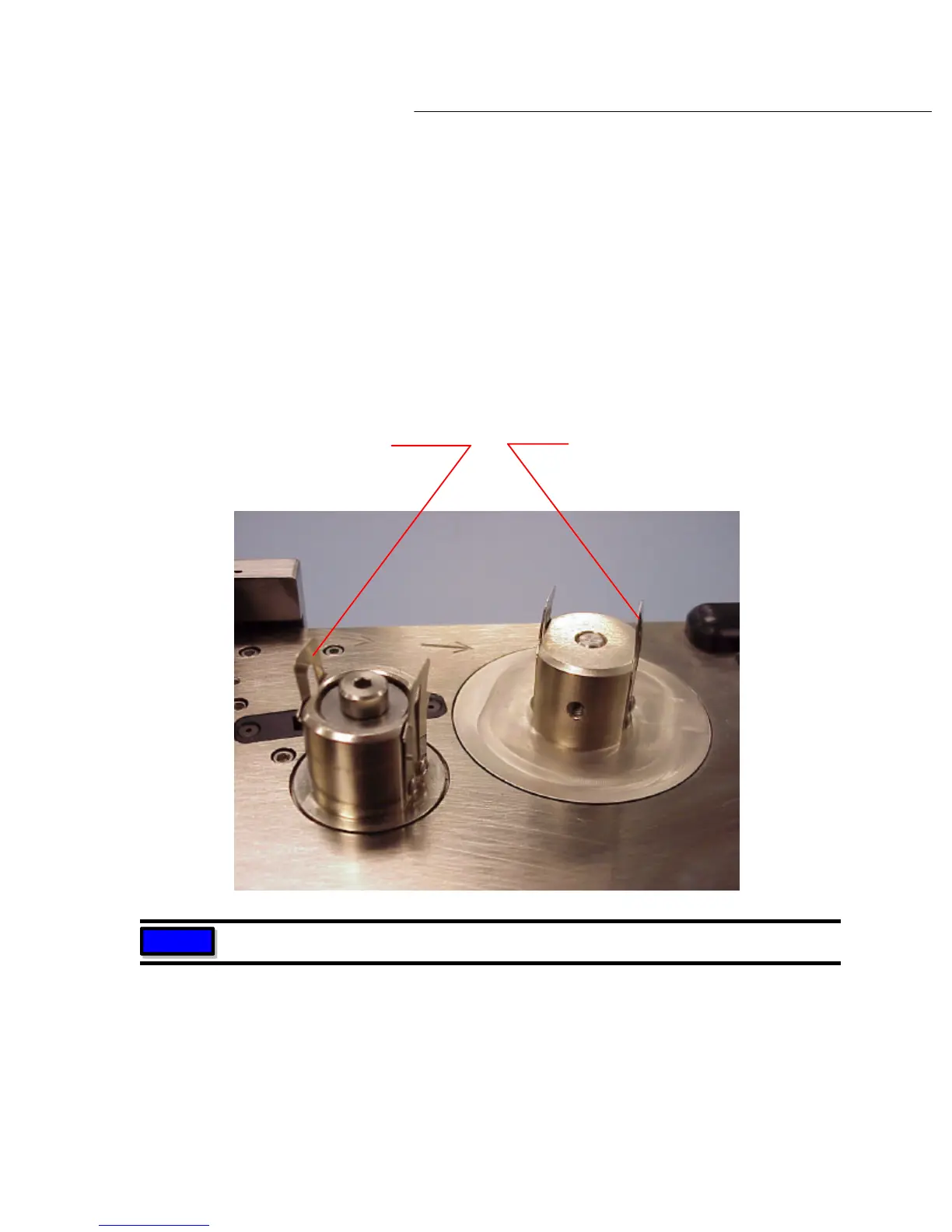
Snap both set pressure clips on the label and /or ribbon mandrels to the open position by
pressing the clips inward or towards the mandrel (see diagram 4.2b below). One this is done,
you are ready to remove or install the label or print media reels.
The proper position of the reels on the mandrels, whether it is the ‘stock’ reels or the ‘take
-up’
reels is always with the media being fed from or onto the top of the reel as shown in diagram
Pressure clip in 'closed' position
locks media reel in place on the mandrel
Pressure clip in 'open' position,
media reels can be installed
or removed
Diagram 4.2b
NOTE
Clips shown are ribbon mandrels



 To Next Page