EasyManua.ls Logo

HoverCam Pilot 3 - Operating the Pilot; Built-In Touchscreen; Built-In Keyboard and Trackpad

HoverCam Pilot 3
24 pages
Print Icon
To Next Page IconTo Next Page
To Previous Page IconTo Previous Page
Loading...
!
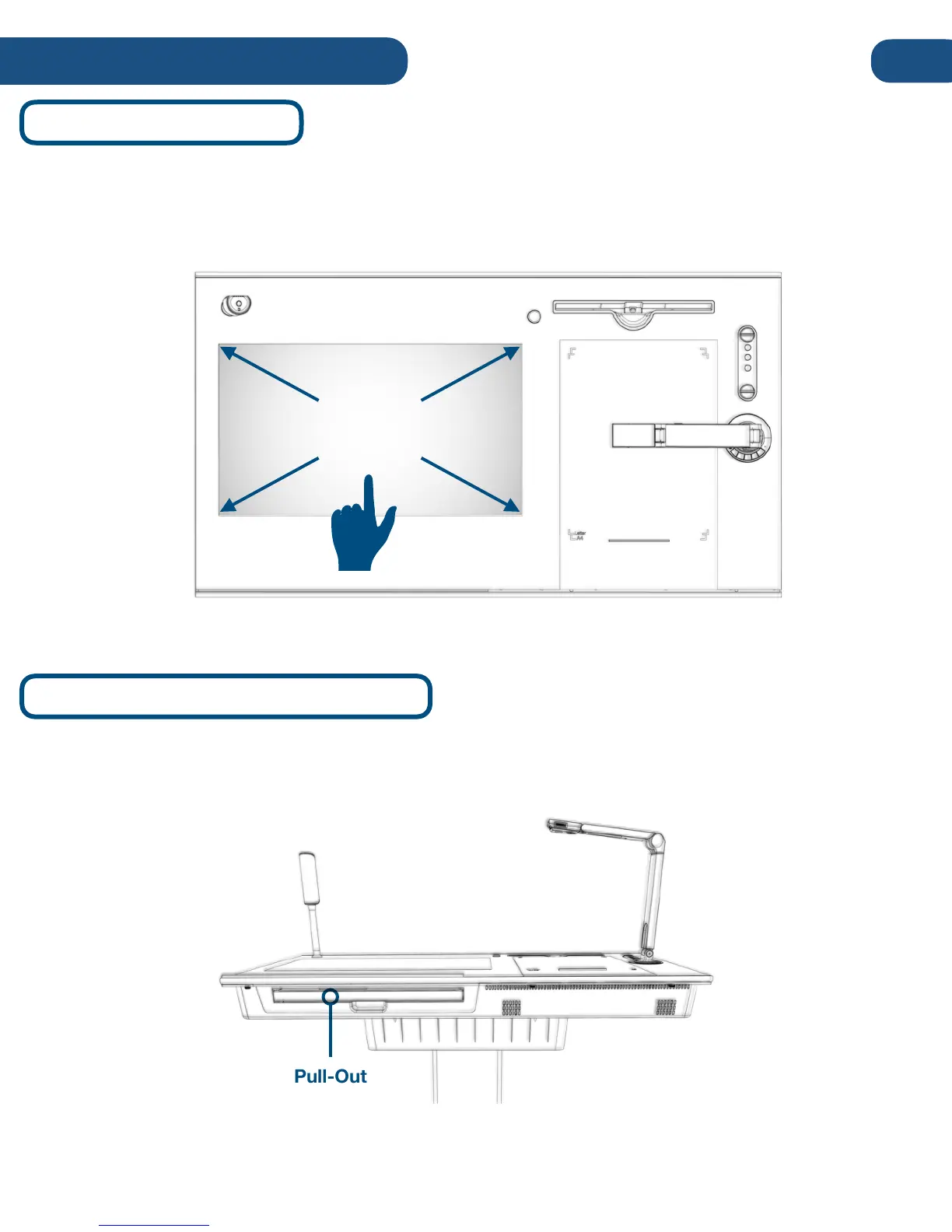
The Pilot includes a physical keyboard and trackpad. To access the keyboard and trackpad, locate
the slide-out tray on the front-side of the unit, and pull out to use.
Built-In Keyboard and Trackpad
Pull-Out
Keyboard and
Trackpad
The Pilot’s primary means of operation is the built-in touchscreen. The touchscreen can accommodate up
to 10 points of simultaneous touch, as well as two-finger scroll, pitch and rotation gestures. To access the
“left-click” feature, simply press and hold on the item, object or area.
Built-In Touchscreen
21” 10-Point
Multitouch
9
Operating the Pilot