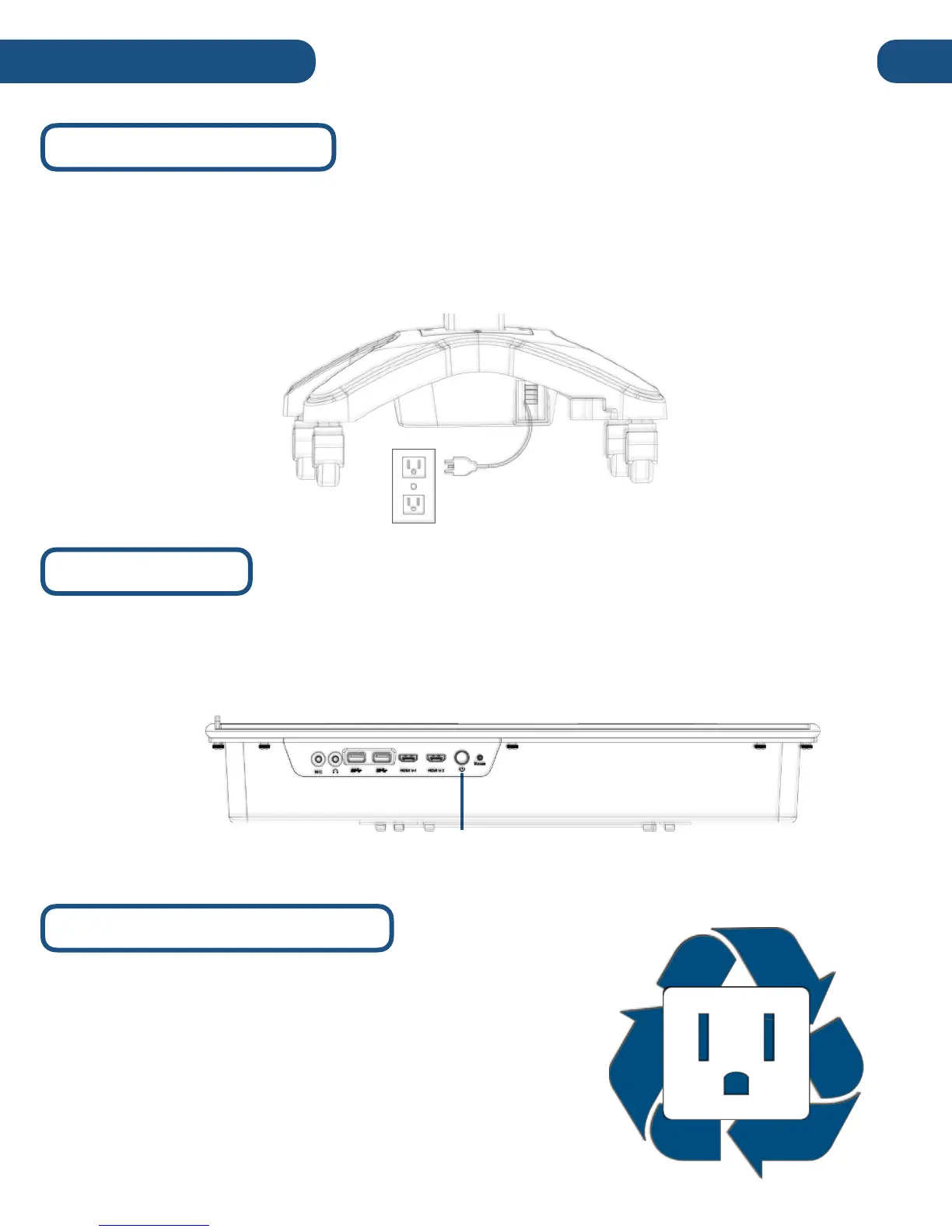
To get started, find the retractable power cable (AC100-240V 50/60Hz) on the right side of the base
and plug it into an available AC Power Outlet with ground. If you’d like to retract the power cable,
carefully extend it to its maximum length (16 feet) and release it. The reel-tension system should
automatically wind the cable back into the base for easy storage and transportation. #
Next, press and hold the power button on located on right side of the device until the Pilot “beeps”,
signaling the start of the boot-up process. Boot-up typically takes around minute, but can vary across
models and usage. #
If left idle, the Pilot will automatically enter power save
mode. To return your system from power save mode, touch
anywhere on the touch screen or press any key on the
keyboard. If left in power save mode for an extended period,
your Pilot will enter sleep mode. To exit sleep mode, press
the power button on the right side of the touch screen
module.


 To Next Page