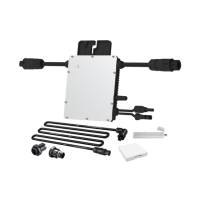
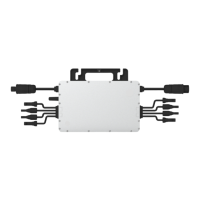
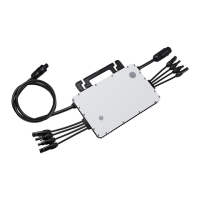
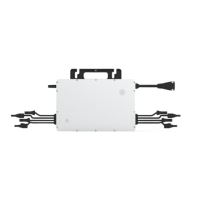
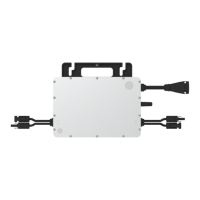
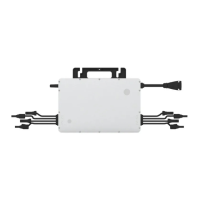
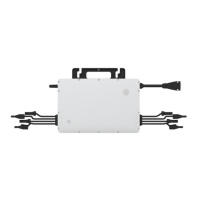
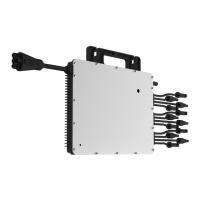
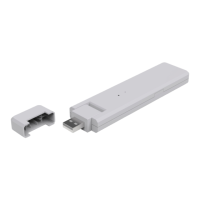
The Hoymiles DTU-WLite is a crucial component within the Hoymiles Microinverter System, serving as the communication gateway that bridges Hoymiles microinverters with the S-Miles Cloud (Hoymiles Monitoring Platform). This device is designed to facilitate the efficient monitoring and management of single-phase microinverter systems, ensuring optimal performance and user convenience.
Function Description
The primary function of the DTU-WLite is to collect operational data from Hoymiles microinverters and transmit it to the S-Miles Cloud. Microinverters convert the DC output of solar modules into grid-compliant AC power, and they send their output information and operational data wirelessly to the DTU-WLite. The DTU-WLite, in turn, communicates with the microinverters via a 2.4 GHz Proprietary RF (Nordic) protocol. Once the data is collected, the DTU-WLite connects to the internet via a router and uploads this information to the S-Miles Cloud. This platform then provides panel-level monitoring for both end-users and maintenance personnel, offering a comprehensive overview of the system's performance.
The DTU-WLite is capable of monitoring up to four single-unit, two-in-one, or four-in-one microinverters. However, the actual number of PV modules it can monitor may be reduced if communication between the DTU and microinverters experiences interference due to installation conditions.
Usage Features
The DTU-WLite offers several features designed to enhance its usability and integration into a solar power system:
- Seamless Data Transfer: It acts as a reliable intermediary, ensuring that critical performance data from each microinverter is accurately and consistently uploaded to the S-Miles Cloud. This enables real-time monitoring and historical data analysis, which are essential for maximizing energy harvest and identifying potential issues.
- Panel-Level Monitoring: Through the S-Miles Cloud, users can access detailed, panel-level insights into their system's operation. This granular data allows for precise performance tracking and troubleshooting, as it can pinpoint the exact location of any underperforming or faulty module.
- Easy Wi-Fi Configuration: The DTU-WLite integrates a Local Installation Assistant function, accessible via the Hoymiles Installer App. This feature simplifies the Wi-Fi configuration process, allowing installers to set up the internet connection in a single step.
- Installation Assistant for Optimal Placement: The Local Installation Assistant also provides valuable feedback during installation. It allows installers to quickly see how many microinverters are working correctly and how many are abnormal, along with detailed information for each. Crucially, it displays the signal strength between each microinverter and the connected DTU. This enables installers to adjust the DTU's placement to ensure strong and reliable communication, thereby preventing potential issues that might require a follow-up visit.
- Remote System Access: Once installed and configured, the system's performance can be viewed remotely through the S-Miles Cloud web-based platform (world.hoymiles.com) or via the Hoymiles End User App (available on iOS and Android). This provides convenient access to system data from anywhere, at any time.
- Visual Status Indicators: The DTU-WLite is equipped with LED indicators (red, green, blue) that provide immediate visual feedback on its working status, communication with Wi-Fi, connection to the server, and search for microinverter serial numbers. These indicators are crucial for quick diagnostics during installation and operation.
- Flexible Installation: The DTU-WLite is designed for straightforward installation. It connects to an adapter and plugs into a wall socket. For optimal signal, it is recommended to place it at least one meter above the ground and 0.8 meters away from corners, and to avoid installing it directly above metal or concrete surfaces. If using a power strip, it should also be placed at least one meter above the ground, and the DTU should be installed at a 90-degree angle perpendicular to the ground.
Maintenance Features
The DTU-WLite is designed for minimal maintenance, with features that aid in troubleshooting and ensuring long-term reliability:
- Diagnostic LED Indicators: The LED lights serve as a primary diagnostic tool. Different flash patterns and colors indicate specific statuses or issues, such as disconnection from Wi-Fi, server disconnection, incomplete serial number search, or firmware upgrade in progress. This allows for quick identification of problems without needing specialized equipment.
- Troubleshooting Guide: The user manual provides a detailed troubleshooting section that correlates LED indicator statuses with potential problems and their corresponding solutions. This empowers users and installers to resolve common issues efficiently. For example, if the LED flashes red every second, it indicates the DTU is without a serial number and disconnected from Wi-Fi, prompting checks on router distance and password.
- Local Installation Assistant for Connection Optimization: The signal strength display in the Installer App helps optimize the DTU's placement during installation, reducing the likelihood of communication issues that might require future maintenance. By ensuring strong initial connections, the system's long-term stability is enhanced.
- Firmware Upgrades: The DTU-WLite supports firmware upgrades, indicated by specific LED flash patterns. This allows for continuous improvement of the device's functionality and security over time, ensuring it remains compatible with evolving system requirements.
- Support and Contact Information: Hoymiles provides comprehensive support resources, including a website (www.hoymiles.com) and a technical service center (service@hoymiles.com). This ensures that users and installers have access to expert assistance if they encounter complex issues that cannot be resolved through the manual's troubleshooting guide.
- Product Information Updates: Hoymiles regularly updates product information and user manuals. Users are encouraged to refer to the official website for the latest versions, ensuring they have access to the most current information for maintenance and operation.
- Warranty Information: The manual emphasizes that disassembling the DTU without approval from Hoymiles will invalidate the warranty. This highlights the importance of professional service for any repairs or replacements, ensuring the device's integrity and covered status.


 To Next Page
 General