
 To Next Page


C
cesar05Sep 23, 2025
What does 'PV-3 & PV-4 abnormal wiring' mean on my Hoymiles Inverter?
- JjoshuacameronSep 23, 2025
Please check whether the DC connections on port 3 and 4 are correct.

What does 'PV-3 & PV-4 abnormal wiring' mean on my Hoymiles Inverter?
Please check whether the DC connections on port 3 and 4 are correct.
What to do if my Hoymiles Inverter is offline?
First, ensure the microinverter is functioning correctly. Then, check the communication status between the DTU and the Hoymiles monitoring system, or between the DTU and the microinverter. If the communication is poor, try to improve it. If the alarm occurs frequently and cannot be resolved, it's recommended to contact your dealer or Hoymiles technical support.
What to do if my Hoymiles Inverter reports grid overvoltage?
If the alarm occurs accidentally, it's possible the grid voltage is temporarily abnormal; the microinverter should recover automatically once the voltage returns to normal. However, if the alarm occurs frequently, verify that the grid voltage is within the acceptable range. If it's not, contact your local power operator or, with their consent, adjust the grid overvoltage protection limit via the Hoymiles monitoring system.
What does it mean when my Hoymiles Inverter shows '10 min value grid overvoltage'?
If this alarm appears once, it might indicate a temporary issue with the grid voltage. The microinverter should automatically recover when the grid voltage stabilizes. However, if the alarm is frequent, you should check if the grid voltage is within the normal range. If it is not, contact your local power operator or, with their consent, adjust the grid overvoltage protection limit using the Hoymiles monitoring system.
What does 'PV-5 & PV-6 abnormal wiring' mean on my Hoymiles Inverter?
Please check whether the DC connections on port 5 and 6 are correct.
What should I do if my Hoymiles Inverter shows 'Port 2 No input'?
First, confirm whether this port is connected to the PV module. If the PV module is connected, please check the DC cable connection between this port and the PV module.
What does it mean if my Hoymiles Inverter displays 'Input port 5&6 overvoltage'?
Please make sure that the PV module open-circuit voltage is less than or equal to the maximum input voltage. If the PV module open-circuit voltage is within the normal range, contact your dealer or Hoymiles technical support.
What should I do if my Hoymiles Inverter shows 'Port 1 No input'?
First, confirm whether this port is connected to the PV module. If the PV module is connected, please check the DC cable connection between this port and the PV module.
What does it mean if my Hoymiles Inverter reports a grid disconnection?
Please check whether the AC switch or AC wiring is normal.
What does it mean if my Hoymiles Inverter detects an island?
If the alarm occurs accidentally, the grid voltage may be abnormal temporarily. The microinverter can recover automatically after grid voltage becomes normal. If the alarms occur frequently on all the microinverters in your station, contact the local power operator to check whether there is a grid island. If the alarm still exists, contact your dealer or Hoymiles technical support.
Outlines critical safety precautions for installation, operation, and maintenance.
Details maximum microinverters per branch based on cable gauge and voltage.
Recommends installation location under PV modules for protection and ventilation.
Details the process of fixing microinverters and completing AC connections.
Provides a detailed list of alarm codes, names, and suggested solutions for common issues.
Explains the meaning of LED status indicators during startup and operation.
Guides qualified installers on checking microinverter operation and grid connection.
Outlines procedures for regular maintenance and safety precautions.
Provides steps for removing and replacing a microinverter, including monitoring system updates.
 General
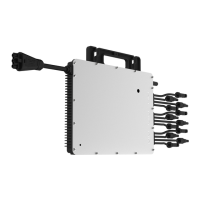
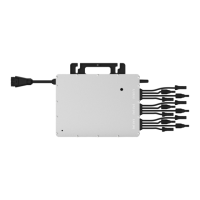
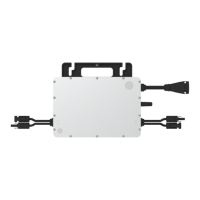
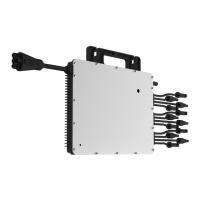
| Model | HMT-2250-6T |
|---|---|
| Category | Inverter |
| Max. Output Power | 2250 W |
| Number of MPPTs | 6 |
| Efficiency | 96.5% |
| Peak Power Tracking Voltage Range | 16-60 V |
| Startup Voltage | 22 V |
| Rated Output Power | 2250 W |
| Rated Output Current | 9.78A |
| Nominal Output Voltage/Range | 230 V |
| Rated Output Voltage | 230 V |
| Output Frequency | 50/60 Hz |
| Cooling Method | Natural Convection |
| Protection Level | IP67 |
| Maximum Input Current | 12A |
| Ambient Temperature Range | -40°C to +60°C |
| Operating Temperature Range | -40°C to +60°C |